The Radtel P8 PoC radio is a Push-to-Talk over Cellular (PoC) device that looks like a traditional walkie-talkie but communicates using 4G/LTE mobile networks instead of UHF/VHF radio frequencies. This means its effective range is not limited to a few kilometres like standard two-way radios, but instead depends on cellular coverage, allowing communication across cities, states, or even countries wherever there is mobile signal.
Unlike conventional radios that require radio licenses, repeaters, or line-of-sight, the Radtel P8 works more like a dedicated PTT phone with a SIM card. Many packages include a pre-installed SIM and a period of included data/service, after which a small ongoing fee may apply. It supports private calls and group calls, making it suitable for team communication, logistics, security staff, events, and transport coordination.
The device includes practical hardware features such as a 1.77-inch display, 3000 mAh battery, USB-C charging, and a durable metal (zinc alloy) housing. Audio is typically clear because voice is transmitted digitally over LTE, though there can be slight latency compared to instant RF radios. Some versions also support dual SIM slots for improved network flexibility.
A key limitation is that the Radtel P8 is completely dependent on mobile network coverage. In areas with no cellular signal—such as remote bushland, underground locations, or disaster zones—it will not function like a traditional UHF/VHF two-way radio. For this reason, it is best understood as an LTE communicator with PTT, rather than a replacement for conventional radios used in off-grid environments.
In summary, the Radtel P8 PoC radio is ideal for users needing long-distance push-to-talk communication, nationwide coverage, and team coordination without radio licensing, provided they operate within areas that have reliable 4G mobile network coverage.
I was really happy with this radio. Not only was it strong, but it was small also. The battery lasted a very long time and had a quick charge also. I’ve used it several ways for different purposes.
A link to the radio is below. Value your thoughts on it also in the comments below.
In 2026, Baofeng celebrates 25 years as one of the world’s best-known manufacturers of affordable two-way radios. Founded in 2001 as Fujian Baofeng Electronics Co., Ltd., the company has grown from a small Chinese radio manufacturer into a…
Radioditty sent the new GS-10B Pro to me before it was released as they wanted you to see it first. When sending it, they never told me what to say, only to review it. So below is what…
The Baofeng UV-5R Mini handheld radio is a popular and affordable dual-band amateur radio transceiver widely used by beginners and experienced ham radio operators. Designed as a compact version of the original UV-5R, this small and lightweight VHF/UHF…
The Radtel P8 PoC radio is a Push-to-Talk over Cellular (PoC) device that looks like a traditional walkie-talkie but communicates using 4G/LTE mobile networks instead of UHF/VHF radio frequencies. This means its effective range is not limited to…
Overview The Anytone AT-778UV is a dual-band VHF/UHF mobile transceiver designed for amateur radio operators. It operates on the 136–174 MHz (VHF) and 400–490 MHz (UHF) bands, offering reliable two-way communication for both ham radio and commercial use…
The Yaesu FT-620 (and its updated version, the FT-620B) is a vintage amateur radio transceiver designed specifically for the 6-meter band (50–54 MHz). Produced in the 1970s, it offers support for AM, CW, and SSB (USB/LSB) modes, making it a versatile rig for its time,…
Key Assignment For some reason, not all the key assignment options are in the manual and after a bit of searching, I found no complete list. Hopefully this below helps you in selecting your Key Assignments on the…
As licensed Amateur Radio operators, we have all heard about Yaesu. We have all seen a Yaesu radio and most of us have used and even own one. I’ve had and have several Yaesu radios. From extremely old…
I managed to get one of these radios and was rather impressed with it and what it came with. Have a look what my box had in it. Some of the things I liked included: It is a…
I purchased this radio from a friend, and it worked well. He hadn’t really used it, so I did a factory reset. This was a bit of a mistake, as it did a few things like turning everything…
You could say every amateur radio operator knows about the Baofeng if they have been around long enough. Most have held one of their radios and lots have at least one. They have made a huge amount of…
A great radio that does all bands up to 70cm. Using all modes also you can talk on SSB on VHF and UHF. If you haven’t done SSB on 2m and 70cm, then I’d encourage you to do…
I recently got my hands on the Hiroyasu IC-980 Pro dual band base radio. This is pronounced as “Hiro-Yasu”. When I say, got my hands on it, the unit is so small, you only need one hand really!…
Amateur radio operators use many different antenna types, each designed for specific bands, space limits, and operating goals. Here’s a clear overview of the most common ones and why hams choose them.
Wire Antennas
These are some of the simplest and most popular antennas that include:
Dipole Antennas
Two equal wire sections fed in the center
Very efficient and easy to build
Works well on HF bands
Often used as a first antenna
End-fed wire
Fed at one end instead of the center
Easy to install in limited space
Needs a matching unit (tuner or transformer)
Inverted-V
A dipole with the center high and the ends sloping down
Takes up less horizontal space
Good all-around performance
Vertical antennas
Vertical antennas stand upright and radiate equally in all directions.
Popular for HF, VHF, and UHF
Good for DX (long-distance) contacts
Require a good ground system or radials
Common on small lots or rooftops
Verticals are great when you want omnidirectional coverage without rotating an antenna.
Directional antennas
These antennas focus energy in specific directions. They include:
Yagi Antennas
One driven element with reflector(s) and director(s)
High gain and directivity
Common on HF, VHF, and UHF
Usually mounted on towers and rotors
Beam Antennas
General term for directional antennas
Help reduce noise and interference
Ideal for contesting and DXing
Loop antennas
Loop antennas use a closed loop of wire or tubing. They include:
Full-wave loops
Large, efficient, and low noise
Often used on HF bands
Magnetic loops
Much smaller
Useful in apartments or noisy environments
Narrow bandwidth, needs careful tuning
VHF/UHF antennas
Used mainly for local and line-of-sight communication. They include:
Ground-plane
Simple vertical antenna
Common for 2 m and 70 cm
Collinear
Stacked vertical elements
More gain for repeater and FM use
Handheld “rubber duck”
Compact and portable
Less efficient but very convenient
Portable and special-purpose antennas
Whip antennas for mobile use
NVIS antennas for regional HF coverage
Stealth antennas designed to be hidden
Satellite antennas (often crossed Yagis)
Choosing the right antenna
Amateur Radio Operators usually decide what antenna to used based on:
Available space
Frequency bands
Operating style (local, DX, portable)
Budget and installation limits
A simple, well-installed antenna often outperforms a complex one installed poorly.
How do I increase Antenna Gain?
Increasing antenna gain means focusing the radio signal more efficiently rather than increasing transmitter power. One of the most effective ways is to use a directional antenna, like a Yagi or beam, instead of an omnidirectional antenna such as a dipole or vertical. Directional antennas concentrate energy in a specific direction, providing stronger signals and reducing interference from unwanted directions.
You can also look at mounting your antenna higher. The old thought of Height is Might come into play. It’s true to a point, especially if you go higher and can now talk over obstacles like hills or buildings.
Another way to increase gain is by adding more elements to antennas like Yagis. Each additional director slightly increases forward gain, allowing for stronger transmission over long distances. Similarly, antenna height plays a major role in effective gain: raising antennas above obstacles improves the radiation angle, enhances long-distance (DX) contacts, and benefits line-of-sight communication on VHF and UHF bands.
Advanced techniques include stacking antennas, where two or more identical antennas are combined with proper spacing and phasing to achieve extra gain. Even without changing antennas, improving efficiency can boost effective gain. This includes using low-loss coax, keeping feedlines short, installing sufficient radials for verticals, and tuning the antenna to achieve a low SWR, which ensures most energy is radiated rather than lost.
In short, achieving higher gain relies on focusing energy, increasing elements, raising antenna height, and reducing losses. Choosing the right antenna depends on your operating goals, such as DX contacts or local coverage, and your available space and budget.
What about you?
So what antenna have you used and has it worked well or not at all? Which antenna did I miss above?
I’m keen to get your thoughts so please add a comment below.
If you enjoyed this read, hear are some other ones you may enjoy also:
In 2026, Baofeng celebrates 25 years as one of the world’s best-known manufacturers of affordable two-way radios. Founded in 2001 as Fujian Baofeng Electronics Co., Ltd., the company has grown…
CW Skimmer is a popular amateur radio software program used for decoding Morse code signals on the HF bands. The program is widely used by ham radio operators, DX chasers,…
ADIF Master is a popular amateur radio logging software tool used for editing and managing ADIF log files. ADIF stands for Amateur Data Interchange Format, which is the worldwide standard…
The 15 metre band is one of the most popular HF amateur radio bands for long-distance communication, offering an excellent balance between reliability and worldwide reach. Frequency Range The standard…
The AOR AR1000XLT is a popular wideband scanner receiver that became well known among radio enthusiasts, amateur radio operators, aviation listeners, and shortwave hobbyists during the late 1980s and early…
Maximum Usable Frequency (MUF) is an important concept in HF radio propagation and amateur radio communications. It refers to the highest frequency that can be used for reliable communication between…
A dipole antenna is a basic radio antenna made of two conductive elements fed at the center. It is typically a half-wavelength long and is widely used as a reference antenna in antenna theory and practice.
Dipole antennas work by converting alternating current into electromagnetic waves. Their radiation pattern is strongest perpendicular to the antenna and weakest along its axis, forming a donut-shaped pattern in three dimensions.
The orientation of a dipole antenna determines its polarization. A horizontal dipole produces horizontally polarized waves, while a vertical dipole produces vertically polarized waves. Matching polarization improves signal strength.
A half-wave dipole has an impedance of about 73 ohms in free space, which closely matches common coaxial cables. Proper impedance matching improves efficiency and reduces signal reflections.
When a dipole is installed close to the ground, near objects, or in an inverted-V shape, its impedance naturally drops from ~73 ohms toward 50 ohms. Many real-world dipoles end up near 50 ohms without extra components.
A folded dipole has about 300 ohms impedance, but using a 4:1 balun converts it to 75 ohms, and further matching can bring it to 50 ohms if needed.
Common types include half-wave, folded, short, and inverted-V dipoles. Dipole antennas are used in FM radio, television, amateur radio, and as components of directional antenna arrays.
My Antenna
Below is the antenna I made and tested. This video will show you how I did it, and why. I share some tips I learned along the way. But I would also value your thoughts.
The app I used to get the measurements from is this one:
In 2026, Baofeng celebrates 25 years as one of the world’s best-known manufacturers of affordable two-way radios. Founded in 2001 as Fujian Baofeng Electronics Co., Ltd., the company has grown from a small Chinese radio manufacturer into a global brand supplying handheld radios for amateur radio…
One day I was checking the bands and noticed the 17m band is open for a short period. I have noticed this over a long period that it often opens and provides reliable DX contacts at a similar time each day. I often could clearly hear…
Radioditty sent the new GS-10B Pro to me before it was released as they wanted you to see it first. When sending it, they never told me what to say, only to review it. So below is what I honestly experienced. This handheld radio is not…
CW Skimmer is a popular amateur radio software program used for decoding Morse code signals on the HF bands. The program is widely used by ham radio operators, DX chasers, and contest stations because it can monitor and decode many CW signals at the same time.…
ADIF Master is a popular amateur radio logging software tool used for editing and managing ADIF log files. ADIF stands for Amateur Data Interchange Format, which is the worldwide standard used by ham radio operators to share QSO log information between different logging programs and online…
The 15 metre band is one of the most popular HF amateur radio bands for long-distance communication, offering an excellent balance between reliability and worldwide reach. Frequency Range The standard frequency range for the 15m band is 21.000 MHz to 21.450 MHz. Within this range, different…
The AOR AR1000XLT is a popular wideband scanner receiver that became well known among radio enthusiasts, amateur radio operators, aviation listeners, and shortwave hobbyists during the late 1980s and early 1990s. The scanner was designed to receive a massive range of radio frequencies, making it one…
Maximum Usable Frequency (MUF) is an important concept in HF radio propagation and amateur radio communications. It refers to the highest frequency that can be used for reliable communication between two locations by reflecting off the ionosphere. If a radio signal is transmitted above the MUF,…
Prior to 1989, it was illegal to operate between 50 MHz and 52 MHz in Australia. It was a real pain as that was where all the action was when the band opened up.
My original 6m radio – still works today
However, after many requests from the WIA to the DoTC back in 1989, it was agreed that this section of the 6m band could be used with some minor amendments.
VK5, VK6, VK8, VK9 & VK0
It was decided VK5, VK6, VK8, VK9 & VK0 stations may operate anywhere between 50 – 52 MHz provided there was no interference caused to the reception of Channel 0 transmissions up to a maximum of 400 watts.
VK2, VK3, VK4 & VK7 (eastern states)
Stations located in VK2, VK3, VK4 & VK7 are permitted to operate provided there was no interference caused to the reception of Channel 0 in the sub-band 50.05 – 50.20 MHz provided they are:
120 km from Channel 0 main television stations
60 km from Channel 0 translator stations
60 km from translator stations with Channel 0 inputs, and
They must only use emission modes of CW and SSB with a maximum of 100 watts.
VK1 ACT
Stations in VK1 can do the same as other eastern states but without the distance restrictions.
Today
Well that was back in 1989, today TV is all digital and the band is less restrictive now.
A short time ago I happened to make contact with Japan on 6m and also happened to be recording as well. You can watch the whole thing here:
I personally love 6m and the challenge of it. It works well locally and well when the band is open. But it can close suddenly without notice. Sometimes I’ve spoken long distances and either has received no signal strength at all, but a full S5 copy.
I also enjoy adjusting between vertical and horizontal polarisation.
If you enjoyed this read, please take the time to like and follow this blog. Or let me know what you think of 6m from where you are in the comments below.
If you enjoyed this read, here are some others you may enjoy.
In 2026, Baofeng celebrates 25 years as one of the world’s best-known manufacturers of affordable two-way radios. Founded in 2001 as Fujian Baofeng Electronics Co., Ltd., the company has grown from a small Chinese…
One day I was checking the bands and noticed the 17m band is open for a short period. I have noticed this over a long period that it often opens and provides reliable DX…
Radioditty sent the new GS-10B Pro to me before it was released as they wanted you to see it first. When sending it, they never told me what to say, only to review it.…
CW Skimmer is a popular amateur radio software program used for decoding Morse code signals on the HF bands. The program is widely used by ham radio operators, DX chasers, and contest stations because…
ADIF Master is a popular amateur radio logging software tool used for editing and managing ADIF log files. ADIF stands for Amateur Data Interchange Format, which is the worldwide standard used by ham radio…
The 15 metre band is one of the most popular HF amateur radio bands for long-distance communication, offering an excellent balance between reliability and worldwide reach. Frequency Range The standard frequency range for the…
The AOR AR1000XLT is a popular wideband scanner receiver that became well known among radio enthusiasts, amateur radio operators, aviation listeners, and shortwave hobbyists during the late 1980s and early 1990s. The scanner was…
Maximum Usable Frequency (MUF) is an important concept in HF radio propagation and amateur radio communications. It refers to the highest frequency that can be used for reliable communication between two locations by reflecting…
I’ve heard a lot about dipole antennas, and I’ve heard a lot about long wire antennas also. I would say I’ve seen more dipoles than long wire antennas. So why is that? What is the difference between them? Which is better? If one is a clear winner, why does anyone build the other?
A dipole antenna is one of the simplest and most widely used antenna types. It consists of two equal-length conductive elements, each about a quarter wavelength long, making the total length approximately half a wavelength. The antenna is center-fed, meaning the feedline connects at the midpoint, where the impedance is around 73 ohms, allowing for easy matching with standard coaxial cables.
The radiation pattern of a dipole is broadside to the antenna, producing a figure-eight pattern in the horizontal plane. This means it radiates most strongly in directions perpendicular to the wire. The dipole provides a predictable, efficient, and balanced pattern, making it ideal for both HF and VHF communication systems where simplicity and reliability are important.
A long wire antenna, on the other hand, is a single conductive wire that is much longer than half a wavelength—often several wavelengths long. It is typically end-fed, with one end connected to the transmitter through an antenna tuner or matching network because the impedance is very high, often several hundred to several thousand ohms.
As the wire length increases, the radiation pattern of the long wire antenna becomes more directional and complex, forming multiple lobes with maximum radiation along the wire’s axis. This makes it useful for long-distance (DX)communication and applications where directional gain is advantageous.
In summary, the dipole antenna is a balanced, center-fed, half-wavelength antenna with a simple broadside pattern, while the long wire antenna is an unbalanced, end-fed, multi-wavelength antenna with a directional, multi-lobed pattern. Dipoles are preferred for efficient single-band operation, whereas long wire antennas are favored for multi-banduse and HF communications when space permits long installations.
So what is your experience with these antennas? Which one do you prefer and why? Have you made your own or have you bought it? Please leave your comments below.
If you enjoyed this read, see below for more interesting information:
On the 10-metre band, 28.490 is the unofficial calling frequency for Australia and New Zealand. This is interesting as the Band plans state it is 28.390 as the recommended intra-VK calling frequency.
That said, 28.490 is more recognised as the unofficial calling frequency down under.
Most amateurs down under will listen to 28.490 on ten metres and put out a call there, but then QSY to another frequency 10 or 20 kHz away either after making contact, or before contacting another station by announcing where you plan to go.
If you want to get onto Digital Radio for less (way less) than $100, then you may be interested in this. I have Apple equipment, and therefore miss out on a lot of the testing…
Orion is an app that isn’t really known in my world, perhaps because it isn’t available on all platforms, or because it does transmit your exact location to everyone on the channel. However there are…
The WizNet DMR app is still in beta testing, and at the time of writing this, you have to not only have a currently have a licence as an Amateur Radio Operator, but approved to…
How do you stop a hand held radio from falling and being damaged? Do you sometimes put the radio down on a bench or desk between overs or while you are waiting for someone to…
A good friend of mine, Mike VK5ZC, put the information below together and asked me to put it on my web site. He has spent a lot of time putting it together with pictures and videos, so I encourage you to have a good read.…
A good friend of mine, Mike VK5ZC, put the information below together and asked me to put it on my web site. He has spent a lot of time putting it together with pictures and videos, so I encourage you to have a good read.…
There are several DMR networks around the world, and more and more start all the time. The Australian DMR network currently covers the entire country and is for Australian residents only. It can often be…
I found it hard to find useful information on how to run the OpenGD-77 hotpot mode with Windows 10. At the time of writing this, there is a lot about this topic using a pistar and even android or ISO, but not much with Windows 10. This is my experence with BlueDV and Open GD-77 using a Windows 10 PC.…
The 15 metre band is one of the most popular HF amateur radio bands for long-distance communication, offering an excellent balance between reliability and worldwide reach.
Frequency Range
The standard frequency range for the 15m band is 21.000 MHz to 21.450 MHz. Within this range, different segments are commonly used for specific modes: CW (Morse code), digital modes like FT8 cluster around 21.074 MHz, and SSB voice communications are usually active above 21.150 MHz. These frequency allocations make it easy for operators to find activity depending on their preferred operating mode. Check your area as this is Australia settings.
Set Frequencies
On the lower end of the band, CW (Morse code) activity is concentrated but they can be anywhere within the band.
For digital modes, there are a few very well-known frequencies. The most popular is 21.074 MHz, which is the standard calling frequency for FT8, one of the most widely used weak-signal digital modes. Just above that, around 21.090–21.100 MHz, you’ll find modes like FT4, PSK31, and other digital activity depending on band conditions and operator preference.
In the upper portion of the band, SSB voice communications dominate. A widely recognised DX calling frequency is 21.300 MHz, where stations often call CQ looking for international contacts. General SSB ragchewing and contesting typically take place between 21.150 and 21.450 MHz, with activity spreading out depending on how busy the band is.
There are also a few special-purpose or informal gathering spots. For example, 21.360 MHz is sometimes used by international nets, and various maritime or traveller nets may appear in the upper SSB segment. During contests, however, these informal frequencies can become very busy or shift as operators spread across the band.
Overall, these set frequencies on 15 metres act like meeting points:
21.000–21.450 MHz → CW DX activity
21.074 MHz → FT8 digital frequency
21.070 – 21.150 MHz → other digital modes
21.300 MHz → SSB DX calling frequency
21.150–21.450 MHz → general SSB voice
Knowing these frequencies helps you quickly find activity and understand what to expect when tuning across the 15m band.
Ionosphere
The 15 metre band works primarily through ionospheric propagation, specifically via the F layer of the ionosphere. Signals transmitted on 21 MHz travel upward and are refracted back to Earth, allowing DX (long-distance communication) over thousands of kilometres. This band is highly dependent on solar activity, especially the sunspot cycle. During periods of high solar activity, the maximum usable frequency (MUF) increases, allowing 15m signals to propagate globally with strong signals. During low solar activity, the band can appear quiet or “closed,” especially for long-distance paths.
What can you expect
Operators can expect fast-changing propagation conditions on 15 metres. When the band is open, signals are often strong, with low noise compared to lower HF bands like 40m or 80m. This makes it ideal for DX contacts, contesting, and digital modes. However, when the band is closed, there may be little to no activity except for occasional short skip (regional contacts) or sporadic openings. Unlike lower bands, 15m does not usually support reliable nighttime propagation, as the ionosphere loses its ability to refract higher frequencies after sunset.
Antennas
Common 15 metre antennas include dipole antennas, vertical antennas, and directional beam antennas (Yagi). A simple half-wave dipole for 15m is about 7 metres long (total length), making it relatively compact and easy to install. Vertical antennas are popular for low-angle radiation, which is ideal for long-distance DX. More advanced operators often use Yagi beams mounted on towers, which provide gain and directionality, significantly improving performance on this band.
Performance
The interaction with ionospheric layers is key to understanding 15m performance. The F1 and F2 layers are responsible for most long-distance propagation, particularly during the daytime. The D layer, which forms during daylight hours, can absorb lower-frequency signals but has less effect on 15m, helping keep noise levels lower. Occasionally, sporadic E propagation can also open the band, especially in summer, allowing unexpected medium-distance contacts even when the F layer is weak.
Band opens
The 15 metre band is generally open during daylight hours, especially from mid-morning to late afternoon. Peak performance often occurs around local noon, when the ionosphere is most ionised. Openings are more frequent during solar maximum years, and less reliable during solar minimum. The band typically closes after sunset, although limited openings can sometimes occur around greyline (sunrise and sunset), offering unique DX opportunities.
Summary
Overall, the 15 metre amateur radio band is valued for its strong DX capability, low noise levels, and relatively small antenna size requirements. It is an excellent band for both beginners and experienced operators who want to explore worldwide HF communication, especially during favourable solar conditions.
There are several website that tell you what bands are open in your area. Most people paste them on their QRZ page, but there are some examples below that update every hour. You can see more on their webpage https://www.hamqsl.com/solar.html where all you have to do is paste the code and put on your website.…
When using digital over the radio, it is particularly important you have the correct time. Even a second out will stop you from making contacts. I relied on Windows to update the time and got an email from a helpful amateur telling me my time was out. You can see below it wasn’t out by…
I’ve heard several amateur radio operators say they are running a Barefoot setup. But what does it mean? It has nothing to do with what is or is not on your feet. But simply means transmitting without an amplifier. While power helps, the best thing you can do to fix your signal is your antenna.…
I purchased the Diamond W series W8010 antenna and quickly put it together. The instructions were a bit hard to read as it was exceedingly small. However, I found someone who did a video on how to put it together. (this is not my video) To me, an antenna is far more important than the…
The Nano VNA-H 4 is my new toy that has just arrived after purchasing via Banggood. This Antenna Analyser is a complicated device, but doesn’t have to be, and can be a powerful tool for the Amateur Radio hobbyist. Charging the device Your NanoVNA should come with a USB cord. To charge it, simply plug…
DXHeat.com is a great website that can update you the current conditions on each band. The website has filtering of incoming DX Spots which can be displayed instantly using great graphical tools. From the main landing page dxheat.com you can do a search by call sign or open DX Cluster. You can also scroll down…
Ever heard this sound on HF / VHF / UHF? I know I have more and more recently. After a bit of research, someone told me it was VARAC. https://www.varac-hamradio.com/ As I understand it, the project started with Irad Deutsch 4Z1AC. It is free of charge for amateur radio operators. This software provides text base…
The S-meter is an instrument on most radio receivers that measures the strength of the signal being received. It uses a unit: the S-point. HF radios usually have a needle scale, whereas other bands often have LEDs displaying the S-Points. S-Points is the common method of measuring signal strength between operators, however many programs like…
As per the Yaesu FT-710 manual, the Digital Noise Reduction (DNR) system is designed to reduce the level of ambient noise found on the HF and 50 MHz bands. The (DNR) system is especially effective during SSB operation. Any of 15 different noise-reduction algorithms can be selected; each of these algorithms was created to deal…
I recently got the Radioddity M916 Heavy duty antenna magnetic mound with the Radioditty HF-008 all band portable antenna. I had always wanted to use HF more while camping or going on adventures around Australia (see our adventures page if you are interested), and now I am a step closer to doing that. This quick…
160 meters band is known as the “Gentlemen’s band”. It is right next to the AM commercial band, known as medium wave.
The 160-meter band is the radio frequencies between 1.8 and 2 MHz. For many decades it was the lowest radio frequency band allocated for use by amateur radio, before the 630 and 2200 meter bands were introduced.
Amateur operators often refer to the 160 meters as the Top Band because it was for some time.
The 160-meter band is the oldest amateur band. Antennas are usually huge in size due to the wavelength at this frequency, making the higher bands a lot easier to get into given they have shorter wavelengths, requiring smaller antennas. Small antennas lead to less space required and less cost.
During the day propagation is limited to local contacts, but long distance contacts are possible at night, especially around sunrise and sunset.
How it started for me
The hobby started for me on Medium Wave, where I was shocked to receive long distance AM radio signals from interstate radio stations. The distances were huge, across countries if I was in Europe. As a kid I loved listening to interstate radio and sometimes phoned them to let them know. They were shocked I could hear them and often mentioned me by name soon after my phone call.
My Antenna’s
I’ve tried several antennas on this band. They include:
A horizontal dipole antenna. This worked really well though it was huge. The problem I had with this antenna was most people in my area use vertical antennas so they couldn’t hear me well.
A horizontal long wire antenna. This antenna was also huge, and also not vertical. So it worked well for close contacts, but not as good if I tried to contact a few suburbs away.
An inverted L antenna. This worked the best as my local contacts used vertical antennas. I tried to get the vertical part as high and as long as I could before doing that horizontal part. Given the length of the wire needed, most of the wire was still horizontal, but at least the first but was vertical. Though the secret to this antenna was the ground wires. I started with two of them and ran one around the house about 2 feet from the ground. The other was around the fence. I will put at least two more out which should also help improve things.
Summary
Getting on 160m was a bit of a challenge due to the wavelength. I could be heard on SSB, but AM was the biggest challenge. With AM, my radios would put out less watts so I had to rely more on my antenna.
Below is a small video of my 160m antenna and how I made the inverted L. With amateur radio, there will always be improvements and I am sure this setup isn’t the best, but it is a start and I learned what I could from the other amateurs who had already mastered this band.
Below is an extended video which goes into a bit more detail of how and why I did what I did. I adjusted all my HF antennas to make this 160m antenna work while not upsetting any of the other bands.
As I mentioned in both videos, I am not a professional, but an amateur radio operator and as keen to learn as anyone else. If you have any thoughts on this, I would value them in the comments below. It will not only help me, but others reading this. So don’t forget to have a look at what others have to say.
160m Coffee Break Net
Each weekday in Melbourne, there is a 160m Coffee Break Net. This net is a bit of a challenge to get onto because you must:
Have a full licence
Have a vertical antenna (which is the biggest challenge for 160m)
Have a radio that does AM, and puts a few watts out
As you can see above, I was able to make a 160m vertical antenna, so once I got this working, I was on the air! Many people try their dipole antenna, as did I at first, but on AM, it just doesn’t go far, and since everyone on the net is vertically polarised, they couldn’t hear me. I saw this as a challenge, and one worth trying.
Don’t forget to subscribe to this page, as I am sure I will have a version 2 of these antennas out one day!
If you enjoyed this, here are some other reads you may enjoy:
In 2026, Baofeng celebrates 25 years as one of the world’s best-known manufacturers of affordable two-way radios. Founded in 2001 as Fujian Baofeng Electronics Co., Ltd.,…
ADIF Master is a popular amateur radio logging software tool used for editing and managing ADIF log files. ADIF stands for Amateur Data Interchange Format, which…
The 15 metre band is one of the most popular HF amateur radio bands for long-distance communication, offering an excellent balance between reliability and worldwide reach.…
The AOR AR1000XLT is a popular wideband scanner receiver that became well known among radio enthusiasts, amateur radio operators, aviation listeners, and shortwave hobbyists during the…
Maximum Usable Frequency (MUF) is an important concept in HF radio propagation and amateur radio communications. It refers to the highest frequency that can be used…
World Amateur Radio Day is celebrated every year on April 18, marking the founding of the International Amateur Radio Union (IARU) in 1925. The organisation was…
Amateur Radio Television (ATV), often called “ham TV,” is a niche part of amateur television where licensed radio operators transmit live video and audio over radio…
The Baofeng UV-5R Mini handheld radio is a popular and affordable dual-band amateur radio transceiver widely used by beginners and experienced ham radio operators. Designed as…
HF radio and lightning storms are closely connected because lightning creates strong radio frequency interference that affects HF radio communication (3–30 MHz). High Frequency radio is…
OpenHamClock is an open-source amateur radio dashboard designed as a modern successor to the original HamClock used by radio amateurs worldwide. It provides a real-time visual…
The Radtel P8 PoC radio is a Push-to-Talk over Cellular (PoC) device that looks like a traditional walkie-talkie but communicates using 4G/LTE mobile networks instead of…
An antenna coupler (also called an antenna tuner or matching network) is a device used in radio systems to ensure impedance matching between a transmitter and…
Amateur radio operators use many different antenna types, each designed for specific bands, space limits, and operating goals. Here’s a clear overview of the most common…
One day I was checking the bands and noticed the 17m band is open for a short period. I have noticed this over a long period that it often opens and provides reliable DX contacts at a similar time each day. I often could clearly hear operators who were midway through conversation, then suddenly the band would open, and their conversation became a bit more public than it started.
The 20 m Band (14 MHz) is the HF workhorse band for DX, long-distance communication, ragchewing, nets, and contests. It offers the most reliable daytime propagation, often remains open into the evening, and can support worldwide contacts even during moderate solar activity. Because of its popularity, the band is frequently crowded with higher levels of QRM (interference) and contest activity.
The 17 m Band (18 MHz) is a WARC band, meaning major contests are generally not permitted, resulting in a much quieter operating environment. It provides excellent DX propagation during daylight hours, especially when solar conditions are good. The band often has lower noise, less congestion, and more available frequencies for casual operation.
The key comparison between the bands are, 20 m offers the most consistent worldwide HF propagation and longest daily operating window, while 17 m offers a quieter, less crowded experience with excellent DX opportunities.
If you enjoyed this read, here are some more you may enjoy:
One day I was checking the bands and noticed the 17m band is open for a short period. I have noticed this over a long period that it often opens and provides reliable DX contacts at a similar time each day. I often could clearly hear operators who were midway through conversation, then suddenly the…
Radioditty sent the new GS-10B Pro to me before it was released as they wanted you to see it first. When sending it, they never told me what to say, only to review it. So below is what I honestly experienced. This handheld radio is not only dualband UHF, VHF radio, it also receives HF,…
CW Skimmer is a popular amateur radio software program used for decoding Morse code signals on the HF bands. The program is widely used by ham radio operators, DX chasers, and contest stations because it can monitor and decode many CW signals at the same time. Unlike traditional Morse code listening, CW Skimmer displays signals…
The 15 metre band is one of the most popular HF amateur radio bands for long-distance communication, offering an excellent balance between reliability and worldwide reach. Frequency Range The standard frequency range for the 15m band is 21.000 MHz to 21.450 MHz. Within this range, different segments are commonly used for specific modes: CW (Morse…
Maximum Usable Frequency (MUF) is an important concept in HF radio propagation and amateur radio communications. It refers to the highest frequency that can be used for reliable communication between two locations by reflecting off the ionosphere. If a radio signal is transmitted above the MUF, it will not return to Earth and will instead…
HF radio and lightning storms are closely connected because lightning creates strong radio frequency interference that affects HF radio communication (3–30 MHz). High Frequency radio is commonly used for amateur radio (ham radio), marine radio, aviation HF communication, emergency communications, and long-distance shortwave listening. HF signals travel long distances by reflecting off the ionosphere, which…
OpenHamClock is an open-source amateur radio dashboard designed as a modern successor to the original HamClock used by radio amateurs worldwide. It provides a real-time visual display of essential ham radio propagation data, world clocks, DX activity, and space weather information in a single, easy-to-read interface. Built with modern web technology, OpenHamClock runs in any…
An antenna coupler (also called an antenna tuner or matching network) is a device used in radio systems to ensure impedance matching between a transmitter and an antenna. Most transmitters are designed for a specific impedance, commonly 50 ohms, while antennas often vary depending on frequency and design. When the impedance is not matched, reflected…
Amateur radio operators use many different antenna types, each designed for specific bands, space limits, and operating goals. Here’s a clear overview of the most common ones and why hams choose them. Wire Antennas These are some of the simplest and most popular antennas that include: Dipole Antennas End-fed wire Inverted-V Vertical antennas Vertical antennas…
A dipole antenna is a basic radio antenna made of two conductive elements fed at the center. It is typically a half-wavelength long and is widely used as a reference antenna in antenna theory and practice. Dipole antennas work by converting alternating current into electromagnetic waves. Their radiation pattern is strongest perpendicular to the antenna…
Prior to 1989, it was illegal to operate between 50 MHz and 52 MHz in Australia. It was a real pain as that was where all the action was when the band opened up.
My original 6m radio – still works today
However, after many requests from the WIA to the DoTC back in 1989, it was agreed that this section of the 6m band could be used with some minor amendments.
VK5, VK6, VK8, VK9 & VK0
It was decided VK5, VK6, VK8, VK9 & VK0 stations may operate anywhere between 50 – 52 MHz provided there was no interference caused to the reception of Channel 0 transmissions up to a maximum of 400 watts.
VK2, VK3, VK4 & VK7 (eastern states)
Stations located in VK2, VK3, VK4 & VK7 are permitted to operate provided there was no interference caused to the reception of Channel 0 in the sub-band 50.05 – 50.20 MHz provided they are:
120 km from Channel 0 main television stations
60 km from Channel 0 translator stations
60 km from translator stations with Channel 0 inputs, and
They must only use emission modes of CW and SSB with a maximum of 100 watts.
VK1 ACT
Stations in VK1 can do the same as other eastern states but without the distance restrictions.
Today
Well that was back in 1989, today TV is all digital and the band is less restrictive now.
A short time ago I happened to make contact with Japan on 6m and also happened to be recording as well. You can watch the whole thing here:
I personally love 6m and the challenge of it. It works well locally and well when the band is open. But it can close suddenly without notice. Sometimes I’ve spoken long distances and either has received no signal strength at all, but a full S5 copy.
I also enjoy adjusting between vertical and horizontal polarisation.
If you enjoyed this read, please take the time to like and follow this blog. Or let me know what you think of 6m from where you are in the comments below.
If you enjoyed this read, here are some others you may enjoy.
In 2026, Baofeng celebrates 25 years as one of the world’s best-known manufacturers of affordable two-way radios. Founded in 2001 as Fujian Baofeng Electronics Co., Ltd., the company has grown from a small Chinese…
One day I was checking the bands and noticed the 17m band is open for a short period. I have noticed this over a long period that it often opens and provides reliable DX…
Radioditty sent the new GS-10B Pro to me before it was released as they wanted you to see it first. When sending it, they never told me what to say, only to review it.…
CW Skimmer is a popular amateur radio software program used for decoding Morse code signals on the HF bands. The program is widely used by ham radio operators, DX chasers, and contest stations because…
ADIF Master is a popular amateur radio logging software tool used for editing and managing ADIF log files. ADIF stands for Amateur Data Interchange Format, which is the worldwide standard used by ham radio…
The 15 metre band is one of the most popular HF amateur radio bands for long-distance communication, offering an excellent balance between reliability and worldwide reach. Frequency Range The standard frequency range for the…
The AOR AR1000XLT is a popular wideband scanner receiver that became well known among radio enthusiasts, amateur radio operators, aviation listeners, and shortwave hobbyists during the late 1980s and early 1990s. The scanner was…
Maximum Usable Frequency (MUF) is an important concept in HF radio propagation and amateur radio communications. It refers to the highest frequency that can be used for reliable communication between two locations by reflecting…
ADIF Master is a popular amateur radio logging software tool used for editing and managing ADIF log files. ADIF stands for Amateur Data Interchange Format, which is the worldwide standard used by ham radio operators to share QSO log information between different logging programs and online logbook services. Many amateur radio enthusiasts use ADIF Master to organise contacts, repair corrupted log files, and prepare logs for upload to systems such as Logbook of The World, QRZ, Club Log, and eQSL.
The software is designed mainly as an ADIF editor rather than a full live logging program. One of the reasons ADIF Master is widely used in the amateur radio community is because of its simple spreadsheet-style layout. The rows and columns make it easy to edit callsigns, frequencies, modes, signal reports, dates, times, DXCC information, and other ham radio logging details quickly and easily.
ADIF Master includes many useful features for amateur radio operators. It can open, edit, merge, sort, filter, and convert ADIF files from different logging software programs. The software can also import Cabrillo contest logs and convert older log formats into modern ADIF files. This makes it very useful for contest operators, portable activators, DX hunters, and digital mode users.
Many radio amateurs use ADIF Master for cleaning up FT8 and FT4 logs created by WSJT-X or other digital mode software such as what I show you in the video, my excel log book. It is also commonly used to remove duplicate contacts, correct incorrect time entries, fix formatting problems, and prepare logs for awards and confirmations. The software supports modern ADIF standards and works well with current amateur radio digital modes.
Another advantage of ADIF Master is that it is lightweight and easy to run on most Windows computers, including Windows 10 and Windows 11 systems. Because the program is small and portable, many ham radio operators keep a copy on a USB drive or shack computer for quick log maintenance and backup work.
ADIF Master is especially helpful for amateur radio operators who regularly exchange log files between different ham radio programs. It provides a fast and simple way to manage amateur radio contacts while keeping logs accurate and compatible with modern logging systems and online amateur radio databases.
If you enjoyed this read, here are some more you may be interested in:
I recently started using ProScan after years of using FreeScan. I have always enjoyed using FreeScan as it is easy to setup, I can download outputs from the software, and the main reason “it works”. However ProScan seems to be more graphical and has different features also.…
I recently started using ProScan after years of using FreeScan. I have always enjoyed using FreeScan as it is easy to setup, I can download outputs from the software, and the main reason “it works”. However ProScan seems to be more graphical and has different features also.…
I found it hard to find useful information on how to run the OpenGD-77 hotpot mode with Windows 10. At the time of writing this, there is a lot about this topic using a pistar and even android or ISO, but not much with Windows 10. This is my experence with BlueDV and Open GD-77 using a Windows 10 PC.…
If you don’t have one of the latest and greatest expensive scanners, you will struggle to listen to a lot of transmissions. While there is still a lot of Analogue transmissions today, even a lot still on AM especially when it comes to Aviation, however…
An unusual name, but a catchy name no less, just like Peanut that was written by the same person, David PA7LIM. If you like Peanut, then you will like this project also. This project, like Peanut, includes some amazing coding and thinking.…
Welle.io is a DAB and DAB+ software defined radio (SDR). It runs on Windows, Linux and embedded devices like the Raspberry Pi 2 and 3. You can find the program and where to download it from their website. Using the Software With all these things,…
Here is a free windows program that will connect your PC to: DMR Yaesu Fusion DStar M17 P25 NXDN You can do all this without needing to purchase a radio. I prefer to use a radio, however I thought I would put this review together…
I have been using my Radioddity now for some years and love it. Though upgrading this to the OpenGD77 opened a whole new world and it gets better all the time. One issue I had for a period was not being able to connect to…
When using digital over the radio, it is particularly important you have the correct time. Even a second out will stop you from making contacts. I relied on Windows to update the time and got an email from a helpful amateur telling me my time…
I’ve been using EchoLink well before smartphones where the only way I knew how to connect to a different station was via the radio. The internet wasn’t as extensive as it is now and you had to dial the node you wanted via the radio.…
Ever heard this sound on HF / VHF / UHF? I know I have more and more recently. After a bit of research, someone told me it was VARAC. https://www.varac-hamradio.com/ As I understand it, the project started with Irad Deutsch 4Z1AC. It is free of…
Flrig is a transceiver control program designed to be used either stand alone or as an adjunct to fldigi (see my review on this). The supported transceivers all have some degree of CAT. The flrig user interface changes to accommodate the degree of CAT support…
If you haven’t seen my previous blog on the NanoVNA Analyser, then I suggest you look at that first before reading this blog. This one will talk about how to connect your NanoVNA to your PC via the USB cable, so I am assuming you…
Below is a list of Radio nets we have gathered from web pages around the world, as well as friends etc.
Clearly nets change all the time, so please let me know if there is anything you notice as potentially being wrong, needing to be updated, not clear of if you would like to add one you know.
You can then sync this calendar to your device so you have all the nets available just by clicking on the Add to Google Calendar button down the bottom. It will update as we are notified of changes.
I suggest you click on the weekly or daily view of the calendar below to see it correctly.
If you found something missing, or incorrect, or just have some suggestions, please send us a message via the form below. It will be great to hear from you.
In 2026, Baofeng celebrates 25 years as one of the world’s best-known manufacturers of affordable two-way radios. Founded in 2001 as Fujian Baofeng Electronics Co., Ltd., the company has grown from a small Chinese radio manufacturer into a global brand supplying handheld radios for amateur radio operators, emergency communications, outdoor activities, security, and commercial users.…
One day I was checking the bands and noticed the 17m band is open for a short period. I have noticed this over a long period that it often opens and provides reliable DX contacts at a similar time each day. I often could clearly hear operators who were midway through conversation, then suddenly the…
Radioditty sent the new GS-10B Pro to me before it was released as they wanted you to see it first. When sending it, they never told me what to say, only to review it. So below is what I honestly experienced. This handheld radio is not only dualband UHF, VHF radio, it also receives HF,…
CW Skimmer is a popular amateur radio software program used for decoding Morse code signals on the HF bands. The program is widely used by ham radio operators, DX chasers, and contest stations because it can monitor and decode many CW signals at the same time. Unlike traditional Morse code listening, CW Skimmer displays signals…
ADIF Master is a popular amateur radio logging software tool used for editing and managing ADIF log files. ADIF stands for Amateur Data Interchange Format, which is the worldwide standard used by ham radio operators to share QSO log information between different logging programs and online logbook services. Many amateur radio enthusiasts use ADIF Master…
The 15 metre band is one of the most popular HF amateur radio bands for long-distance communication, offering an excellent balance between reliability and worldwide reach. Frequency Range The standard frequency range for the 15m band is 21.000 MHz to 21.450 MHz. Within this range, different segments are commonly used for specific modes: CW (Morse…
The AOR AR1000XLT is a popular wideband scanner receiver that became well known among radio enthusiasts, amateur radio operators, aviation listeners, and shortwave hobbyists during the late 1980s and early 1990s. The scanner was designed to receive a massive range of radio frequencies, making it one of the most versatile handheld scanners available at the…
Maximum Usable Frequency (MUF) is an important concept in HF radio propagation and amateur radio communications. It refers to the highest frequency that can be used for reliable communication between two locations by reflecting off the ionosphere. If a radio signal is transmitted above the MUF, it will not return to Earth and will instead…
World Amateur Radio Day is celebrated every year on April 18, marking the founding of the International Amateur Radio Union (IARU) in 1925. The organisation was established in Paris when amateur radio societies from around the world joined together to represent radio operators and protect access to important radio frequencies. This date is now recognised…
Amateur Radio Television (ATV), often called “ham TV,” is a niche part of amateur television where licensed radio operators transmit live video and audio over radio frequencies instead of traditional broadcast networks. It is essentially an extension of amateur (ham) radio, using higher bandwidth signals to carry moving images, typically on UHF and microwave bands.…
The Baofeng UV-5R Mini handheld radio is a popular and affordable dual-band amateur radio transceiver widely used by beginners and experienced ham radio operators. Designed as a compact version of the original UV-5R, this small and lightweight VHF/UHF walkie talkie offers solid performance for everyday communication, making it a common choice for those getting started…
HF radio and lightning storms are closely connected because lightning creates strong radio frequency interference that affects HF radio communication (3–30 MHz). High Frequency radio is commonly used for amateur radio (ham radio), marine radio, aviation HF communication, emergency communications, and long-distance shortwave listening. HF signals travel long distances by reflecting off the ionosphere, which…
OpenHamClock is an open-source amateur radio dashboard designed as a modern successor to the original HamClock used by radio amateurs worldwide. It provides a real-time visual display of essential ham radio propagation data, world clocks, DX activity, and space weather information in a single, easy-to-read interface. Built with modern web technology, OpenHamClock runs in any…
The Radtel P8 PoC radio is a Push-to-Talk over Cellular (PoC) device that looks like a traditional walkie-talkie but communicates using 4G/LTE mobile networks instead of UHF/VHF radio frequencies. This means its effective range is not limited to a few kilometres like standard two-way radios, but instead depends on cellular coverage, allowing communication across cities,…
An antenna coupler (also called an antenna tuner or matching network) is a device used in radio systems to ensure impedance matching between a transmitter and an antenna. Most transmitters are designed for a specific impedance, commonly 50 ohms, while antennas often vary depending on frequency and design. When the impedance is not matched, reflected…
Amateur radio operators use many different antenna types, each designed for specific bands, space limits, and operating goals. Here’s a clear overview of the most common ones and why hams choose them. Wire Antennas These are some of the simplest and most popular antennas that include: Dipole Antennas End-fed wire Inverted-V Vertical antennas Vertical antennas…
A dipole antenna is a basic radio antenna made of two conductive elements fed at the center. It is typically a half-wavelength long and is widely used as a reference antenna in antenna theory and practice. Dipole antennas work by converting alternating current into electromagnetic waves. Their radiation pattern is strongest perpendicular to the antenna…
Interference in Amateur Radio refers to unwanted signals that disrupt radio communication. This interference can reduce signal clarity, make contacts difficult, or completely block communication between amateur radio operators. Radio Frequency Interference (RFI) is one of the most common problems in amateur radio. It often comes from man-made electronic devices such as phone chargers, computers,…
Prior to 1989, it was illegal to operate between 50 MHz and 52 MHz in Australia. It was a real pain as that was where all the action was when the band opened up. However, after many requests from the WIA to the DoTC back in 1989, it was agreed that this section of the…
I’ve heard a lot about dipole antennas, and I’ve heard a lot about long wire antennas also. I would say I’ve seen more dipoles than long wire antennas. So why is that? What is the difference between them? Which is better? If one is a clear winner, why does anyone build the other? A dipole antenna is…
Repeater-START is a multi-platform app designed for ham radio and radio-operator enthusiasts who need fast access to repeater information. The app provides a detailed repeater map as well as a distance-sorted list, allowing users to easily locate nearby communication points wherever they travel. Because it uses open repeater databases, the information remains current, community-supported, and…
What Is the 6m Band? The 6-meter band, spanning roughly 50–54 MHz, is a section of the VHF spectrum assigned to amateur radio operators. Its wavelength is six meters, and its position between HF and VHF makes it behave like a mix of both services. Why It’s Called the “Magic Band” 6 meters has an…
Overview The Anytone AT-778UV is a dual-band VHF/UHF mobile transceiver designed for amateur radio operators. It operates on the 136–174 MHz (VHF) and 400–490 MHz (UHF) bands, offering reliable two-way communication for both ham radio and commercial use (depending on firmware version). Power Output This transceiver provides selectable power levels — typically 25 W, 15…
160 meters band is known as the “Gentlemen’s band”. It is right next to the AM commercial band, known as medium wave. The 160-meter band is the radio frequencies between 1.8 and 2 MHz. For many decades it was the lowest radio frequency band allocated for use by amateur radio, before the 630 and 2200…
Have you ever had an antenna and forgotten what it is for? Maybe you have been given one and wasn’t told exactly what it was used for. I got given an antenna at at ham fest because it didn’t sell. Funny enough after I got it, many came to me very interested in it. I…
Yes, this popular girl name is actually an Amateur Radio term. Christian, DK8EW, put me onto Olivia after we chatted on VARA HF. I had heard about Olivia before, but he encouraged me to give it ago. Soon I made contact with VK4XP and must say it is a great digital format, though I understand…
The Yaesu FT-620 (and its updated version, the FT-620B) is a vintage amateur radio transceiver designed specifically for the 6-meter band (50–54 MHz). Produced in the 1970s, it offers support for AM, CW, and SSB (USB/LSB) modes, making it a versatile rig for its time, especially during the era when 6 meters was gaining popularity for both local and DX communications. It…
I came across something different, FreeDV. The name FreeDV insinuates it is free, but is it? What is it? And what does it do? They say it will be the new SSB of radio. They say it is clear and goes further when conditions are not great. Here is what else I found: FreeDV is an open-source…
Key Assignment For some reason, not all the key assignment options are in the manual and after a bit of searching, I found no complete list. Hopefully this below helps you in selecting your Key Assignments on the main unit P1-P6 keys, as well as on the microphone PA-PD keys. I have listed them in…
Everyone that has been into radio for a while will know the brand Kenwood. And most know Kenwood isn’t only into Amateur radio, they are bigger than that, and have been also. But are you sure it started in Japan? What else do they make? How big are they today? And what does the name…
Today (20/06/25) I head Ron, VK3AHR, on the 7.100 40-meter net. I understand he ran this net for over 7 years, but hasn’t been able to for the last few weeks due to bad health. At 10am this morning he gave the group an announcement stating “I am un-well, very unwell, and this will be…
As licensed Amateur Radio operators, we have all heard about Yaesu. We have all seen a Yaesu radio and most of us have used and even own one. I’ve had and have several Yaesu radios. From extremely old ones full of valves and extremely heavy. One can only assume they were transported to where we…
I’ve been using the Parks and Peaks app on iphone and ipad for a little while now and quite enjoyed it. There don’t seem to be many iphone apps compared to android, so when there is one, I usually have a look. This one caught my eye as it was not only free, but useful.…
With digital radio changing so quickly, below is a bit of an update in regards to DMR radio networks. DMR stands for Digital Mobile Radio and is an internation standard for digital radios since about 2005. It can contain voice and data. It was created as a standard so it remained low cost and could…
I managed to get one of these radios and was rather impressed with it and what it came with. Have a look what my box had in it. Some of the things I liked included: It is a Tri-Band radio which includes UHF, VHF, 1.25M, and multi-band reception (VHF, UHF, FM, Airband, 1.25M, 1M, NOAA). …
I purchased this radio from a friend, and it worked well. He hadn’t really used it, so I did a factory reset. This was a bit of a mistake, as it did a few things like turning everything to Chinese. I had to use my phone and google translate to decode it and get it…
HamClock has always fascinated me, as it seems such an amazing program specifically set up for Amateur Radio. I have seen countless videos on it but the draw back was always needing to have a Raspberry Pi. While I am not afraid to get one, and learn how to use it, I just didn’t feel…
You could say every amateur radio operator knows about the Baofeng if they have been around long enough. Most have held one of their radios and lots have at least one. They have made a huge amount of radios. According to their website, they have been around fifty years now. However other information I found…
A great radio that does all bands up to 70cm. Using all modes also you can talk on SSB on VHF and UHF. If you haven’t done SSB on 2m and 70cm, then I’d encourage you to do so. it is a lot of fun. This radio will do it and so will a lot…
I recently got my hands on the Hiroyasu IC-980 Pro dual band base radio. This is pronounced as “Hiro-Yasu”. When I say, got my hands on it, the unit is so small, you only need one hand really! This analogue radio does both 2m and 70cm and will receive more outside of the Amateur bands.…
Have you heard of a flowerpot antenna? I hadn’t until recently, and I enjoy gardening also. But this antenna has nothing to do with gardening apart from why it was named flowerpot and it will probably end up either on your roof or garden. A good friend of mine put me onto it as I…
The Daiwa CN-460M is a small cross-needle meter displays both forward and reflected power for 2m and 70cm. It measures in ranges of 15/150 watts forward and 5/50 watts reflected. SO-239 jacks. It includes a mobile mounting bracket and meter illumination option if you connect the power cable. I believe it was new in the early 1990’s…
The 2m band has always been an interesting one for me. It used to be swamped with pager interference, but it actually is a great band. Inversion allows your signal to travel long distances at times, especially on SSB. This video is about the Yaesu FT-225R 2m all band radio. While the radio is huge,…
Why does a radio need a cup holder? I agree it’s a bit odd. But this isn’t a product that involves a cup. Rather it uses a cup holder. Almost every car now has a cup holder, but they are all different sizes and locations in the car. Some are large for bottles, others are…
There are lots of duel band antennas available, but most required extra mounting brackets. These brackets often restrict you as to where you can mount the antenna on your car. One of my first mobile antennas for the car was a magnet mount antenna. I used it on the family car before I even had…
I’ve always wanted to take the radio with me while on holidays and I always do. However I’ve always been limited to 2m and 70cm including local repeaters and digital work. Our family enjoy holidays all over Australia into some of the most remote places without water, power or any mobile signal. Sometimes this can…
CBL-561 Review The new CBL-561 antenna is strong and light that is fit for mobile work, camping or remote radio use. I plan to use this on our next outback trip! This antenna supports a frequency range of 25-30MHz, covering both 10-meter and 11-meter bands. With a SWR of ≤1.3:1 and a high power capacity…
The new QT80 radio by Radioddity is a fantastic radio and I have a lot of contacts on it already. QT60 Vs QT80 This is a QT80 model but there is also the QT60 model so what’s the difference? One thing I did notice was the antenna plug on the back. It is a little…
The first thing I noticed after receiving the radio was the size of the radio. It is small yet not to small that it is hard to use. It fits comfortably in your hand. Not only is it physically small, the price is amazingly small also. How I would have loved to have this radio…
When measuring SWR, I always forget if I should lengthen or shorten the antenna. So rather than jump around the bush, I will get to the answer straight away. The graph below will help you always remember. You can reverse the above two statements also. Basically, if the frequency and the SWR change in the…
If you haven’t seen my previous blog on the NanoVNA Analyser, then I suggest you look at that first before reading this blog. This one will talk about how to connect your NanoVNA to your PC via the USB cable, so I am assuming you know the basics on how to operate it. There is…
Flrig is a transceiver control program designed to be used either stand alone or as an adjunct to fldigi (see my review on this). The supported transceivers all have some degree of CAT. The flrig user interface changes to accommodate the degree of CAT support available for the transceiver in use. Download Flrig here, but…
With so many different HF antennas available, I often wondered what people in high rise buildings did. If they can not put an antenna on the roof, what options are left for them? I talk to so many people from Asian cities who would have this problem, and occasionally I see what they do. The…
Have you ever tried Band Stacking before? This is where you have three options per band every time you go to that band. For example, you may have one set up on SSB, one on CW and another on Data, all on the same band. You can easily switch between them all. For example, if…
On the 10-metre band, 28.490 is the unofficial calling frequency for Australia and New Zealand. This is interesting as the Band plans state it is 28.390 as the recommended intra-VK calling frequency. That said, 28.490 is more recognised as the unofficial calling frequency down under. Most amateurs down under will listen to 28.490 on ten…
I recently got the Radioddity M916 Heavy duty antenna magnetic mound with the Radioditty HF-008 all band portable antenna. I had always wanted to use HF more while camping or going on adventures around Australia (see our adventures page if you are interested), and now I am a step closer to doing that. This quick…
As per the Yaesu FT-710 manual, the Digital Noise Reduction (DNR) system is designed to reduce the level of ambient noise found on the HF and 50 MHz bands. The (DNR) system is especially effective during SSB operation. Any of 15 different noise-reduction algorithms can be selected; each of these algorithms was created to deal…
I recently got my hands on a new Baofeng UV-17R Plus Series radio. It didn’t take long at all to arrive and was not expensive at all. People these days pay more for a UHF CB radio than a radio that does all this can do. You can purchase it via this link: https://www.radioddity.com/products/baofeng-uv-17r-plus However,…
After using this radio for years, this is my summary on how I find it. While I want to replace it to a base station that puts out more power, I don’t want to lose the OpenGD77 firmware. Can you suggest a radio that would work for me where you can manually type in any…
The Retevis RT73 and Kydera CDR300UV are identical radios. They are a DMR/FM duel band radio for Amateur radio use. This is great, as most of the early DMR radios available were commercial radios that were used for Amateur operations. At time of writing this, the radio is one of the smallest dual band DMR…
The S-meter is an instrument on most radio receivers that measures the strength of the signal being received. It uses a unit: the S-point. HF radios usually have a needle scale, whereas other bands often have LEDs displaying the S-Points. S-Points is the common method of measuring signal strength between operators, however many programs like…
Ever heard this sound on HF / VHF / UHF? I know I have more and more recently. After a bit of research, someone told me it was VARAC. https://www.varac-hamradio.com/ As I understand it, the project started with Irad Deutsch 4Z1AC. It is free of charge for amateur radio operators. This software provides text base…
DXHeat.com is a great website that can update you the current conditions on each band. The website has filtering of incoming DX Spots which can be displayed instantly using great graphical tools. From the main landing page dxheat.com you can do a search by call sign or open DX Cluster. You can also scroll down…
The Nano VNA-H 4 is my new toy that has just arrived after purchasing via Banggood. This Antenna Analyser is a complicated device, but doesn’t have to be, and can be a powerful tool for the Amateur Radio hobbyist. Charging the device Your NanoVNA should come with a USB cord. To charge it, simply plug…
I’ve been using EchoLink well before smartphones where the only way I knew how to connect to a different station was via the radio. The internet wasn’t as extensive as it is now and you had to dial the node you wanted via the radio. You can still do this today but I don’t think…
I purchased the Diamond W series W8010 antenna and quickly put it together. The instructions were a bit hard to read as it was exceedingly small. However, I found someone who did a video on how to put it together. (this is not my video) To me, an antenna is far more important than the…
I’ve heard several amateur radio operators say they are running a Barefoot setup. But what does it mean? It has nothing to do with what is or is not on your feet. But simply means transmitting without an amplifier. While power helps, the best thing you can do to fix your signal is your antenna.…
When using digital over the radio, it is particularly important you have the correct time. Even a second out will stop you from making contacts. I relied on Windows to update the time and got an email from a helpful amateur telling me my time was out. You can see below it wasn’t out by…
A simple tip that you may always use after reading this. Often our shacks end up with cables everywhere. It can be a little hard to remember what cable goes where after a few years. It all starts well but as the equipment grows, so do the cables. I have trouble with the power cords…
There are several website that tell you what bands are open in your area. Most people paste them on their QRZ page, but there are some examples below that update every hour. You can see more on their webpage https://www.hamqsl.com/solar.html where all you have to do is paste the code and put on your website.…
It has been a while since I have completed another update, but I have a lot in the making. A broken finger has kept me quiet! HamAlert is an app for both iPhone and Google devices that alerts you as to when a desired station appears on the DX cluster, the Beacon Network, SOTAwatch, POTA…
So what is the new digital mode M17? It sounds like a gun at first, however I am sure you if you google M17 Ham Project you will not be a red flag to the police. At the time of writing this, M17 is said to be a new digital radio protocol which is still…
I have been using my Radioddity now for some years and love it. Though upgrading this to the OpenGD77 opened a whole new world and it gets better all the time. One issue I had for a period was not being able to connect to it via my PC. For some time, it worked, then…
Here is a free windows program that will connect your PC to: DMR Yaesu Fusion DStar M17 P25 NXDN You can do all this without needing to purchase a radio. I prefer to use a radio, however I thought I would put this review together to help others who may not or want to try…
Sometimes we try and build things and a lot of time abs money on our radio racks but have you thought outside the square? A simple shoe shelf makes a fantastic radio rack! Want some other good ideas, have a look below:
Welle.io is a DAB and DAB+ software defined radio (SDR). It runs on Windows, Linux and embedded devices like the Raspberry Pi 2 and 3. You can find the program and where to download it from their website. Using the Software With all these things, the software is updated regularly. You can see on the…
The thing with digital communications, it can be extremely complicated. It only takes one tick box to be ticked incorrectly to take your station off the air. Just as easily one tick box will get you on the air and sounding great. With Analogue, it was all about antenna gain, SWA, power and height. Digital…
I have spoken to a few people who have felt a bit overwhelmed setting up their OpenSpot from the start. In saying that, I have always been surprised how many people are on digital, some of them have no computer experience at all. It only takes one tickbox to be selected wrongly and you are…
An unusual name, but a catchy name no less, just like Peanut that was written by the same person, David PA7LIM. If you like Peanut, then you will like this project also. This project, like Peanut, includes some amazing coding and thinking.…
After talking to a friend just to the north of me, he told me about the app DROID-Star for Android. As I only have apple devices, this wasn’t initially an option for me, however I do have an Android TV box which I use for Amateur Radio, so will review it from that device. At…
If you don’t have one of the latest and greatest expensive scanners, you will struggle to listen to a lot of transmissions. While there is still a lot of Analogue transmissions today, even a lot still on AM especially when it comes to Aviation, however most have gone to digital. There are several reasons for…
One of the most underutilised by very cool feature that comes with some digital networks is the ability to send and receive SMS messages. You can send it fairly easily to another radio, but did you know you can also receive a weather report, see where your last GPS transmitted location is, and send messages…
The new OpenSpot3 has come out with an internal battery. You might ask why? Well there is two common issues that is mostly raised with almost all hot spots. One is the range – I have addressed this in my BlueDV post if you want to make your own long range hotspot. However the other…
I found it hard to find useful information on how to run the OpenGD-77 hotpot mode with Windows 10. At the time of writing this, there is a lot about this topic using a pistar and even android or ISO, but not much with Windows 10. This is my experence with BlueDV and Open GD-77 using a Windows 10 PC.…
There are several DMR networks around the world, and more and more start all the time. The Australian DMR network currently covers the entire country and is for Australian residents only. It can often be hard to find which DMR repeaters are online, offline and where they are, especially if you travel a bit like…
This page is just a help to friends I have spoke to who are interested in upgrading the Radioditty GD-77 to the OpenGD77 software. This is not my work, however I really do appreciate Roger and his team have done to put this together. I claim no responsibility if it breaks your radio, however I have not hear this happen now in some time. I am not an expert at all with OpenGD77, I have just put this together to help people who have asked me how to do it.…
A good friend of mine, Mike VK5ZC, put the information below together and asked me to put it on my web site. He has spent a lot of time putting it together with pictures and videos, so I encourage you to have a good read.…
A good friend of mine, Mike VK5ZC, put the information below together and asked me to put it on my web site. He has spent a lot of time putting it together with pictures and videos, so I encourage you to have a good read.…
I recently started using ProScan after years of using FreeScan. I have always enjoyed using FreeScan as it is easy to setup, I can download outputs from the software, and the main reason “it works”. However ProScan seems to be more graphical and has different features also.…
I recently started using ProScan after years of using FreeScan. I have always enjoyed using FreeScan as it is easy to setup, I can download outputs from the software, and the main reason “it works”. However ProScan seems to be more graphical and has different features also.…
How do you stop a hand held radio from falling and being damaged? Do you sometimes put the radio down on a bench or desk between overs or while you are waiting for someone to call you? Some radio’s don’t stand very well on their own, or can fall over easily if the bench is…
The WizNet DMR app is still in beta testing, and at the time of writing this, you have to not only have a currently have a licence as an Amateur Radio Operator, but approved to be part of the beta testing group. You can do this by googling the web site, submitt a few details,…
I bought this wireless keyboard/mouse which was very cheap. It does not come with batteries, but come with a USB dongle. It has a fantastic range since it is 2.4GHz RF. The back also has good grip which apparently isn’t common on all models. You can select what colour you want the plastic to be also.…
Orion is an app that isn’t really known in my world, perhaps because it isn’t available on all platforms, or because it does transmit your exact location to everyone on the channel. However there are some benefits to this mode and does add another communication mode to your list. You can also create your own…
If you want to get onto Digital Radio for less (way less) than $100, then you may be interested in this. I have Apple equipment, and therefore miss out on a lot of the testing apps that are only available on Android. There seem to be more and more there all the time! I don’t…
Hi there from Down Under, Melbourne Australia. Thank you for visiting my radio web site. Below is what items by category is available on this web site. Thanks again for visiting. This web site is still being built, so don’t forget to Follow us to get updates as they come. You can do this by…
In 2019 my family and I went on a five week trip through outback Australia to some of the remotest parts. We had no access to power, reception, food or water for days. We took what we had. Here is a cheap way to have power without having power, a rather inexpensive way to do…
Amateur Radio Television (ATV), often called “ham TV,” is a niche part of amateur television where licensed radio operators transmit live video and audio over radio frequencies instead of traditional broadcast networks. It is essentially an extension of amateur (ham) radio, using higher bandwidth signals to carry moving images, typically on UHF and microwave bands. Unlike commercial TV, ATV is non-commercial and used for experimentation, hobby activity, and technical learning.
In Melbourne Australia, amateur radio TV activity is centred around the well-known VK3RTV system. This is a digital amateur television repeater that broadcasts across much of the metropolitan area, allowing operators to transmit and receive video signals. It operates continuously and uses modern digital TV standards (DVB-T2 HD), transmitting on 445.5 MHz. The system supports multiple input formats (such as DVB-S/S2 and DVB-T) and provides wide coverage across Melbourne and even towards Geelong.
Melbourne’s ATV community has a long history, with amateur television transmissions dating back to the late 1970s. Originally analogue, the system transitioned to digital broadcasting in the 2000s and was re-established in 2020 after a temporary shutdown. Today it is considered technically advanced, featuring multiplexed digital channels, HD video, and even internet-linked streaming to international amateur TV networks.
Activity in Melbourne ATV is typically community-driven. Enthusiasts participate in scheduled “net nights” (weekly on-air meetups), experimental broadcasts, and live video contacts between stations. Operators may transmit a wide range of content including technical demonstrations, hobby projects, model aircraft footage, or informal chats. Voice coordination is often done on separate 2meter FM frequency, 147.400 MHz, while video is transmitted through the ATV repeater.
Amateur TV is also known as High-Scan TV. A related but distinct mode is Slow-Scan Television, which is also used by amateur radio operators in Australia. Instead of live video, SSTV sends still images over radio, taking several seconds to minutes per picture. This mode is popular for long-distance (HF) communication and even space-related transmissions, complementing the faster “full-motion” ATV systems used locally in Melbourne.
Overall, amateur Radio TV in Melbourne is a small but technically rich hobby combining radio engineering, digital broadcasting, and experimentation. It operates outside mainstream media, relying on licensed operators, shared infrastructure like VK3RTV, and a collaborative community that keeps the technology evolving.
This view shows how I got involved, and found out how to reveive it with the help of people in this video. Although I only show one set top box, I actually have two, plus two screens, so I can receive channel 1 and 2 at the same time. These two channels are independent of each other in some ways, but transmit from the same site.
I really hope you enjoy this video, and it encourages you to this part of the hobby. Please put what comments or questions you have below as I will try to answer them. I am not an expert in this area at all, but still learning and hope to one day transmit onto VK3RTV. If you live away from Melbourne, you can still access it via Discord (see link on video) or via Youtube as shown in the video.
Thank you again to Peter, Steven and Clint for your your endless help.
I purchased this radio from a friend, and it worked well. He hadn’t really used it, so I did a factory reset. This was a bit of a mistake, as it did a few things like turning everything to Chinese. I had to use my phone…
The Yaesu FT-620 (and its updated version, the FT-620B) is a vintage amateur radio transceiver designed specifically for the 6-meter band (50–54 MHz). Produced in the 1970s, it offers support for AM, CW, and SSB (USB/LSB) modes, making it a versatile rig for its time, especially during the era when 6 meters was…
The 2m band has always been an interesting one for me. It used to be swamped with pager interference, but it actually is a great band. Inversion allows your signal to travel long distances at times, especially on SSB. This video is about the Yaesu FT-225R…
A great radio that does all bands up to 70cm. Using all modes also you can talk on SSB on VHF and UHF. If you haven’t done SSB on 2m and 70cm, then I’d encourage you to do so. it is a lot of fun. This…
World Amateur Radio Day is celebrated every year on April 18, marking the founding of the International Amateur Radio Union (IARU) in 1925. The organisation was established in Paris when amateur radio societies from around the world joined together to represent radio operators and protect access…
The WizNet DMR app is still in beta testing, and at the time of writing this, you have to not only have a currently have a licence as an Amateur Radio Operator, but approved to be part of the beta testing group. You can do this…
An antenna coupler (also called an antenna tuner or matching network) is a device used in radio systems to ensure impedance matching between a transmitter and an antenna. Most transmitters are designed for a specific impedance, commonly 50 ohms, while antennas often vary depending on frequency…
Have you ever had an antenna and forgotten what it is for? Maybe you have been given one and wasn’t told exactly what it was used for. I got given an antenna at at ham fest because it didn’t sell. Funny enough after I got it,…
Welle.io is a DAB and DAB+ software defined radio (SDR). It runs on Windows, Linux and embedded devices like the Raspberry Pi 2 and 3. You can find the program and where to download it from their website. Using the Software With all these things, the…
Hi there from Down Under, Melbourne Australia. Thank you for visiting my radio web site. Below is what items by category is available on this web site. Thanks again for visiting. This web site is still being built, so don’t forget to Follow us to get…
Today (20/06/25) I head Ron, VK3AHR, on the 7.100 40-meter net. I understand he ran this net for over 7 years, but hasn’t been able to for the last few weeks due to bad health. At 10am this morning he gave the group an announcement stating…
Ever heard this sound on HF / VHF / UHF? I know I have more and more recently. After a bit of research, someone told me it was VARAC. https://www.varac-hamradio.com/ As I understand it, the project started with Irad Deutsch 4Z1AC. It is free of charge…
If you want to get onto Digital Radio for less (way less) than $100, then you may be interested in this. I have Apple equipment, and therefore miss out on a lot of the testing apps that are only available on Android. There seem to be…
This page is just a help to friends I have spoke to who are interested in upgrading the Radioditty GD-77 to the OpenGD77 software. This is not my work, however I really do appreciate Roger and his team have done to put this together. I claim no responsibility if it breaks your radio, however I have not hear this happen now in some time. I am not an expert at all with OpenGD77, I have just put this together to help people who have asked me how to do it.…
Amateur radio operators use many different antenna types, each designed for specific bands, space limits, and operating goals. Here’s a clear overview of the most common ones and why hams choose them.
Wire Antennas
These are some of the simplest and most popular antennas that include:
Dipole Antennas
Two equal wire sections fed in the center
Very efficient and easy to build
Works well on HF bands
Often used as a first antenna
End-fed wire
Fed at one end instead of the center
Easy to install in limited space
Needs a matching unit (tuner or transformer)
Inverted-V
A dipole with the center high and the ends sloping down
Takes up less horizontal space
Good all-around performance
Vertical antennas
Vertical antennas stand upright and radiate equally in all directions.
Popular for HF, VHF, and UHF
Good for DX (long-distance) contacts
Require a good ground system or radials
Common on small lots or rooftops
Verticals are great when you want omnidirectional coverage without rotating an antenna.
Directional antennas
These antennas focus energy in specific directions. They include:
Yagi Antennas
One driven element with reflector(s) and director(s)
High gain and directivity
Common on HF, VHF, and UHF
Usually mounted on towers and rotors
Beam Antennas
General term for directional antennas
Help reduce noise and interference
Ideal for contesting and DXing
Loop antennas
Loop antennas use a closed loop of wire or tubing. They include:
Full-wave loops
Large, efficient, and low noise
Often used on HF bands
Magnetic loops
Much smaller
Useful in apartments or noisy environments
Narrow bandwidth, needs careful tuning
VHF/UHF antennas
Used mainly for local and line-of-sight communication. They include:
Ground-plane
Simple vertical antenna
Common for 2 m and 70 cm
Collinear
Stacked vertical elements
More gain for repeater and FM use
Handheld “rubber duck”
Compact and portable
Less efficient but very convenient
Portable and special-purpose antennas
Whip antennas for mobile use
NVIS antennas for regional HF coverage
Stealth antennas designed to be hidden
Satellite antennas (often crossed Yagis)
Choosing the right antenna
Amateur Radio Operators usually decide what antenna to used based on:
Available space
Frequency bands
Operating style (local, DX, portable)
Budget and installation limits
A simple, well-installed antenna often outperforms a complex one installed poorly.
How do I increase Antenna Gain?
Increasing antenna gain means focusing the radio signal more efficiently rather than increasing transmitter power. One of the most effective ways is to use a directional antenna, like a Yagi or beam, instead of an omnidirectional antenna such as a dipole or vertical. Directional antennas concentrate energy in a specific direction, providing stronger signals and reducing interference from unwanted directions.
You can also look at mounting your antenna higher. The old thought of Height is Might come into play. It’s true to a point, especially if you go higher and can now talk over obstacles like hills or buildings.
Another way to increase gain is by adding more elements to antennas like Yagis. Each additional director slightly increases forward gain, allowing for stronger transmission over long distances. Similarly, antenna height plays a major role in effective gain: raising antennas above obstacles improves the radiation angle, enhances long-distance (DX) contacts, and benefits line-of-sight communication on VHF and UHF bands.
Advanced techniques include stacking antennas, where two or more identical antennas are combined with proper spacing and phasing to achieve extra gain. Even without changing antennas, improving efficiency can boost effective gain. This includes using low-loss coax, keeping feedlines short, installing sufficient radials for verticals, and tuning the antenna to achieve a low SWR, which ensures most energy is radiated rather than lost.
In short, achieving higher gain relies on focusing energy, increasing elements, raising antenna height, and reducing losses. Choosing the right antenna depends on your operating goals, such as DX contacts or local coverage, and your available space and budget.
What about you?
So what antenna have you used and has it worked well or not at all? Which antenna did I miss above?
I’m keen to get your thoughts so please add a comment below.
If you enjoyed this read, hear are some other ones you may enjoy also:
In 2026, Baofeng celebrates 25 years as one of the world’s best-known manufacturers of affordable two-way radios. Founded in 2001 as Fujian Baofeng Electronics Co., Ltd., the company has grown…
CW Skimmer is a popular amateur radio software program used for decoding Morse code signals on the HF bands. The program is widely used by ham radio operators, DX chasers,…
ADIF Master is a popular amateur radio logging software tool used for editing and managing ADIF log files. ADIF stands for Amateur Data Interchange Format, which is the worldwide standard…
The 15 metre band is one of the most popular HF amateur radio bands for long-distance communication, offering an excellent balance between reliability and worldwide reach. Frequency Range The standard…
The AOR AR1000XLT is a popular wideband scanner receiver that became well known among radio enthusiasts, amateur radio operators, aviation listeners, and shortwave hobbyists during the late 1980s and early…
Maximum Usable Frequency (MUF) is an important concept in HF radio propagation and amateur radio communications. It refers to the highest frequency that can be used for reliable communication between…
For some reason, not all the key assignment options are in the manual and after a bit of searching, I found no complete list. Hopefully this below helps you in selecting your Key Assignments on the main unit P1-P6 keys, as well as on the microphone PA-PD keys. I have listed them in alphabetical order however under it I have how I have my radio set up.
Selection
Description
A/B
Switch Main Display from A or B
BND
Bandwidth (adjust for low signals)
CAL
Calibration (non-functional)
CDT
CTCSS / DCS options
DIR
Direction of display
MON
Disables squelch
NULL
Will make button do nothing.
POW
Power Level, Low Med Hi
RDW
Dual Watch
REV
Reverse transmit offset and frequency
SCN
Scan, channels or frequencies
SFT
Frequency Offset
SQL
Squelch
TALK
Turns TX off for any particular channel
TRF
Busy channel lockout
VOL
Volume Level, press to change volume instead of channel
VOX
Vox toggle on or off
V/M
Switch from VFO to Memory Channel
Please let me know if I got any wrong or have missed one.
This is how I have set mine up, but as I use the radio, I will change this to suit my needs:
P1
A/B
P2
V/M
P3
MON
P4
SCN
P5
SQL
P6
VOL
P1 mode 2
DIR
P2 mode 2
SFT
P3 mode 2
RDW
P4 mode 2
POW
P5 mode 2
CDT
P6 mode 2
BND
PA
SCN
PB
VOL
PC
POW
PD
RDW
So what are your thoughts on this? How do you setup your radio? Please let me know via the comments below.
Here are some video’s you may enjoy also:
If you enjoyed this, here are some more reads you may enjoy:
The Retevis RT73 and Kydera CDR300UV are identical radios. They are a DMR/FM duel band radio for Amateur radio use. This is great, as most of the early DMR radios available were commercial radios that…
I recently got my hands on a new Baofeng UV-17R Plus Series radio. It didn’t take long at all to arrive and was not expensive at all. People these days pay more for a UHF…
As per the Yaesu FT-710 manual, the Digital Noise Reduction (DNR) system is designed to reduce the level of ambient noise found on the HF and 50 MHz bands. The (DNR) system is especially effective…
I recently got the Radioddity M916 Heavy duty antenna magnetic mound with the Radioditty HF-008 all band portable antenna. I had always wanted to use HF more while camping or going on adventures around Australia…
The first thing I noticed after receiving the radio was the size of the radio. It is small yet not to small that it is hard to use. It fits comfortably in your hand. Not…
The new QT80 radio by Radioddity is a fantastic radio and I have a lot of contacts on it already. QT60 Vs QT80 This is a QT80 model but there is also the QT60 model…
CBL-561 Review The new CBL-561 antenna is strong and light that is fit for mobile work, camping or remote radio use. I plan to use this on our next outback trip! This antenna supports a…
There are lots of duel band antennas available, but most required extra mounting brackets. These brackets often restrict you as to where you can mount the antenna on your car. One of my first mobile…
Why does a radio need a cup holder? I agree it’s a bit odd. But this isn’t a product that involves a cup. Rather it uses a cup holder. Almost every car now has a…
The 2m band has always been an interesting one for me. It used to be swamped with pager interference, but it actually is a great band. Inversion allows your signal to travel long distances at…
The Anytone AT-778UV is a dual-band VHF/UHF mobile transceiver designed for amateur radio operators. It operates on the 136–174 MHz (VHF) and 400–490 MHz (UHF) bands, offering reliable two-way communication for both ham radio and commercial use (depending on firmware version).
Power Output
This transceiver provides selectable power levels — typically 25 W, 15 W, and 5 W. These adjustable settings allow users to manage power efficiency, heat, and battery draw when operating from a 12 V vehicle power system.
Channel Capacity
The AT-778UV supports 200–250 programmable memory channels, making it versatile for storing repeaters, simplex frequencies, and emergency channels. Channel naming and scanning functions simplify navigation during mobile operation.
Display and Design
It features a color TFT LCD display with 180-degree rotation, allowing flexible mounting in various vehicles. The metal chassis and integrated cooling system improve durability and heat dissipation, especially during extended transmission periods.
Signaling and Features
Key functions include CTCSS/DCS, DTMF encoding/decoding, 2-tone/5-tone signaling, and ANI/PTT ID. These options make it suitable for both amateur repeaters and commercial communication networks, enhancing identification and access control.
Software and Programming
Users often mention programming challenges, particularly with USB cable drivers and COM port errors on newer Windows systems. The Anytone programming software or CHIRP can be used, but compatibility varies depending on firmware version.
Dual Watch
Some people hate Dual Watch, but this is mainly because they do not understand it. I think this radio does dual watch better than most and the reason is:
There is a sperate signal meter per zone making it clear which one you are listening to. I wish all radio’s did this.
When Dual Watch is on, you can see both the A band and B band, but when it is off, you can only see one band on the screen. Again, I wish all radio’s did this.
It says clearly on the bottom of the screen if you are on A or B band. I really wish all radio’s did this.
If you are not sure what Dual watch is, then have a look at this video. It is great when you are listening, but not talking to anyone and the repeaters are a bit quiet.
Mic Gain
I had a few mic gain issues my my radio. Some have drilled holes in the microphone to fix this, but before you do this, it might pay to watch the following video.
Summary
Most owners praise its value for money, build quality, and audio clarity. Common complaints include menu complexity, occasional freezing, and scan delays. Overall, it’s regarded as a solid budget mobile ham radio with a rich feature set.
I do love how you can change the display on this radio and re-program the buttons. The following video with help you with this and show you what I mean.
I hope you enjoyed that review, if you did, here are some more you may be interested in.
The Retevis RT73 and Kydera CDR300UV are identical radios. They are a DMR/FM duel band radio for Amateur radio use. This is great, as most of the early DMR radios available were commercial radios that were used for…
I recently got my hands on a new Baofeng UV-17R Plus Series radio. It didn’t take long at all to arrive and was not expensive at all. People these days pay more for a UHF CB radio than…
As per the Yaesu FT-710 manual, the Digital Noise Reduction (DNR) system is designed to reduce the level of ambient noise found on the HF and 50 MHz bands. The (DNR) system is especially effective during SSB operation.…
I recently got the Radioddity M916 Heavy duty antenna magnetic mound with the Radioditty HF-008 all band portable antenna. I had always wanted to use HF more while camping or going on adventures around Australia (see our adventures…
The first thing I noticed after receiving the radio was the size of the radio. It is small yet not to small that it is hard to use. It fits comfortably in your hand. Not only is it…
The new QT80 radio by Radioddity is a fantastic radio and I have a lot of contacts on it already. QT60 Vs QT80 This is a QT80 model but there is also the QT60 model so what’s the…
CBL-561 Review The new CBL-561 antenna is strong and light that is fit for mobile work, camping or remote radio use. I plan to use this on our next outback trip! This antenna supports a frequency range of…
There are lots of duel band antennas available, but most required extra mounting brackets. These brackets often restrict you as to where you can mount the antenna on your car. One of my first mobile antennas for the…
Why does a radio need a cup holder? I agree it’s a bit odd. But this isn’t a product that involves a cup. Rather it uses a cup holder. Almost every car now has a cup holder, but…
The 2m band has always been an interesting one for me. It used to be swamped with pager interference, but it actually is a great band. Inversion allows your signal to travel long distances at times, especially on…
The Daiwa CN-460M is a small cross-needle meter displays both forward and reflected power for 2m and 70cm. It measures in ranges of 15/150 watts forward and 5/50 watts reflected. SO-239 jacks. It includes a mobile mounting bracket and meter…
I recently got my hands on the Hiroyasu IC-980 Pro dual band base radio. This is pronounced as “Hiro-Yasu”. When I say, got my hands on it, the unit is so small, you only need one hand really!…
The AOR AR1000XLT is a popular wideband scanner receiver that became well known among radio enthusiasts, amateur radio operators, aviation listeners, and shortwave hobbyists during the late 1980s and early 1990s. The scanner was designed to receive a massive range of radio frequencies, making it one of the most versatile handheld scanners available at the time. Many people used the AR1000XLT for aircraft monitoring, emergency service listening, marine radio, amateur radio, and shortwave reception.
One of the biggest features of the AOR AR1000XLT scanner is its extremely wide frequency coverage. The receiver can monitor frequencies from around 500 kHz up to 1300 MHz depending on the model version. This allows users to listen to HF shortwave bands, VHF communications, UHF signals, FM broadcast radio, aircraft radio channels, marine frequencies, and amateur radio bands all in one portable device. The scanner supports AM, FM, and Wide FM modes, giving users flexibility across different radio services.
The AR1000XLT scanner became popular because of its advanced features for the time. It included 1000 memory channels, fast scanning speeds, search banks, and strong receiver sensitivity. Radio hobbyists appreciated how quickly it could scan channels and search for unknown frequencies. Many users connected external antennas to improve reception for long-distance radio monitoring and weak signal listening.
Another reason the AOR AR1000XLT gained popularity was its compact handheld design. The radio was portable, battery powered, and easy to carry for field use. Aviation enthusiasts often used it for airband listening at airports, while amateur radio operators used it for monitoring repeaters and HF communications. Shortwave listeners also enjoyed using the scanner to explore international radio stations and utility frequencies.
Although the AOR AR1000XLT is still respected by vintage scanner collectors and radio hobbyists today, it does have limitations compared to modern digital scanners. The radio does not support modern digital communication modes such as P25, DMR, NXDN, or trunked radio systems. Because many emergency services now use digital or encrypted communications, the scanner is mainly used today for analog radio monitoring, aircraft listening, amateur radio, marine radio, and shortwave scanning.
Even many years after its release, the AOR AR1000XLT remains a well-known classic scanner receiver in the radio hobby community. Its wide frequency coverage, strong analog performance, and portable design helped make it one of the most recognised handheld scanners of its era.
My keyboard on the scanner stopped working and even though this is an old scanner, I wanted to get it working mainly for old time sake. I knew if I could get the keyboard out, I could clean it and hopefully get it working. But see in my video as to how I went and what I discovered.
On the 10-metre band, 28.490 is the unofficial calling frequency for Australia and New Zealand. This is interesting as the Band plans state it is 28.390 as the recommended intra-VK calling frequency. That said, 28.490 is more recognised as the unofficial calling frequency down under. Most amateurs down under will listen to 28.490 on ten…
The 15 metre band is one of the most popular HF amateur radio bands for long-distance communication, offering an excellent balance between reliability and worldwide reach. Frequency Range The standard frequency range for the 15m band is 21.000 MHz to 21.450 MHz. Within this range, different segments are commonly used for specific modes: CW (Morse…
160 meters band is known as the “Gentlemen’s band”. It is right next to the AM commercial band, known as medium wave. The 160-meter band is the radio frequencies between 1.8 and 2 MHz. For many decades it was the lowest radio frequency band allocated for use by amateur radio, before the 630 and 2200…
One day I was checking the bands and noticed the 17m band is open for a short period. I have noticed this over a long period that it often opens and provides reliable DX contacts at a similar time each day. I often could clearly hear operators who were midway through conversation, then suddenly the…
Prior to 1989, it was illegal to operate between 50 MHz and 52 MHz in Australia. It was a real pain as that was where all the action was when the band opened up. However, after many requests from the WIA to the DoTC back in 1989, it was agreed that this section of the…
ADIF Master is a popular amateur radio logging software tool used for editing and managing ADIF log files. ADIF stands for Amateur Data Interchange Format, which is the worldwide standard used by ham radio operators to share QSO log information between different logging programs and online logbook services. Many amateur radio enthusiasts use ADIF Master…
Amateur Radio Television (ATV), often called “ham TV,” is a niche part of amateur television where licensed radio operators transmit live video and audio over radio frequencies instead of traditional broadcast networks. It is essentially an extension of amateur (ham) radio, using higher bandwidth signals to carry moving images, typically on UHF and microwave bands.…
Amateur radio operators use many different antenna types, each designed for specific bands, space limits, and operating goals. Here’s a clear overview of the most common ones and why hams choose them. Wire Antennas These are some of the simplest and most popular antennas that include: Dipole Antennas End-fed wire Inverted-V Vertical antennas Vertical antennas…
Key Assignment For some reason, not all the key assignment options are in the manual and after a bit of searching, I found no complete list. Hopefully this below helps you in selecting your Key Assignments on the main unit P1-P6 keys, as well as on the microphone PA-PD keys. I have listed them in…
Overview The Anytone AT-778UV is a dual-band VHF/UHF mobile transceiver designed for amateur radio operators. It operates on the 136–174 MHz (VHF) and 400–490 MHz (UHF) bands, offering reliable two-way communication for both ham radio and commercial use (depending on firmware version). Power Output This transceiver provides selectable power levels — typically 25 W, 15…
The AOR AR1000XLT is a popular wideband scanner receiver that became well known among radio enthusiasts, amateur radio operators, aviation listeners, and shortwave hobbyists during the late 1980s and early 1990s. The scanner was designed to receive a massive range of radio frequencies, making it one of the most versatile handheld scanners available at the…
There are several DMR networks around the world, and more and more start all the time. The Australian DMR network currently covers the entire country and is for Australian residents only. It can often be hard to find which DMR repeaters are online, offline and where they are, especially if you travel a bit like…
There are several DMR networks around the world, and more and more start all the time. The Australian DMR network currently covers the entire country and is for Australian residents only.
It can often be hard to find which DMR repeaters are online, offline and where they are, especially if you travel a bit like me.
Here is a few links that may be of some use. Please let me know if these links no longer work.
If you want to check the status of these above repeaters, have a look at this page. It shows which ones are currently online, or offline.
Online repeater map is a great page showing all repeaters around Australia. It is well worth the look at if you are traveling or are going to be in Australia. https://www.onlinerepeatermap.com/
Another way is via the DMR database. If you put the start of the repeater call sign in the middle repeater section it will list the repeaters in your area. For example, all repeaters in my area start with VK3, so I put in VK3 in the middle callsign box and selected begins with and got a list of registered repeaters. This will work all over the world. https://www.radioid.net/database/search#!
Further Reading
Enjoyed what you read, here is some more interesting articles on this site you may enjoy.
In 2026, Baofeng celebrates 25 years as one of the world’s best-known manufacturers of affordable two-way radios. Founded in 2001 as Fujian Baofeng Electronics Co.,…
ADIF Master is a popular amateur radio logging software tool used for editing and managing ADIF log files. ADIF stands for Amateur Data Interchange Format,…
The 15 metre band is one of the most popular HF amateur radio bands for long-distance communication, offering an excellent balance between reliability and worldwide…
The AOR AR1000XLT is a popular wideband scanner receiver that became well known among radio enthusiasts, amateur radio operators, aviation listeners, and shortwave hobbyists during…
Maximum Usable Frequency (MUF) is an important concept in HF radio propagation and amateur radio communications. It refers to the highest frequency that can be…
World Amateur Radio Day is celebrated every year on April 18, marking the founding of the International Amateur Radio Union (IARU) in 1925. The organisation…
Amateur Radio Television (ATV), often called “ham TV,” is a niche part of amateur television where licensed radio operators transmit live video and audio over…
The Baofeng UV-5R Mini handheld radio is a popular and affordable dual-band amateur radio transceiver widely used by beginners and experienced ham radio operators. Designed…
HF radio and lightning storms are closely connected because lightning creates strong radio frequency interference that affects HF radio communication (3–30 MHz). High Frequency radio…
OpenHamClock is an open-source amateur radio dashboard designed as a modern successor to the original HamClock used by radio amateurs worldwide. It provides a real-time…
The Radtel P8 PoC radio is a Push-to-Talk over Cellular (PoC) device that looks like a traditional walkie-talkie but communicates using 4G/LTE mobile networks instead…
An antenna coupler (also called an antenna tuner or matching network) is a device used in radio systems to ensure impedance matching between a transmitter…
Amateur radio operators use many different antenna types, each designed for specific bands, space limits, and operating goals. Here’s a clear overview of the most…
Interference in Amateur Radio refers to unwanted signals that disrupt radio communication. This interference can reduce signal clarity, make contacts difficult, or completely block communication…
Repeater-START is a multi-platform app designed for ham radio and radio-operator enthusiasts who need fast access to repeater information. The app provides a detailed repeater…
Overview The Anytone AT-778UV is a dual-band VHF/UHF mobile transceiver designed for amateur radio operators. It operates on the 136–174 MHz (VHF) and 400–490 MHz…
The Yaesu FT-620 (and its updated version, the FT-620B) is a vintage amateur radio transceiver designed specifically for the 6-meter band (50–54 MHz). Produced in the 1970s, it offers support…
The Daiwa CN-460M is a small cross-needle meter displays both forward and reflected power for 2m and 70cm. It measures in ranges of 15/150 watts forward and…
There are lots of duel band antennas available, but most required extra mounting brackets. These brackets often restrict you as to where you can mount…
An unusual name, but a catchy name no less, just like Peanut that was written by the same person, David PA7LIM. If you like Peanut, then you will like this project also. This project, like Peanut, includes some amazing coding and thinking.…
I found it hard to find useful information on how to run the OpenGD-77 hotpot mode with Windows 10. At the time of writing this, there is a lot about this topic using a pistar and even android or ISO, but not much with Windows 10. This is my experence with BlueDV and Open GD-77 using a Windows 10 PC.…
This page is just a help to friends I have spoke to who are interested in upgrading the Radioditty GD-77 to the OpenGD77 software. This is not my work, however I really do appreciate Roger and his team have done to put this together. I claim no responsibility if it breaks your radio, however I have not hear this happen now in some time. I am not an expert at all with OpenGD77, I have just put this together to help people who have asked me how to do it.…
A good friend of mine, Mike VK5ZC, put the information below together and asked me to put it on my web site. He has spent a lot of time putting it together with pictures and videos, so I encourage you to have a good read.…
A good friend of mine, Mike VK5ZC, put the information below together and asked me to put it on my web site. He has spent a lot of time putting it together with pictures and videos, so I encourage you to have a good read.…
I recently started using ProScan after years of using FreeScan. I have always enjoyed using FreeScan as it is easy to setup, I can download outputs from the software, and the main reason “it works”. However ProScan seems to be more graphical and has different features also.…
I recently started using ProScan after years of using FreeScan. I have always enjoyed using FreeScan as it is easy to setup, I can download outputs from the software, and the main reason “it works”. However ProScan seems to be more graphical and has different features also.…
I bought this wireless keyboard/mouse which was very cheap. It does not come with batteries, but come with a USB dongle. It has a fantastic range since it is 2.4GHz RF. The back also has good grip which apparently isn’t common on all models. You can select what colour you want the plastic to be also.…
In 2026, Baofeng celebrates 25 years as one of the world’s best-known manufacturers of affordable two-way radios. Founded in 2001 as Fujian Baofeng Electronics Co., Ltd., the company has…
CW Skimmer is a popular amateur radio software program used for decoding Morse code signals on the HF bands. The program is widely used by ham radio operators, DX…
ADIF Master is a popular amateur radio logging software tool used for editing and managing ADIF log files. ADIF stands for Amateur Data Interchange Format, which is the worldwide…
The 15 metre band is one of the most popular HF amateur radio bands for long-distance communication, offering an excellent balance between reliability and worldwide reach. Frequency Range The…
The AOR AR1000XLT is a popular wideband scanner receiver that became well known among radio enthusiasts, amateur radio operators, aviation listeners, and shortwave hobbyists during the late 1980s and…
Maximum Usable Frequency (MUF) is an important concept in HF radio propagation and amateur radio communications. It refers to the highest frequency that can be used for reliable communication…
World Amateur Radio Day is celebrated every year on April 18, marking the founding of the International Amateur Radio Union (IARU) in 1925. The organisation was established in Paris…
Amateur Radio Television (ATV), often called “ham TV,” is a niche part of amateur television where licensed radio operators transmit live video and audio over radio frequencies instead of…
The Baofeng UV-5R Mini handheld radio is a popular and affordable dual-band amateur radio transceiver widely used by beginners and experienced ham radio operators. Designed as a compact version…
HF radio and lightning storms are closely connected because lightning creates strong radio frequency interference that affects HF radio communication (3–30 MHz). High Frequency radio is commonly used for…
OpenHamClock is an open-source amateur radio dashboard designed as a modern successor to the original HamClock used by radio amateurs worldwide. It provides a real-time visual display of essential…
The Radtel P8 PoC radio is a Push-to-Talk over Cellular (PoC) device that looks like a traditional walkie-talkie but communicates using 4G/LTE mobile networks instead of UHF/VHF radio frequencies.…
160 meters band is known as the “Gentlemen’s band”. It is right next to the AM commercial band, known as medium wave.
The 160-meter band is the radio frequencies between 1.8 and 2 MHz. For many decades it was the lowest radio frequency band allocated for use by amateur radio, before the 630 and 2200 meter bands were introduced.
Amateur operators often refer to the 160 meters as the Top Band because it was for some time.
The 160-meter band is the oldest amateur band. Antennas are usually huge in size due to the wavelength at this frequency, making the higher bands a lot easier to get into given they have shorter wavelengths, requiring smaller antennas. Small antennas lead to less space required and less cost.
During the day propagation is limited to local contacts, but long distance contacts are possible at night, especially around sunrise and sunset.
How it started for me
The hobby started for me on Medium Wave, where I was shocked to receive long distance AM radio signals from interstate radio stations. The distances were huge, across countries if I was in Europe. As a kid I loved listening to interstate radio and sometimes phoned them to let them know. They were shocked I could hear them and often mentioned me by name soon after my phone call.
My Antenna’s
I’ve tried several antennas on this band. They include:
A horizontal dipole antenna. This worked really well though it was huge. The problem I had with this antenna was most people in my area use vertical antennas so they couldn’t hear me well.
A horizontal long wire antenna. This antenna was also huge, and also not vertical. So it worked well for close contacts, but not as good if I tried to contact a few suburbs away.
An inverted L antenna. This worked the best as my local contacts used vertical antennas. I tried to get the vertical part as high and as long as I could before doing that horizontal part. Given the length of the wire needed, most of the wire was still horizontal, but at least the first but was vertical. Though the secret to this antenna was the ground wires. I started with two of them and ran one around the house about 2 feet from the ground. The other was around the fence. I will put at least two more out which should also help improve things.
Summary
Getting on 160m was a bit of a challenge due to the wavelength. I could be heard on SSB, but AM was the biggest challenge. With AM, my radios would put out less watts so I had to rely more on my antenna.
Below is a small video of my 160m antenna and how I made the inverted L. With amateur radio, there will always be improvements and I am sure this setup isn’t the best, but it is a start and I learned what I could from the other amateurs who had already mastered this band.
Below is an extended video which goes into a bit more detail of how and why I did what I did. I adjusted all my HF antennas to make this 160m antenna work while not upsetting any of the other bands.
As I mentioned in both videos, I am not a professional, but an amateur radio operator and as keen to learn as anyone else. If you have any thoughts on this, I would value them in the comments below. It will not only help me, but others reading this. So don’t forget to have a look at what others have to say.
160m Coffee Break Net
Each weekday in Melbourne, there is a 160m Coffee Break Net. This net is a bit of a challenge to get onto because you must:
Have a full licence
Have a vertical antenna (which is the biggest challenge for 160m)
Have a radio that does AM, and puts a few watts out
As you can see above, I was able to make a 160m vertical antenna, so once I got this working, I was on the air! Many people try their dipole antenna, as did I at first, but on AM, it just doesn’t go far, and since everyone on the net is vertically polarised, they couldn’t hear me. I saw this as a challenge, and one worth trying.
Don’t forget to subscribe to this page, as I am sure I will have a version 2 of these antennas out one day!
If you enjoyed this, here are some other reads you may enjoy:
In 2026, Baofeng celebrates 25 years as one of the world’s best-known manufacturers of affordable two-way radios. Founded in 2001 as Fujian Baofeng Electronics Co., Ltd.,…
ADIF Master is a popular amateur radio logging software tool used for editing and managing ADIF log files. ADIF stands for Amateur Data Interchange Format, which…
The 15 metre band is one of the most popular HF amateur radio bands for long-distance communication, offering an excellent balance between reliability and worldwide reach.…
The AOR AR1000XLT is a popular wideband scanner receiver that became well known among radio enthusiasts, amateur radio operators, aviation listeners, and shortwave hobbyists during the…
Maximum Usable Frequency (MUF) is an important concept in HF radio propagation and amateur radio communications. It refers to the highest frequency that can be used…
World Amateur Radio Day is celebrated every year on April 18, marking the founding of the International Amateur Radio Union (IARU) in 1925. The organisation was…
Amateur Radio Television (ATV), often called “ham TV,” is a niche part of amateur television where licensed radio operators transmit live video and audio over radio…
The Baofeng UV-5R Mini handheld radio is a popular and affordable dual-band amateur radio transceiver widely used by beginners and experienced ham radio operators. Designed as…
HF radio and lightning storms are closely connected because lightning creates strong radio frequency interference that affects HF radio communication (3–30 MHz). High Frequency radio is…
OpenHamClock is an open-source amateur radio dashboard designed as a modern successor to the original HamClock used by radio amateurs worldwide. It provides a real-time visual…
The Radtel P8 PoC radio is a Push-to-Talk over Cellular (PoC) device that looks like a traditional walkie-talkie but communicates using 4G/LTE mobile networks instead of…
An antenna coupler (also called an antenna tuner or matching network) is a device used in radio systems to ensure impedance matching between a transmitter and…
Amateur radio operators use many different antenna types, each designed for specific bands, space limits, and operating goals. Here’s a clear overview of the most common…
The Yaesu FT-620 (and its updated version, the FT-620B) is a vintage amateur radio transceiver designed specifically for the 6-meter band (50–54 MHz). Produced in the 1970s, it offers support for AM, CW, and SSB (USB/LSB) modes, making it a versatile rig for its time, especially during the era when 6 meters was gaining popularity for both local and DX communications. It was part of Yaesu’s early generation of VHF monoband rigs, built with a solid metal chassis and analog controls, reflecting the rugged, durable engineering of the period.
In terms of performance, the FT-620 delivers approximately 20 watts PEP on SSB and CW, and around 4–8 watts on AM. Receiver sensitivity is quite good for a rig of its era, typically around 0.5 µV for 10 dB S/N in SSB/CW modes. The transceiver divides the 6-meter band into multiple segments using a bandswitch, and offers decent selectivity for SSB and CW operation. It can be powered from AC mains or 12–14 VDC, providing some flexibility for mobile or backup use. However, it lacks FM capability, which limits its use with modern 6m FM repeaters or simplex FM operations.
While the FT-620 is highly regarded for its build quality and straightforward analog operation, it does show its age. There’s no digital display, DSP, or modern filtering, and some units may require refurbishment—such as replacing aging capacitors or realigning circuits for optimal performance. Its bulk and weight (~8 kg) also make it less convenient for portable use. Nonetheless, for those interested in classic radios or operating 6 meters on SSB/CW, it remains a capable and enjoyable rig, particularly when paired with a good antenna.
Overall, the FT-620 is best suited to enthusiasts who appreciate vintage gear and are willing to maintain it. It still holds practical value today in the right hands—especially for those focused on SSB or CW operation during band openings. While it won’t compete with modern rigs in terms of features or integration, its simplicity, durability, and vintage charm continue to appeal to collectors and seasoned hams alike.
See my video below where I fire it up and give it a test.
See me fire up this old girl
More interesting reads
If you enjoyed this read, here are some more I think you will like.
In 2026, Baofeng celebrates 25 years as one of the world’s best-known manufacturers of affordable two-way radios. Founded in 2001 as Fujian Baofeng Electronics Co., Ltd.,…
ADIF Master is a popular amateur radio logging software tool used for editing and managing ADIF log files. ADIF stands for Amateur Data Interchange Format, which…
The 15 metre band is one of the most popular HF amateur radio bands for long-distance communication, offering an excellent balance between reliability and worldwide reach.…
The AOR AR1000XLT is a popular wideband scanner receiver that became well known among radio enthusiasts, amateur radio operators, aviation listeners, and shortwave hobbyists during the…
Maximum Usable Frequency (MUF) is an important concept in HF radio propagation and amateur radio communications. It refers to the highest frequency that can be used…
World Amateur Radio Day is celebrated every year on April 18, marking the founding of the International Amateur Radio Union (IARU) in 1925. The organisation was…
Amateur Radio Television (ATV), often called “ham TV,” is a niche part of amateur television where licensed radio operators transmit live video and audio over radio…
The Baofeng UV-5R Mini handheld radio is a popular and affordable dual-band amateur radio transceiver widely used by beginners and experienced ham radio operators. Designed as…
HF radio and lightning storms are closely connected because lightning creates strong radio frequency interference that affects HF radio communication (3–30 MHz). High Frequency radio is…
OpenHamClock is an open-source amateur radio dashboard designed as a modern successor to the original HamClock used by radio amateurs worldwide. It provides a real-time visual…
For some reason, not all the key assignment options are in the manual and after a bit of searching, I found no complete list. Hopefully this below helps you in selecting your Key Assignments on the main unit P1-P6 keys, as well as on the microphone PA-PD keys. I have listed them in alphabetical order however under it I have how I have my radio set up.
Selection
Description
A/B
Switch Main Display from A or B
BND
Bandwidth (adjust for low signals)
CAL
Calibration (non-functional)
CDT
CTCSS / DCS options
DIR
Direction of display
MON
Disables squelch
NULL
Will make button do nothing.
POW
Power Level, Low Med Hi
RDW
Dual Watch
REV
Reverse transmit offset and frequency
SCN
Scan, channels or frequencies
SFT
Frequency Offset
SQL
Squelch
TALK
Turns TX off for any particular channel
TRF
Busy channel lockout
VOL
Volume Level, press to change volume instead of channel
VOX
Vox toggle on or off
V/M
Switch from VFO to Memory Channel
Please let me know if I got any wrong or have missed one.
This is how I have set mine up, but as I use the radio, I will change this to suit my needs:
P1
A/B
P2
V/M
P3
MON
P4
SCN
P5
SQL
P6
VOL
P1 mode 2
DIR
P2 mode 2
SFT
P3 mode 2
RDW
P4 mode 2
POW
P5 mode 2
CDT
P6 mode 2
BND
PA
SCN
PB
VOL
PC
POW
PD
RDW
So what are your thoughts on this? How do you setup your radio? Please let me know via the comments below.
Here are some video’s you may enjoy also:
If you enjoyed this, here are some more reads you may enjoy:
The Retevis RT73 and Kydera CDR300UV are identical radios. They are a DMR/FM duel band radio for Amateur radio use. This is great, as most of the early DMR radios available were commercial radios that…
I recently got my hands on a new Baofeng UV-17R Plus Series radio. It didn’t take long at all to arrive and was not expensive at all. People these days pay more for a UHF…
As per the Yaesu FT-710 manual, the Digital Noise Reduction (DNR) system is designed to reduce the level of ambient noise found on the HF and 50 MHz bands. The (DNR) system is especially effective…
I recently got the Radioddity M916 Heavy duty antenna magnetic mound with the Radioditty HF-008 all band portable antenna. I had always wanted to use HF more while camping or going on adventures around Australia…
The first thing I noticed after receiving the radio was the size of the radio. It is small yet not to small that it is hard to use. It fits comfortably in your hand. Not…
The new QT80 radio by Radioddity is a fantastic radio and I have a lot of contacts on it already. QT60 Vs QT80 This is a QT80 model but there is also the QT60 model…
CBL-561 Review The new CBL-561 antenna is strong and light that is fit for mobile work, camping or remote radio use. I plan to use this on our next outback trip! This antenna supports a…
There are lots of duel band antennas available, but most required extra mounting brackets. These brackets often restrict you as to where you can mount the antenna on your car. One of my first mobile…
Why does a radio need a cup holder? I agree it’s a bit odd. But this isn’t a product that involves a cup. Rather it uses a cup holder. Almost every car now has a…
The 2m band has always been an interesting one for me. It used to be swamped with pager interference, but it actually is a great band. Inversion allows your signal to travel long distances at…
Everyone that has been into radio for a while will know the brand Kenwood. And most know Kenwood isn’t only into Amateur radio, they are bigger than that, and have been also. But are you sure it started in Japan? What else do they make? How big are they today? And what does the name Kenwood stand for?
Kenwood is a Japanese brand of consumer electronics.
In December 1946, Kenwood was established as the Kasuga Radio Co. Ltd. in Komagane, Nagano Prefecture, Japan
In 1958 the company put its first amateur radio on sale.
In 1960, the company was renamed Trio Corporation.
In 1962 they launched the industry’s first transistor amplifier
In 1963, the company established its first overseas office in Los Angeles County, California, United States. It began to sell overseas.
During the 1960s, Trio’s products were rebranded and sold by the Lafayette Radio Company, which focused on citizens band (CB) radio.
The name Kenwood was invented by Kasuga as a combination of
“Ken” which is a name common to Japan and North America and was considered acceptable to American consumers, and
“Wood” which was referring to the material wood, as well as suggesting a relation to Hollywood, California.
In 1966 they introduced the fully transistorised audio products for the first time in the industry.
In 1969 the TR-7100 2m amateur radio for the car goes on sale.
In 1979 the company established the first production overseas in Singapore.
In 1986, Trio acquired Kenwood and subsequently rebranded itself as Kenwood Corporation. This was because Kenwood was more widely recognised than Trio.
In 1991 Kenwood signs an official supply contract with McLearen to provide wireless radio equipment for the F1 Championship
In 1992 they produced their first car navigation system
In 1995, the Mir Space Station carries Kenwood’s amateur wireless equipment.
In 1996 the company was renamed from Tri-Kenwood to Kenwood which coincided with the company’s 50th anniversary.
In 1997 Kenwood made Japan’s first car mounted DAB receivers.
In 2001, Kenwood releases its first digital transceiver operating on P25.
In 2002 they withdrew from the test and measuring equipment business
In 2005, Kenwood joins up with Icom to jointly research the standardisation of technical specifications for digital wireless radio equipment (NXDN).
Since October 2008, Kenwood has been owned by JVC-Kenwood because of a merger between Kenwood Corporation and JVC.
Kenwood has manufactured electronic equipment such as
AM/FM stereo receivers,
cassette tape decks/recorders,
amateur radio (ham radio) equipment,
radios,
televisions,
mobile phones,
speakers, and
other consumer electronics.
Radio
Kenwood has produced two-way radios for a variety of communications standards, including:
wireless DECT intercom systems,
the radio frequency PMR446 and its digital counterpart DPMR446,
DPMR, the Project 25 standards suite,
DMR and
NXDN
Kenwood Today
The Kenwood radio catalogue of today shows what radios they are selling now.
These include
hand held radios that are single, dual and tri band radios
Mobile dual band radios some complete with remote heads. Again single and dual band radios.
All band HF radios some small, some are large and covered in buttons and options
And all band HF, VHF and UHF radios
Today their website shows they are into
Car electronics including digital technology and enhanced in-car comfort and navigation. They have some very cool photos of their motorsports equipment on their website. https://www.kenwood.com/e/motorsports/
Communications using digital technology handheld and base stations, from Professional through to CB radios
Audio and digital communications
Kenwood Logo
So, what do you know about the Kenwood logo?
If you go to their smart website, you can see the red triangle in the logo isn’t there to just look pretty.
The red triangle is the core part of their logo and represents the three values of the Kenwood brand.
Advanced
High Quality
Sharpness
But it doesn’t stop there, the four corners of the W stands for
Precision
Innovation
Emotion
Communication
Your thoughts
So, what do you think, does Kenwood measure up to your expectations? Tell me in the comments below.
What Kenwood radios did, or do you have? What did you think of it? I’d love to know.
For me, I have had a few but still use occasionally the Kenwood TS-120V. It was one of my first HF radio’s and I bought it before the internet was available. I though it was the 100W version, but quickly found out it is not. That said, I enjoy using it every now and then.
So, what did what you learn? I know I learnt a bit. I’m keen to hear what you learnt today.
How many of the Kenwood Radios do you know that I have shown in this video?
If you enjoyed that read, then you may enjoy some of these, including my post on Yaesu which is just as informative.
In 2026, Baofeng celebrates 25 years as one of the world’s best-known manufacturers of affordable two-way radios. Founded in 2001 as Fujian Baofeng Electronics Co., Ltd., the company has grown from a small Chinese radio manufacturer into a global brand supplying handheld radios for amateur…
One day I was checking the bands and noticed the 17m band is open for a short period. I have noticed this over a long period that it often opens and provides reliable DX contacts at a similar time each day. I often could clearly…
Radioditty sent the new GS-10B Pro to me before it was released as they wanted you to see it first. When sending it, they never told me what to say, only to review it. So below is what I honestly experienced. This handheld radio is…
CW Skimmer is a popular amateur radio software program used for decoding Morse code signals on the HF bands. The program is widely used by ham radio operators, DX chasers, and contest stations because it can monitor and decode many CW signals at the same…
ADIF Master is a popular amateur radio logging software tool used for editing and managing ADIF log files. ADIF stands for Amateur Data Interchange Format, which is the worldwide standard used by ham radio operators to share QSO log information between different logging programs and…
The 15 metre band is one of the most popular HF amateur radio bands for long-distance communication, offering an excellent balance between reliability and worldwide reach. Frequency Range The standard frequency range for the 15m band is 21.000 MHz to 21.450 MHz. Within this range,…
The AOR AR1000XLT is a popular wideband scanner receiver that became well known among radio enthusiasts, amateur radio operators, aviation listeners, and shortwave hobbyists during the late 1980s and early 1990s. The scanner was designed to receive a massive range of radio frequencies, making it…
Maximum Usable Frequency (MUF) is an important concept in HF radio propagation and amateur radio communications. It refers to the highest frequency that can be used for reliable communication between two locations by reflecting off the ionosphere. If a radio signal is transmitted above the…
World Amateur Radio Day is celebrated every year on April 18, marking the founding of the International Amateur Radio Union (IARU) in 1925. The organisation was established in Paris when amateur radio societies from around the world joined together to represent radio operators and protect…
Amateur Radio Television (ATV), often called “ham TV,” is a niche part of amateur television where licensed radio operators transmit live video and audio over radio frequencies instead of traditional broadcast networks. It is essentially an extension of amateur (ham) radio, using higher bandwidth signals…
The Baofeng UV-5R Mini handheld radio is a popular and affordable dual-band amateur radio transceiver widely used by beginners and experienced ham radio operators. Designed as a compact version of the original UV-5R, this small and lightweight VHF/UHF walkie talkie offers solid performance for everyday…
HF radio and lightning storms are closely connected because lightning creates strong radio frequency interference that affects HF radio communication (3–30 MHz). High Frequency radio is commonly used for amateur radio (ham radio), marine radio, aviation HF communication, emergency communications, and long-distance shortwave listening. HF…
OpenHamClock is an open-source amateur radio dashboard designed as a modern successor to the original HamClock used by radio amateurs worldwide. It provides a real-time visual display of essential ham radio propagation data, world clocks, DX activity, and space weather information in a single, easy-to-read…
The Radtel P8 PoC radio is a Push-to-Talk over Cellular (PoC) device that looks like a traditional walkie-talkie but communicates using 4G/LTE mobile networks instead of UHF/VHF radio frequencies. This means its effective range is not limited to a few kilometres like standard two-way radios,…
An antenna coupler (also called an antenna tuner or matching network) is a device used in radio systems to ensure impedance matching between a transmitter and an antenna. Most transmitters are designed for a specific impedance, commonly 50 ohms, while antennas often vary depending on…
Amateur radio operators use many different antenna types, each designed for specific bands, space limits, and operating goals. Here’s a clear overview of the most common ones and why hams choose them. Wire Antennas These are some of the simplest and most popular antennas that…
A dipole antenna is a basic radio antenna made of two conductive elements fed at the center. It is typically a half-wavelength long and is widely used as a reference antenna in antenna theory and practice. Dipole antennas work by converting alternating current into electromagnetic…
Interference in Amateur Radio refers to unwanted signals that disrupt radio communication. This interference can reduce signal clarity, make contacts difficult, or completely block communication between amateur radio operators. Radio Frequency Interference (RFI) is one of the most common problems in amateur radio. It often…
Prior to 1989, it was illegal to operate between 50 MHz and 52 MHz in Australia. It was a real pain as that was where all the action was when the band opened up. However, after many requests from the WIA to the DoTC back…
I’ve heard a lot about dipole antennas, and I’ve heard a lot about long wire antennas also. I would say I’ve seen more dipoles than long wire antennas. So why is that? What is the difference between them? Which is better? If one is a…
Repeater-START is a multi-platform app designed for ham radio and radio-operator enthusiasts who need fast access to repeater information. The app provides a detailed repeater map as well as a distance-sorted list, allowing users to easily locate nearby communication points wherever they travel. Because it…
What Is the 6m Band? The 6-meter band, spanning roughly 50–54 MHz, is a section of the VHF spectrum assigned to amateur radio operators. Its wavelength is six meters, and its position between HF and VHF makes it behave like a mix of both services.…
Overview The Anytone AT-778UV is a dual-band VHF/UHF mobile transceiver designed for amateur radio operators. It operates on the 136–174 MHz (VHF) and 400–490 MHz (UHF) bands, offering reliable two-way communication for both ham radio and commercial use (depending on firmware version). Power Output This…
160 meters band is known as the “Gentlemen’s band”. It is right next to the AM commercial band, known as medium wave. The 160-meter band is the radio frequencies between 1.8 and 2 MHz. For many decades it was the lowest radio frequency band allocated…
Have you ever had an antenna and forgotten what it is for? Maybe you have been given one and wasn’t told exactly what it was used for. I got given an antenna at at ham fest because it didn’t sell. Funny enough after I got…
Yes, this popular girl name is actually an Amateur Radio term. Christian, DK8EW, put me onto Olivia after we chatted on VARA HF. I had heard about Olivia before, but he encouraged me to give it ago. Soon I made contact with VK4XP and must…


 In 2026, Baofeng celebrates 25 years as one of the world’s best-known manufacturers of affordable two-way radios. Founded in 2001 as Fujian Baofeng Electronics Co., Ltd., the company has grown from a small Chinese radio manufacturer into a…
 Radioditty sent the new GS-10B Pro to me before it was released as they wanted you to see it first. When sending it, they never told me what to say, only to review it. So below is what…
 The Baofeng UV-5R Mini handheld radio is a popular and affordable dual-band amateur radio transceiver widely used by beginners and experienced ham radio operators. Designed as a compact version of the original UV-5R, this small and lightweight VHF/UHF…
 The Radtel P8 PoC radio is a Push-to-Talk over Cellular (PoC) device that looks like a traditional walkie-talkie but communicates using 4G/LTE mobile networks instead of UHF/VHF radio frequencies. This means its effective range is not limited to…
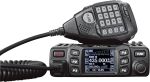 Overview The Anytone AT-778UV is a dual-band VHF/UHF mobile transceiver designed for amateur radio operators. It operates on the 136–174 MHz (VHF) and 400–490 MHz (UHF) bands, offering reliable two-way communication for both ham radio and commercial use…
 The Yaesu FT-620 (and its updated version, the FT-620B) is a vintage amateur radio transceiver designed specifically for the 6-meter band (50–54 MHz). Produced in the 1970s, it offers support for AM, CW, and SSB (USB/LSB) modes, making it a versatile rig for its time,…
 Key Assignment For some reason, not all the key assignment options are in the manual and after a bit of searching, I found no complete list. Hopefully this below helps you in selecting your Key Assignments on the…
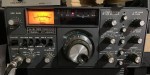 As licensed Amateur Radio operators, we have all heard about Yaesu. We have all seen a Yaesu radio and most of us have used and even own one. I’ve had and have several Yaesu radios. From extremely old…
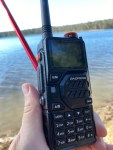 I managed to get one of these radios and was rather impressed with it and what it came with. Have a look what my box had in it. Some of the things I liked included: It is a…
 I purchased this radio from a friend, and it worked well. He hadn’t really used it, so I did a factory reset. This was a bit of a mistake, as it did a few things like turning everything…
 You could say every amateur radio operator knows about the Baofeng if they have been around long enough. Most have held one of their radios and lots have at least one. They have made a huge amount of…
 A great radio that does all bands up to 70cm. Using all modes also you can talk on SSB on VHF and UHF. If you haven’t done SSB on 2m and 70cm, then I’d encourage you to do…
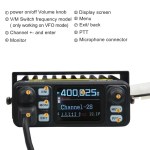 I recently got my hands on the Hiroyasu IC-980 Pro dual band base radio. This is pronounced as “Hiro-Yasu”. When I say, got my hands on it, the unit is so small, you only need one hand really!…
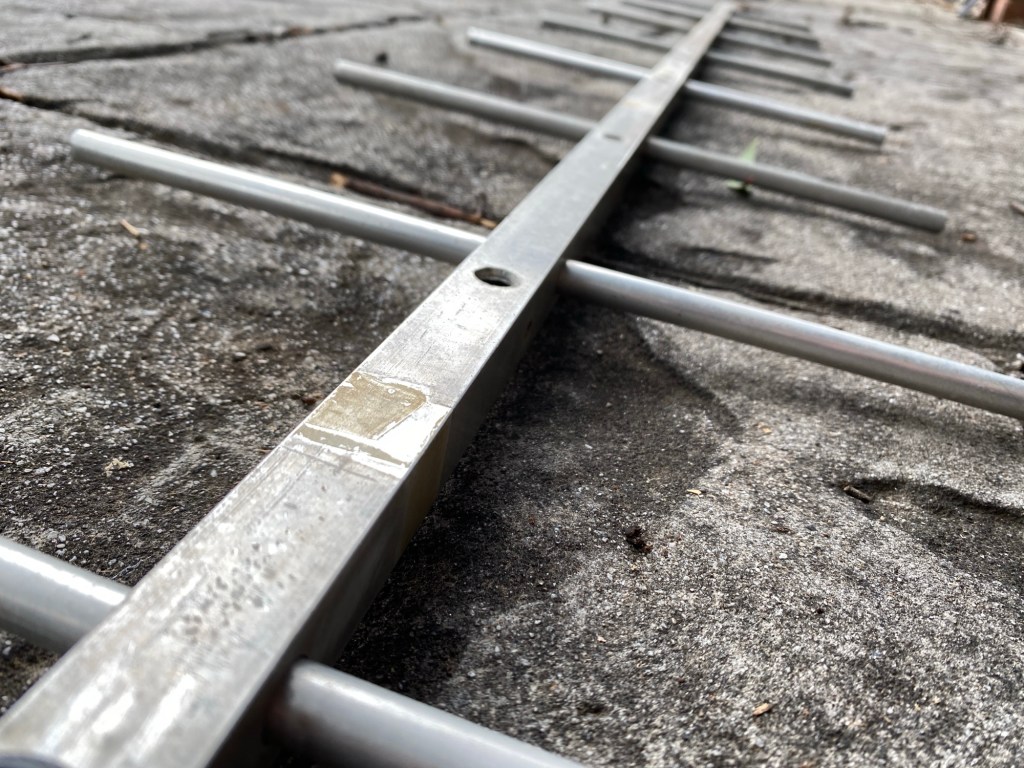


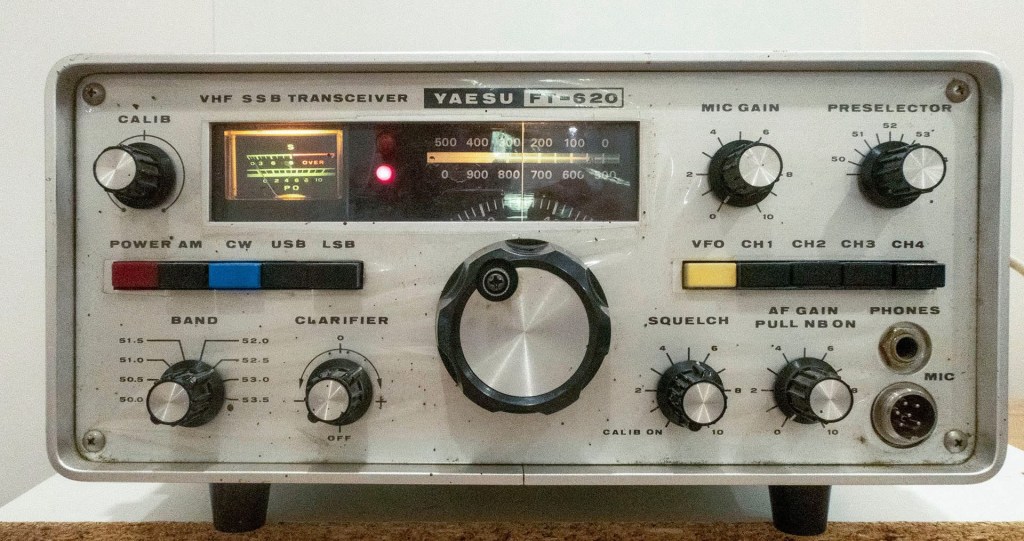
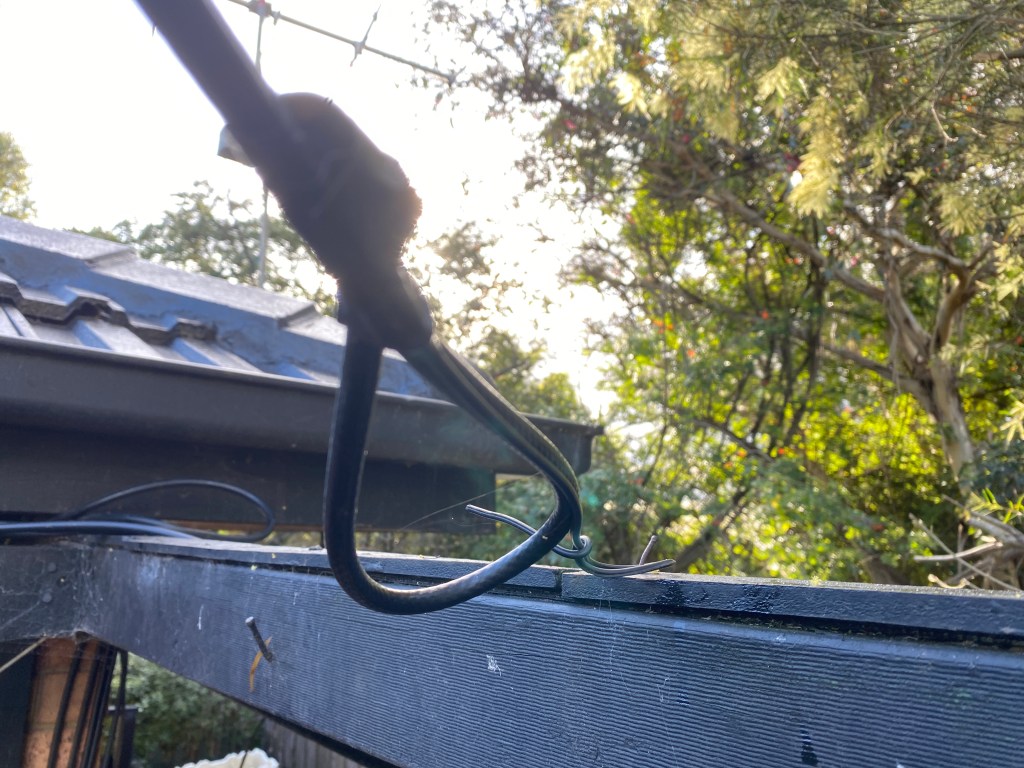
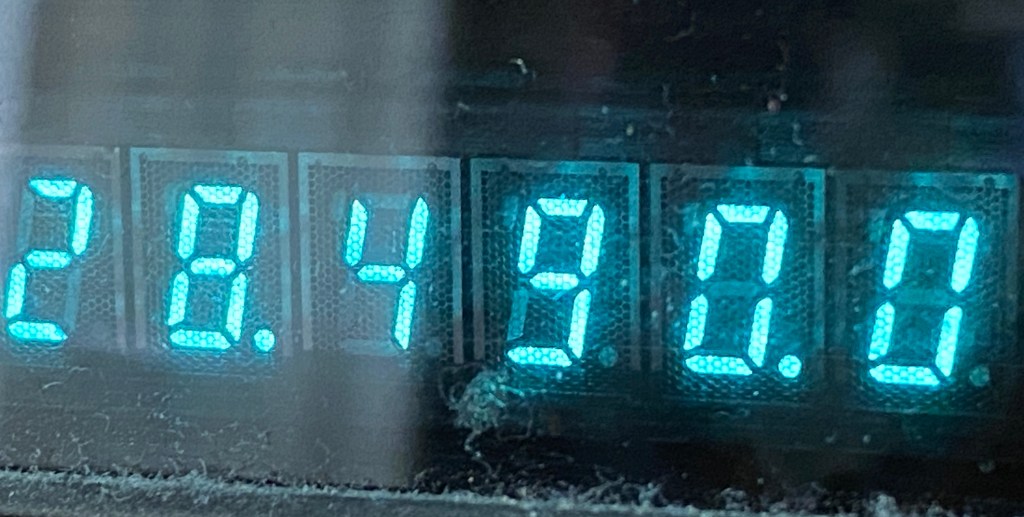





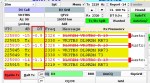
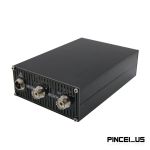

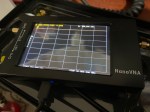
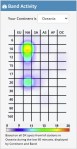
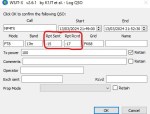


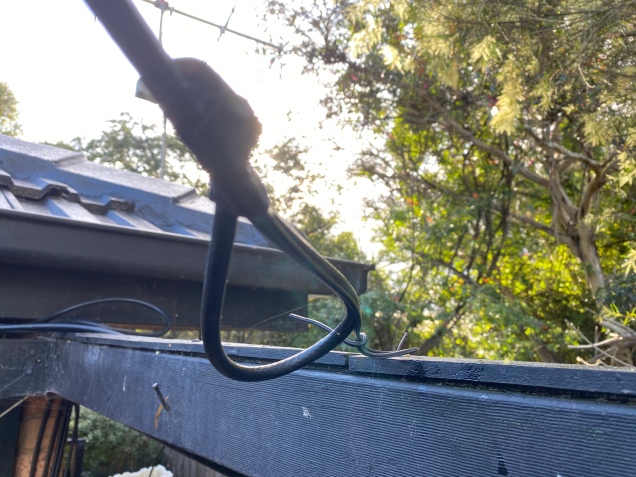


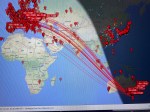
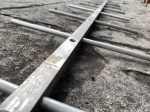
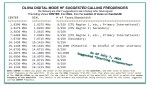




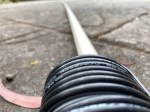
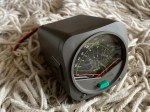
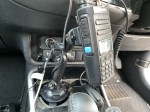
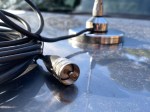





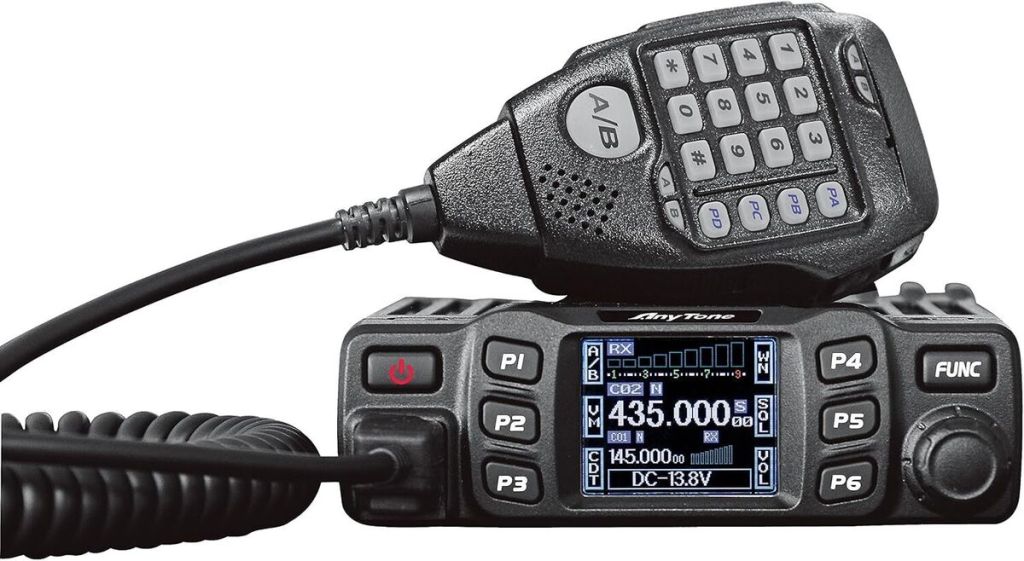


 VK3TBS