Baofeng UV-29 Pro Dual-Band Handheld Radio

The Baofeng UV-29 Pro is a powerful dual-band handheld radio designed for amateur radio operators, outdoor activities, emergency communications and general VHF/UHF radio use. With up to 10 watts of transmit power, a large battery and a range of useful features, the UV-29 Pro offers more power and functionality than many basic handheld ham radios.

The Baofeng UV-29 Pro operates on VHF and UHF frequencies, making it suitable for 2 metre and 70 centimetre amateur radio operation where permitted. It has selectable transmit power levels of 10 W, 5 W and 2 W, allowing operators to balance transmission range, battery life and heat generation.

One of the standout features of the UV-29 Pro is its cross-band repeater function. This allows the radio to receive on one band and retransmit on another, effectively turning the handheld into a small portable repeater. This can be useful for field days, 4WD trips, outdoor activities and amateur radio operations where extending local coverage is important.

The UV-29 Pro also includes a 2,600 mAh rechargeable lithium-ion battery and USB-C charging. The USB-C connection makes it convenient to recharge the radio from modern power banks, vehicle chargers and other USB power sources. The radio also includes a desktop charging option.

Another useful feature is Bluetooth connectivity. The UV-29 Pro can be programmed using a smartphone through the appropriate Baofeng application, reducing the need for a traditional programming cable and computer. Bluetooth can also be used with compatible wireless audio and PTT accessories.

The radio provides a large memory capacity of up to 1,000 channels, allowing users to store a substantial number of VHF and UHF frequencies, repeaters and other channels. For an amateur radio operator, this makes it possible to create separate memory groups for local repeaters, simplex channels, travel frequencies and other commonly used frequencies.

The receiver also covers frequencies outside the normal amateur radio bands, including FM broadcast and aviation reception, depending on the radio’s configuration and local regulations. Receiving other radio services can be useful for monitoring, although transmitting is only permitted on frequencies and services for which the operator and equipment are authorised.

Overall, the Baofeng UV-29 Pro 10 W dual-band handheld radio is an interesting option for operators looking for higher transmit power, a large battery, Bluetooth programming, extensive channel memory and cross-band repeater capability. Its combination of VHF/UHF operation and portable design makes it particularly suited to amateur radio, outdoor communications and field operations.

See my full review on this radio and let me know in the comments what you think

Direct link for the radio is here.

Don’t forget to see my other videos on this. Please comment if you have any thoughts.

Discount

If you go via this link, you will get a discount then search for your item.


If you enjoyed this read, here are some others you may enjoy also:

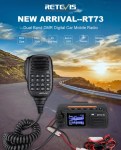
  • Retevis RT73 – Kydera CDR300UV
    The Retevis RT73 and Kydera CDR300UV are identical radios. They are a DMR/FM duel band radio for Amateur radio use. This is great, as most of the early DMR radios available were commercial radios that were used for Amateur operations.…
  • Baofeng UV-17R Plus Series Review
    I recently got my hands on a new Baofeng UV-17R Plus Series radio. It didn’t take long at all to arrive and was not expensive at all. People these days pay more for a UHF CB radio than a radio…
  • DNR – Digital Noise Reduction
    As per the Yaesu FT-710 manual, the Digital Noise Reduction (DNR) system is designed to reduce the level of ambient noise found on the HF and 50 MHz bands. The (DNR) system is especially effective during SSB operation. Any of…
  • Portable HF all band Antenna and Mount
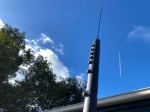
    I recently got the Radioddity M916 Heavy duty antenna magnetic mound with the Radioditty HF-008 all band portable antenna. I had always wanted to use HF more while camping or going on adventures around Australia (see our adventures page if…
  • Baofeng GT-5R Pro
    The first thing I noticed after receiving the radio was the size of the radio. It is small yet not to small that it is hard to use. It fits comfortably in your hand. Not only is it physically small,…
  • Radioddity QT80
    The new QT80 radio by Radioddity is a fantastic radio and I have a lot of contacts on it already. QT60 Vs QT80 This is a QT80 model but there is also the QT60 model so what’s the difference? One…
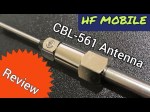
  • HF Mobile Antenna CBL-561
    CBL-561 Review The new CBL-561 antenna is strong and light that is fit for mobile work, camping or remote radio use. I plan to use this on our next outback trip! This antenna supports a frequency range of 25-30MHz, covering…
  • Radioddity RA-UV712 Magnet Mount Antenna
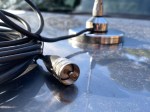
    There are lots of duel band antennas available, but most required extra mounting brackets. These brackets often restrict you as to where you can mount the antenna on your car. One of my first mobile antennas for the car was…
  • RH1 Radio Cup Holder
    Why does a radio need a cup holder? I agree it’s a bit odd. But this isn’t a product that involves a cup. Rather it uses a cup holder. Almost every car now has a cup holder, but they are…
  • Yaesu FT-225R
    The 2m band has always been an interesting one for me. It used to be swamped with pager interference, but it actually is a great band. Inversion allows your signal to travel long distances at times, especially on SSB. This…
  • Daiwa CN-460M Meter
    The Daiwa CN-460M is a small cross-needle meter displays both forward and reflected power for 2m and 70cm. It measures in ranges of 15/150 watts forward and 5/50 watts reflected. SO-239 jacks. It includes a mobile mounting bracket and meter illumination option…
  • Hiroyasu IC-980 Pro
    I recently got my hands on the Hiroyasu IC-980 Pro dual band base radio. This is pronounced as “Hiro-Yasu”. When I say, got my hands on it, the unit is so small, you only need one hand really! This analogue…
  • Yaesu 857D
    A great radio that does all bands up to 70cm. Using all modes also you can talk on SSB on VHF and UHF. If you haven’t done SSB on 2m and 70cm, then I’d encourage you to do so. it…
  • Baofeng Radios
    You could say every amateur radio operator knows about the Baofeng if they have been around long enough. Most have held one of their radios and lots have at least one. They have made a huge amount of radios. According…
  • Zastone D9000 Number Lock
    I purchased this radio from a friend, and it worked well. He hadn’t really used it, so I did a factory reset. This was a bit of a mistake, as it did a few things like turning everything to Chinese.…

Repeater-START

Repeater-START is a multi-platform app designed for ham radio and radio-operator enthusiasts who need fast access to repeater information. The app provides a detailed repeater map as well as a distance-sorted list, allowing users to easily locate nearby communication points wherever they travel. Because it uses open repeater databases, the information remains current, community-supported, and reliable.

A major advantage of Repeater-START is its strong offline support. Once your repeater data is downloaded, the app continues to function without cellular or internet coverage. This makes it especially useful for operators travelling through remote regions, rural areas, or emergency-response zones where connectivity cannot be guaranteed.

The app also includes clear programming instructions for many popular radios, including handheld units from brands such as Baofeng, Yaesu, and Kenwood. This feature helps both new and experienced operators quickly configure their radios to work with specific repeaters, saving time and reducing setup errors.

Repeater-START offers optional visibility for GMRS repeaters in supported regions, making it valuable not just for amateur radio operators but also for general outdoor users, preparedness groups, and radio hobbyists. The Android and Linux versions are open-source, appealing to users who prefer transparent, community-driven software.

Overall, Repeater-START is a practical, lightweight tool built for ham radio operators, GMRS users, and anyone who depends on accurate, offline-ready repeater mapping and step-by-step radio programming guidance. It combines simplicity with flexibility, making it a strong companion for both everyday use and field operations.

iPhone app: https://apps.apple.com/au/app/repeaterstart-premium/id6738314675

This coupon code for the desktop premium: enter “VK3TBSDISCOUNT”, at https://hearham.com/dashboard checkout that will give you all 70% off a year.

More info is available at http://hearham.com/repeaters


If you enjoyed that read, below are some more:

  • Baofeng UV-29 Pro Dual-Band Handheld Radio
    The Baofeng UV-29 Pro is a powerful dual-band handheld radio designed for amateur radio operators, outdoor activities, emergency communications and general VHF/UHF radio use. With up to 10 watts of transmit power, a large battery and a range of useful features, the UV-29 Pro offers more power…
  • Baofeng Celebrates 25 Years of Two-Way Radio Innovation
    In 2026, Baofeng celebrates 25 years as one of the world’s best-known manufacturers of affordable two-way radios. Founded in 2001 as Fujian Baofeng Electronics Co., Ltd., the company has grown from a small Chinese radio manufacturer into a global brand supplying handheld radios for amateur radio operators,…
  • 20m vs 17m
    One day I was checking the bands and noticed the 17m band is open for a short period. I have noticed this over a long period that it often opens and provides reliable DX contacts at a similar time each day. I often could clearly hear operators…
  • HF on a Hand Held?
    Radioditty sent the new GS-10B Pro to me before it was released as they wanted you to see it first. When sending it, they never told me what to say, only to review it. So below is what I honestly experienced. This handheld radio is not only…
  • CW Skimmer
    CW Skimmer is a popular amateur radio software program used for decoding Morse code signals on the HF bands. The program is widely used by ham radio operators, DX chasers, and contest stations because it can monitor and decode many CW signals at the same time. Unlike…

Parks & Peaks App

I’ve been using the Parks and Peaks app on iphone and ipad for a little while now and quite enjoyed it.  There don’t seem to be many iphone apps compared to android, so when there is one, I usually have a look.  This one caught my eye as it was not only free, but useful.

After using it for a while, I contacted the author of the app, Sue Southcott, VK5AYL where she was thrilled that I would do a review on this free app, and provided me with a bit more information about her and the app.

The current version is for iphone only at this stage, but I think there are plans to expand this.  It allows users to Spot, Alert and export in ADIF and or spreadsheet format.

The app also allows users to search for sites including parks, peaks and silos by site ID. Or you can search by partial site name or by using the inbuilt map.

Setting up the map and connecting site data by longitude/latitude co-ordinates has been Sue’s favourite part.  Sue said “I already had the experience of connecting data to mapping systems during my career.

The following awards are handled – WWFF, SOTA, HEMA, IOTA, KRMNPA, SANPCPA, SIOTA, SHIRES, ZLOTA & POTA. 

Parks & Peaks is an Australian website that collects data from Amateur Radio operators who get out of their shacks and operate their radios portable in parks or on peaks.  It also collects data from those who Spot them.

AU/NZ sites can be downloaded to the device for use when there is no network available.

It will also produce multiple logs for one activation, so if you are on a Summit in a WWFF Park with a Pota reference, you will get 3 logs, one for SOTA, one for WWFF and one for POTA.

There is also a quick way to log activators as I show in the video below.

About Sue VK5AYL….

Sue has had her Advanced Amateur licence for a very long time and it led to her decision to study IT back in the 80s. 

For over 30 years, she had a successful career as an IT Manager, Analyst/Programmer, TAFE Lecturer and even my own software business, contracting to many organisations.

Most of her work involved working on client/server applications for large businesses. 

In 2014, Sue decided to learn how to write an iOS app and along came Parks & Peaks, which gave me something to work on. After purchasing a Mac Pro Sue had to learn how to use it very quickly, along with the new Apple language. 

In 2015, Sue presented version 1 to the WIA AGM in SA.  Since then, Sue has released versions 2 and 3 and compared to version 1, they had many more features.  Sue told me she loved every minute of developing the app as it has been a massive challenge and allowed her to continue with my love of programming.

Why not have a look at my video on this app where you can see it in full operation:


If you enjoyed that read, please remember to like and subscribe so you get updates as they happen. Below are some more reads you may enjoy from this site:

Solar Data & Propagation

There are several website that tell you what bands are open in your area. Most people paste them on their QRZ page, but there are some examples below that update every hour.

You can see more on their webpage https://www.hamqsl.com/solar.html where all you have to do is paste the code and put on your website. There is a great option to donate also. There is a wealth of information on this website that you can spend hours on.

This data is updated every hour, which is fantastic.

But what if you are not in front of your PC and want to look it up. There is a handy little app I use called Solar Data and Propagation. It is a small app only 12.5Mb in size on the iPhone and it is free. It is also available on Android at only 6.75Mb, I will talk about further down.

Below is the app on an apple device.

While it is only a little app, and doesn’t do a lot, it is a simple app that gives you what propagation is open at your current location. While other apps have heaps of features and functions that you may or may not use often, this little app has just what you would use often.

Above are the HF conditions, but you can also see VHF conditions and terrestrial. Adds do pop up from time to time, but the app is free so I don’t see this as a problem.

You can download it from the App Store.

Android

If you have an Android device, go to the store and search for HF Propagation. It should be the first one on the list with an orange sunshine as the logo.

Once installed, you have a lot of different options available on the first screen.

Scroll down, and you will see the HF then VHF conditions as mentioned for the Apple app.

Conclusion

This little information may save you from running out to the shack and turning everything on to find nothing or trying on the wrong band. As mentioned above, it can be on an apple or android device.

Hopefully, this makes it a little easier for you. Please put in the comments below what apps you enjoy using or let me know what you think.

Happy DX-ing, hopefully we talk on the air soon.

Some other posts that are similar

  • Repeater-START
    Repeater-START is a multi-platform app designed for ham radio and radio-operator enthusiasts who need fast access to repeater information. The app provides a detailed repeater map as well as a distance-sorted list, allowing users to easily locate nearby communication points wherever they travel. Because it uses open repeater databases, the information remains current, community-supported, and…
  • EchoLink CQ
    I’ve been using EchoLink well before smartphones where the only way I knew how to connect to a different station was via the radio. The internet wasn’t as extensive as it is now and you had to dial the node you wanted via the radio. You can still do this today but I don’t think…
  • Solar Data & Propagation
    There are several website that tell you what bands are open in your area. Most people paste them on their QRZ page, but there are some examples below that update every hour. You can see more on their webpage https://www.hamqsl.com/solar.html where all you have to do is paste the code and put on your website.…
  • HamAlert
    It has been a while since I have completed another update, but I have a lot in the making. A broken finger has kept me quiet! HamAlert is an app for both iPhone and Google devices that alerts you as to when a desired station appears on the DX cluster, the Beacon Network, SOTAwatch, POTA…
  • DROID-Star
    After talking to a friend just to the north of me, he told me about the app DROID-Star for Android. As I only have apple devices, this wasn’t initially an option for me, however I do have an Android TV box which I use for Amateur Radio, so will review it from that device. At…
  • WizNet DMR
    The WizNet DMR app is still in beta testing, and at the time of writing this, you have to not only have a currently have a licence as an Amateur Radio Operator, but approved to be part of the beta testing group. You can do this by googling the web site, submitt a few details,…
  • Orion Push to Talk
    Orion is an app that isn’t really known in my world, perhaps because it isn’t available on all platforms, or because it does transmit your exact location to everyone on the channel. However there are some benefits to this mode and does add another communication mode to your list. You can also create your own…

HamAlert

It has been a while since I have completed another update, but I have a lot in the making. A broken finger has kept me quiet!

HamAlert is an app for both iPhone and Google devices that alerts you as to when a desired station appears on the DX cluster, the Beacon Network, SOTAwatch, POTA or PSK Reporter. It saves you from checking them all manually.

You can receive different types of alerts including:

  • DXCC (both actual and callsign home DXCC)
  • Callsign
  • IOTA group reference
  • SOTA summit reference
  • WWFF/POTA division/reference
  • CQ zone
  • Continent
  • Band
  • Mode
  • Time and days of week
  • Source
  • Spotter callsign and DXCC

Just download the app from the App Store or google play, create an account, then set what alerts or triggers you want.

Press the three lines up the top left and select triggers. Then press plus to add one. The interface is mostly web based but works well within the app.

My first trigger was using my call sign under any conditions and alert via app

You can easily add more triggers. Select a condition and an Action on what you want the app to do when it meats the desired condition. You can also add in a comment to help you with each trigger.

Once you are done, simply press Done down the bottom of the screen.

Limitations

Limitations menu limits how many times you will be triggered. For example you may want to set a trigger to only alert you once an hour or day.

More information is available on their website at https://hamalert.org/about which even had a forum you can join or add comments about the app.

How do you find this app? Would value your comments below.

Orion Push to Talk

Orion is an app that isn’t really known in my world, perhaps because it isn’t available on all platforms, or because it does transmit your exact location to everyone on the channel. However there are some benefits to this mode and does add another communication mode to your list. You can also create your own channels easily in it and invite a small group of friends.

Below is based on my understanding of the app, and may not be 100% accurate, but if you find anything not quite right, or wish to add your suggestion, please let me know.

From what I can see, the app is only available on Android and iPhone, not Windows.

First you need to create an account using an email address and then your off. You can enter a phone number if you want to.

Once you connect to or start a group, you can invite people to join you. Then once in the group, at the top of the screen you can see a map that shows the locations of all current online members in your group. You can zoom in or out the map as required or press on a member and select “show location on map.”

You can then talk to the group by pressing the large microphone button at the bottom of the screen.

The DigiComm Cafe Amateur Radio Group use it, and they welcome new visitors. Otherwise there is nothing stopping you making your own with family and friends.

You do share your exact location though, so be careful who you accept into your group or groups you join if this bothers you. They will be able to see when your home and not for example. However you only share your location when your online, not when your off line.

I can really see many benefits in this great little app, but it only works if you are in a WiFi or phone network area.

Here is the official video, clearly you can get microphones and speakers as shown in the video:

You can download the app here: orionlabs.io/get-the-app/

Further information is available here.


Other Reads

There are many other applications I use on my devices, have a look at some of them I have listed via the list on the right.

Android Apps

Apple Apps