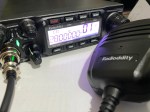
I’ve been using EchoLink well before smartphones where the only way I knew how to connect to a different station was via the radio. The internet wasn’t as extensive as it is now and you had to dial the node you wanted via the radio. You can still do this today but I don’t think anywhere near as many do it.
I always felt EchoLink was well ahead of its time. Started well before any digital radio was thought of. Connecting the world via the internet.
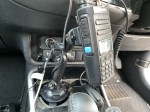
It was great to be able to talk to the UK or States while mobile on the way to work just using a small whip antenna on the car.
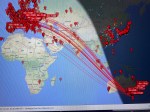
Given I’m in Australia, it can be difficult to remember when overseas nets are on, or what part of the world is awake and up for a chat and which ones are not. But EchoLink has a CQ feature.
Calling CQ
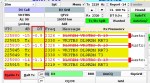
EchoLink had a CQ feature where you can call CQ and it will automatically connect to someone who is calling CQ also.
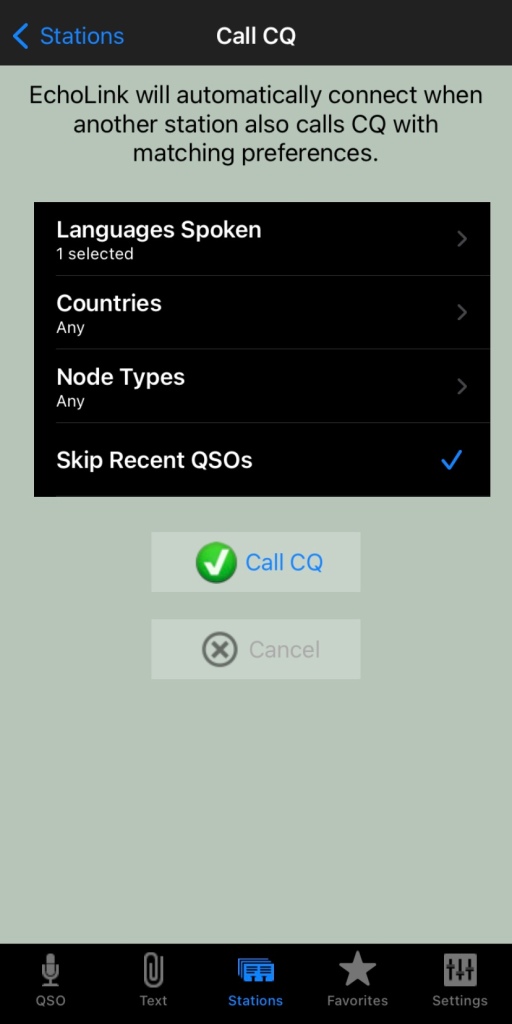
From the Stations screen select call CQ.
Then select your language.
Select the country, if you leave it as any, you will not limit your connection options
Select the node type, again, leave as any to start with
And you can skip recent if you want to.
Then press Call CQ
It will call CQ for a while searching for a connection that matches your settings. I find that sometimes it tries to connect to another node but can fail. This is perhaps because the connection drops out for whatever reason. Just try again.
The good thing about this option is you will get someone who is wanting to talk to someone just like you do!
What is your experience with EchoLink? What is your favourite nodes? Why don’t you put it in the comments below so we can all learn from your experiences.
An antenna coupler (also called an antenna tuner or matching network) is a device used in radio systems to ensure impedance matching between a transmitter and an antenna. Most transmitters are designed for a specific…
Amateur radio operators use many different antenna types, each designed for specific bands, space limits, and operating goals. Here’s a clear overview of the most common ones and why hams choose them. Wire Antennas These…
A dipole antenna is a basic radio antenna made of two conductive elements fed at the center. It is typically a half-wavelength long and is widely used as a reference antenna in antenna theory and…
Interference in Amateur Radio refers to unwanted signals that disrupt radio communication. This interference can reduce signal clarity, make contacts difficult, or completely block communication between amateur radio operators. Radio Frequency Interference (RFI) is one…
Prior to 1989, it was illegal to operate between 50 MHz and 52 MHz in Australia. It was a real pain as that was where all the action was when the band opened up. However,…
I’ve heard a lot about dipole antennas, and I’ve heard a lot about long wire antennas also. I would say I’ve seen more dipoles than long wire antennas. So why is that? What is the…
Repeater-START is a multi-platform app designed for ham radio and radio-operator enthusiasts who need fast access to repeater information. The app provides a detailed repeater map as well as a distance-sorted list, allowing users to…
What Is the 6m Band? The 6-meter band, spanning roughly 50–54 MHz, is a section of the VHF spectrum assigned to amateur radio operators. Its wavelength is six meters, and its position between HF and…
Overview The Anytone AT-778UV is a dual-band VHF/UHF mobile transceiver designed for amateur radio operators. It operates on the 136–174 MHz (VHF) and 400–490 MHz (UHF) bands, offering reliable two-way communication for both ham radio…
160 meters band is known as the “Gentlemen’s band”. It is right next to the AM commercial band, known as medium wave. The 160-meter band is the radio frequencies between 1.8 and 2 MHz. For…
I purchased the Diamond W series W8010 antenna and quickly put it together. The instructions were a bit hard to read as it was exceedingly small. However, I found someone who did a video on how to put it together. (this is not my video)
To me, an antenna is far more important than the power you put out and the radio you own. You can make a fantastic contact on an extremely old radio on a good well positioned antenna. But if you have a bad antenna and a fantastic radio, you may find it a bit harder.
Tip when tuning
The above video, and instructions will tell you when tuning the antenna to cut the tuning wires to length. Instead, I folded the tuning wires back on themselves towards the centre of the antenna. You may need to fold back a little more than you would have cut off, but if you ever need to move the antenna, you will need to re-tune it and you cannot re-tune it if you have cut the tunning wires off already.
So, for my antenna, all I did was set up the antenna where the wires were greater than 30 degrees from each other, and then bend the tuning wires on themselves with electrical tape. For one of the bands, I took the tuning wires completely off.
As my antenna is on the roof, I had to adjust and climb down many times and check the radio before trying again. At one stage I got a helper who stayed in the shack, and I stayed on the roof. However me being on the roof affected the antenna, even if I wasn’t near it. One of the bands wouldn’t tune in, but when I was sure it was right, I went off the roof and then it worked fine without me on the roof. Maybe my antenna doesn’t like the site of me!
Review of W-8010
This W-8010 antenna is a good cheap antenna that does a decent job. It isn’t hard to install and put together and covers several bands once you get it up and going. I was expecting it to take a lot longer than it did. It doesn’t need a huge mast and if you have the space, can be installed so it doesn’t look too bad either.
I managed to get this antenna working on all bands as advertised except 80m. I am still trying to get this band to work. I understand the antenna is very narrow on this band when I purchased it, so I expected tuning to be difficult. Given the antenna is above the house on new tiles, I didn’t want to climb on the roof to many times, so I tried several times while tuning the other bands, but ended up giving it away. Each time I get on the roof I adjust it a little, then try again, but I have almost given up and sure it won’t work right across the band either. 80m is my main issue with this band.
Expanding the W-8010 antenna to WARC Bands
After tuning in the antenna, I wondered if I could modify it to also be usable on the WARC bands. It was a little frustrating hearing people talk on the other bands yet couldn’t talk to them as I didn’t have a resident antenna.
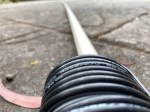
I found some coaxial cable on the footpath on my morning walk. It was against a power pole and looked like the same cable used for pay TV which was above me at the time. I had a closer look at it, and noticed it was RG66 which is 75-ohm, but also had a strong wire wrapped in next to the coax. So, using this wire, I could hang it and put all the strain on the wire, and not the coax. Better still it was free!
So how much do I need for which band I hear you ask, especially since I am using 75-ohm not 50-ohm coax?
To calculate the lengths, you need is easy. Just work out what frequency you want to use. Try one in the middle of the range of the band you want to use. Then with this frequency, use the following formula:
Dipole total length in meters: 143 / frequency in MHz
This total length in the above is from point to point, so you need to half that for both sides of the dipole. But before you cut, don’t only measure twice (as they say in the building industry), but cut it longer than you need. It is a lot easier to trim the ends off than stick the ends back on! As I said earlier, I was using RG66 75-ohm coax, so these measurements may not be exact. But it also depends on how your antenna is mounted. For me, I added about a metre to each length so when I was on the roof, I knew it was about a metre longer than it should be. Depending on the band and length, you may want to leave more or less on it.
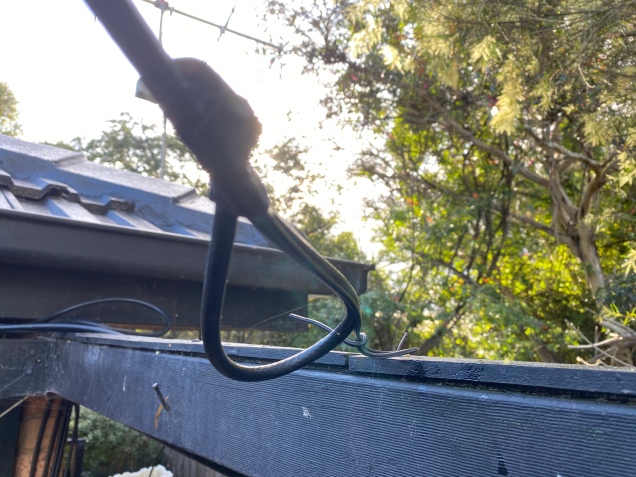
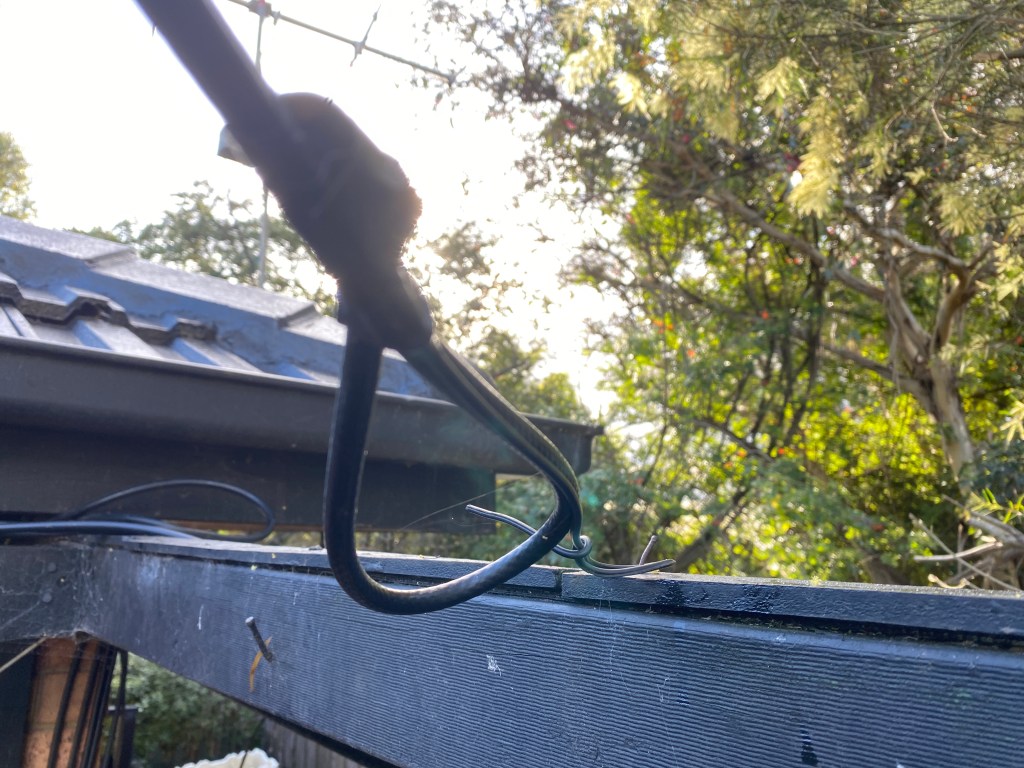
I first got it all working at a height I could reach, as I got sick of climbing up the ladder hundreds of times. Once it worked, I put it to the height I wanted, but it needed to be re-tuned again. Ah! If I had cut the wire, guess what, I would have had fun trying to extend my coax on the roof! You can see below how I folded the wire back on itself. As mentioned, this coax is RG66 and has a wire next to it. You can see this small wire in the photo that isn’t folded back and it supporting the coax on the nail. Don’t worry, this wasn’t my final setup, I was still tuning when I took the photo. It is secured a lot better than this now.
I noticed a lot of birds sat on some of my wires that were almost horizontal, and I was concerned their weight might break the antenna. About the same time, we were throwing out our old trampoline, so I kept some of the springs and have used them after the insulator and the mounting point. This may give the antenna a few more years of life hopefully.
Hope you enjoyed this read. What is your experience with Dipole antennas? What tricks have you learnt? I have been making antennas for some years, but really don’t think I am an experienced antenna builder. Please add your comments below so we can all learn from you.
An antenna coupler (also called an antenna tuner or matching network) is a device used in radio systems to ensure impedance matching between a transmitter and an antenna. Most transmitters are designed…
Amateur radio operators use many different antenna types, each designed for specific bands, space limits, and operating goals. Here’s a clear overview of the most common ones and why hams choose them.…
A dipole antenna is a basic radio antenna made of two conductive elements fed at the center. It is typically a half-wavelength long and is widely used as a reference antenna in…
Interference in Amateur Radio refers to unwanted signals that disrupt radio communication. This interference can reduce signal clarity, make contacts difficult, or completely block communication between amateur radio operators. Radio Frequency Interference…
Prior to 1989, it was illegal to operate between 50 MHz and 52 MHz in Australia. It was a real pain as that was where all the action was when the band…
I’ve heard a lot about dipole antennas, and I’ve heard a lot about long wire antennas also. I would say I’ve seen more dipoles than long wire antennas. So why is that?…
Repeater-START is a multi-platform app designed for ham radio and radio-operator enthusiasts who need fast access to repeater information. The app provides a detailed repeater map as well as a distance-sorted list,…
What Is the 6m Band? The 6-meter band, spanning roughly 50–54 MHz, is a section of the VHF spectrum assigned to amateur radio operators. Its wavelength is six meters, and its position…
Overview The Anytone AT-778UV is a dual-band VHF/UHF mobile transceiver designed for amateur radio operators. It operates on the 136–174 MHz (VHF) and 400–490 MHz (UHF) bands, offering reliable two-way communication for…
160 meters band is known as the “Gentlemen’s band”. It is right next to the AM commercial band, known as medium wave. The 160-meter band is the radio frequencies between 1.8 and…
Have you ever had an antenna and forgotten what it is for? Maybe you have been given one and wasn’t told exactly what it was used for. I got given an antenna…
I’ve heard several amateur radio operators say they are running a Barefoot setup. But what does it mean?
It has nothing to do with what is or is not on your feet. But simply means transmitting without an amplifier.
While power helps, the best thing you can do to fix your signal is your antenna. It doesn’t matter how much power you put out if your antenna is facing the wrong way, or not tuned in correctly. If you are struggling to be heard and sure your radio is set up correctly, I would look at the antenna first.
Some operators think there are two types of radio setups, thoughts with amplifiers, and thoughts without. Some see using an amplifier as cheating. I am not sure I would go that far, but if you are putting out a thousand watts, then yes people will hear you, but this doesn’t help you hear them when they put out 100 watts.
So, are you a barefoot operator or not? Perhaps you are on some bands or radios, but not on others?
An antenna coupler (also called an antenna tuner or matching network) is a device used in radio systems to ensure impedance matching between a transmitter…
Amateur radio operators use many different antenna types, each designed for specific bands, space limits, and operating goals. Here’s a clear overview of the most…
Interference in Amateur Radio refers to unwanted signals that disrupt radio communication. This interference can reduce signal clarity, make contacts difficult, or completely block communication…
Repeater-START is a multi-platform app designed for ham radio and radio-operator enthusiasts who need fast access to repeater information. The app provides a detailed repeater…
Overview The Anytone AT-778UV is a dual-band VHF/UHF mobile transceiver designed for amateur radio operators. It operates on the 136–174 MHz (VHF) and 400–490 MHz…
It has been a while since I have completed another update, but I have a lot in the making. A broken finger has kept me quiet!
HamAlert is an app for both iPhone and Google devices that alerts you as to when a desired station appears on the DX cluster, the Beacon Network, SOTAwatch, POTA or PSK Reporter. It saves you from checking them all manually.
You can receive different types of alerts including:
DXCC (both actual and callsign home DXCC)
Callsign
IOTA group reference
SOTA summit reference
WWFF/POTA division/reference
CQ zone
Continent
Band
Mode
Time and days of week
Source
Spotter callsign and DXCC
Just download the app from the App Store or google play, create an account, then set what alerts or triggers you want.
Press the three lines up the top left and select triggers. Then press plus to add one. The interface is mostly web based but works well within the app.
My first trigger was using my call sign under any conditions and alert via app
You can easily add more triggers. Select a condition and an Action on what you want the app to do when it meats the desired condition. You can also add in a comment to help you with each trigger.
Once you are done, simply press Done down the bottom of the screen.
Limitations
Limitations menu limits how many times you will be triggered. For example you may want to set a trigger to only alert you once an hour or day.
More information is available on their website at https://hamalert.org/about which even had a forum you can join or add comments about the app.
How do you find this app? Would value your comments below.
An antenna coupler (also called an antenna tuner or matching network) is a device used in radio systems to ensure impedance matching between a transmitter…
Amateur radio operators use many different antenna types, each designed for specific bands, space limits, and operating goals. Here’s a clear overview of the most…
Interference in Amateur Radio refers to unwanted signals that disrupt radio communication. This interference can reduce signal clarity, make contacts difficult, or completely block communication…
There are several DMR networks around the world, and more and more start all the time. The Australian DMR network currently covers the entire country and is for Australian residents only.
It can often be hard to find which DMR repeaters are online, offline and where they are, especially if you travel a bit like me.
Here is a few links that may be of some use. Please let me know if these links no longer work.
If you want to check the status of these above repeaters, have a look at this page. It shows which ones are currently online, or offline.
Online repeater map is a great page showing all repeaters around Australia. It is well worth the look at if you are traveling or are going to be in Australia. https://www.onlinerepeatermap.com/
Another way is via the DMR database. If you put the start of the repeater call sign in the middle repeater section it will list the repeaters in your area. For example, all repeaters in my area start with VK3, so I put in VK3 in the middle callsign box and selected begins with and got a list of registered repeaters. This will work all over the world. https://www.radioid.net/database/search#!
Further Reading
Enjoyed what you read, here is some more interesting articles on this site you may enjoy.
An antenna coupler (also called an antenna tuner or matching network) is a device used in radio systems to ensure impedance matching between a transmitter…
Amateur radio operators use many different antenna types, each designed for specific bands, space limits, and operating goals. Here’s a clear overview of the most…
Interference in Amateur Radio refers to unwanted signals that disrupt radio communication. This interference can reduce signal clarity, make contacts difficult, or completely block communication…
Repeater-START is a multi-platform app designed for ham radio and radio-operator enthusiasts who need fast access to repeater information. The app provides a detailed repeater…
Overview The Anytone AT-778UV is a dual-band VHF/UHF mobile transceiver designed for amateur radio operators. It operates on the 136–174 MHz (VHF) and 400–490 MHz…
The Yaesu FT-620 (and its updated version, the FT-620B) is a vintage amateur radio transceiver designed specifically for the 6-meter band (50–54 MHz). Produced in the 1970s, it offers support…
The Daiwa CN-460M is a small cross-needle meter displays both forward and reflected power for 2m and 70cm. It measures in ranges of 15/150 watts forward and…
There are lots of duel band antennas available, but most required extra mounting brackets. These brackets often restrict you as to where you can mount…
An unusual name, but a catchy name no less, just like Peanut that was written by the same person, David PA7LIM. If you like Peanut, then you will like this project also. This project, like Peanut, includes some amazing coding and thinking.…
I found it hard to find useful information on how to run the OpenGD-77 hotpot mode with Windows 10. At the time of writing this, there is a lot about this topic using a pistar and even android or ISO, but not much with Windows 10. This is my experence with BlueDV and Open GD-77 using a Windows 10 PC.…
This page is just a help to friends I have spoke to who are interested in upgrading the Radioditty GD-77 to the OpenGD77 software. This is not my work, however I really do appreciate Roger and his team have done to put this together. I claim no responsibility if it breaks your radio, however I have not hear this happen now in some time. I am not an expert at all with OpenGD77, I have just put this together to help people who have asked me how to do it.…
A good friend of mine, Mike VK5ZC, put the information below together and asked me to put it on my web site. He has spent a lot of time putting it together with pictures and videos, so I encourage you to have a good read.…
I recently started using ProScan after years of using FreeScan. I have always enjoyed using FreeScan as it is easy to setup, I can download outputs from the software, and the main reason “it works”. However ProScan seems to be more graphical and has different features also.…
I bought this wireless keyboard/mouse which was very cheap. It does not come with batteries, but come with a USB dongle. It has a fantastic range since it is 2.4GHz RF. The back also has good grip which apparently isn’t common on all models. You can select what colour you want the plastic to be also.…
A good friend of mine, Mike VK5ZC, put the information below together and asked me to put it on my web site. He has spent a lot of time putting it together with pictures and videos, so I encourage you to have a good read.
Amateur radio operators use many different antenna types, each designed for specific bands, space limits, and operating goals. Here’s a clear overview of the most…
Overview The Anytone AT-778UV is a dual-band VHF/UHF mobile transceiver designed for amateur radio operators. It operates on the 136–174 MHz (VHF) and 400–490 MHz…
A good friend of mine, Mike VK5ZC, put the information below together and asked me to put it on my web site. He has spent a lot of time putting it together with pictures and videos, so I encourage you to have a good read.…
I found it hard to find useful information on how to run the OpenGD-77 hotpot mode with Windows 10. At the time of writing this, there is a lot about this topic using a pistar and even android or ISO, but not much with Windows 10. This is my experence with BlueDV and Open GD-77 using a Windows 10 PC.…
The Daiwa CN-460M is a small cross-needle meter displays both forward and reflected power for 2m and 70cm. It measures in ranges of 15/150 watts forward and…
Interference in Amateur Radio refers to unwanted signals that disrupt radio communication. This interference can reduce signal clarity, make contacts difficult, or completely block communication…
I bought this wireless keyboard/mouse which was very cheap. It does not come with batteries, but come with a USB dongle. It has a fantastic range since it is 2.4GHz RF. The back also has good grip which apparently isn’t common on all models. You can select what colour you want the plastic to be also.…
I recently started using ProScan after years of using FreeScan. I have always enjoyed using FreeScan as it is easy to setup, I can download outputs from the software, and the main reason “it works”. However ProScan seems to be more graphical and has different features also.…
There are lots of duel band antennas available, but most required extra mounting brackets. These brackets often restrict you as to where you can mount…
Repeater-START is a multi-platform app designed for ham radio and radio-operator enthusiasts who need fast access to repeater information. The app provides a detailed repeater…
A good friend of mine, Mike VK5ZC, put the information below together and asked me to put it on my web site. He has spent a lot of time putting it together with pictures and videos, so I encourage you to have a good read.…
An unusual name, but a catchy name no less, just like Peanut that was written by the same person, David PA7LIM. If you like Peanut, then you will like this project also. This project, like Peanut, includes some amazing coding and thinking.…
This page is just a help to friends I have spoke to who are interested in upgrading the Radioditty GD-77 to the OpenGD77 software. This is not my work, however I really do appreciate Roger and his team have done to put this together. I claim no responsibility if it breaks your radio, however I have not hear this happen now in some time. I am not an expert at all with OpenGD77, I have just put this together to help people who have asked me how to do it.…
An antenna coupler (also called an antenna tuner or matching network) is a device used in radio systems to ensure impedance matching between a transmitter…
The Yaesu FT-620 (and its updated version, the FT-620B) is a vintage amateur radio transceiver designed specifically for the 6-meter band (50–54 MHz). Produced in the 1970s, it offers support…
A good friend of mine, Mike VK5ZC, put the information below together and asked me to put it on my web site. He has spent a lot of time putting it together with pictures and videos, so I encourage you to have a good read.
Amateur radio operators use many different antenna types, each designed for specific bands, space limits, and operating goals. Here’s a clear overview of the most…
Overview The Anytone AT-778UV is a dual-band VHF/UHF mobile transceiver designed for amateur radio operators. It operates on the 136–174 MHz (VHF) and 400–490 MHz…
A good friend of mine, Mike VK5ZC, put the information below together and asked me to put it on my web site. He has spent a lot of time putting it together with pictures and videos, so I encourage you to have a good read.…
I found it hard to find useful information on how to run the OpenGD-77 hotpot mode with Windows 10. At the time of writing this, there is a lot about this topic using a pistar and even android or ISO, but not much with Windows 10. This is my experence with BlueDV and Open GD-77 using a Windows 10 PC.…
The Daiwa CN-460M is a small cross-needle meter displays both forward and reflected power for 2m and 70cm. It measures in ranges of 15/150 watts forward and…
Interference in Amateur Radio refers to unwanted signals that disrupt radio communication. This interference can reduce signal clarity, make contacts difficult, or completely block communication…
I bought this wireless keyboard/mouse which was very cheap. It does not come with batteries, but come with a USB dongle. It has a fantastic range since it is 2.4GHz RF. The back also has good grip which apparently isn’t common on all models. You can select what colour you want the plastic to be also.…
I recently started using ProScan after years of using FreeScan. I have always enjoyed using FreeScan as it is easy to setup, I can download outputs from the software, and the main reason “it works”. However ProScan seems to be more graphical and has different features also.…
There are lots of duel band antennas available, but most required extra mounting brackets. These brackets often restrict you as to where you can mount…
Repeater-START is a multi-platform app designed for ham radio and radio-operator enthusiasts who need fast access to repeater information. The app provides a detailed repeater…
A good friend of mine, Mike VK5ZC, put the information below together and asked me to put it on my web site. He has spent a lot of time putting it together with pictures and videos, so I encourage you to have a good read.…
An unusual name, but a catchy name no less, just like Peanut that was written by the same person, David PA7LIM. If you like Peanut, then you will like this project also. This project, like Peanut, includes some amazing coding and thinking.…
This page is just a help to friends I have spoke to who are interested in upgrading the Radioditty GD-77 to the OpenGD77 software. This is not my work, however I really do appreciate Roger and his team have done to put this together. I claim no responsibility if it breaks your radio, however I have not hear this happen now in some time. I am not an expert at all with OpenGD77, I have just put this together to help people who have asked me how to do it.…
An antenna coupler (also called an antenna tuner or matching network) is a device used in radio systems to ensure impedance matching between a transmitter…
The Yaesu FT-620 (and its updated version, the FT-620B) is a vintage amateur radio transceiver designed specifically for the 6-meter band (50–54 MHz). Produced in the 1970s, it offers support…
Hi there from Down Under, Melbourne Australia. Thank you for visiting my radio web site. Below is what items by category is available on this web site.
Thanks again for visiting. This web site is still being built, so don’t forget to Follow us to get updates as they come. You can do this by the Follow Us box.
I also have a travel web site, so if you are interested in Australia at all, I highly recommend you visit it. One of our biggest trips was a 5 week holiday through outback Australia. We traveled through outback Australia to see why these remote locations are there, how they started, and what are they doing today. These locations are some of the most remote places in the world. This trip has an amazing amount of Australia’s information, pictures, maps and video’s and I guarantee you will learn something even if you are an Australian or been there before. See the Northern Australia trip via the link below. https://sangsteradventures.wordpress.com/
In 2019 my family and I went on a five week trip through outback Australia to some of the remotest parts. We had no access to power, reception, food or water for days. We took what we had.
Here is a cheap way to have power without having power, a rather inexpensive way to do it. I took this short video in outback Northern Territory in the top end of Australia.
Other Reads
Below are some other posts I have done on a similar topic
CHIRP is a free, open-source tool for programming your amateur radio. It supports a large number of manufacturers and models, as well as provides a way to interface with multiple data sources and formats.
Chirp can be downloaded from the following web site. Should things stop to work or connect to outside web sites, it probably is because you don’t have the latest version. You do NOT need to uninstall an existing version of CHIRP before installing a newer one. Just install the new one and it will replace the existing copy. If you already have an old copy on your PC, make sure you close it first, otherwise you will get an error while installing.
On opening Chirp, it will tell you if an update is available. Simply click on the link, download the latest version that is appropriate to your platform, and then once the file has downloaded, run the file. It will update your software. No need to un-install the old one, and it seems all the settings, such as file locations, stay in the new version.
Connecting Tip
Chirp can easily connect to your radio without needing to look at the device manager anymore. Have a look at this:
Known Issues
Chirp list all their known issues online which is great. You can see the current list here:
I think the first step is to first download what is currently on the radio. This will give you a starting point which can be saved should your upload not work. At the very least doing this will allow you to check communication between your PC and radio works, and you will have a file that you can look at to see how it was programmed.
To do this, go to the Radio menu and click on Download from Radio or Ctrl-D. This will give you a small dialog box where you can select the Com Port, radio and model. Your model of radio may not exactly be on the list, so you may need to do some work to see which one to select as an alternative. For example, I have a Baofeng GT-3TP, but it is not on the list, so I have to select the BF-F8HP model.
You can then either edit what you have and then upload it back to the radio, or start from scratch. If you want to start from scratch, you may want to see what Query Data sources are available first.
If you have trouble connecting your computer to your radio, then first make sure it is connected correctly and all the way into the radio. If this doesn’t fix it, go to Windows Device Manager then right click and select properties. If error code 43 comes up, then right click on it and uninstall. Then from the Action menu, scan for updated devices.
Query Data Source
Chirp can can sync your radio with the repeaters listed on several different sites. This will save you a lot of time getting the latest frequencies, offsets, and tone squelches etc. These sites can be found on the Radio menu, Query Data Source, then you can see a list of them.
I usually use the RepeaterBook option and then from this you can select political or proximity depending on what you want to do. If you select proximity it will put the repeaters in distance and band order, not frequency, however you can change this prior to uploading to your radio.
For me, once I have selected proximity, I sort the list in order of frequency, however this doesn’t change their location channel.
Then select the Frequencies you don’t want in your radio, for example, the ones on bands your radio does not use. Right click and select delete, and move all memories up. You may need to sort again in order of frequency; however, this doesn’t change their location channel.
I then export the tab to a csv file.
I then open the CSV file in Excel and sort in the order I want, frequency. Be sure to re-number the location numbers once in the correct order. MAKE SURE COLUMN K = FM. Make sure you remove any comments in column O & R. You can also add any additional frequencies you want to.
Open the CSV exported file, now you will see the locations are in order of Frequency as set above. You can still make any changes required and save or save as which will update the CSV file.
I will add notes here on how to program your radio soon.
Other Reads
Here are some other posts I have done on similar topics