Portable HF all band Antenna and Mount

I recently got the Radioddity M916 Heavy duty antenna magnetic mound with the Radioditty HF-008 all band portable antenna. I had always wanted to use HF more while camping or going on adventures around Australia (see our adventures page if you are interested), and now I am a step closer to doing that.

What the Antenna looks like. Radioditty HF-008

This quick video above and below shows how it arrived and what is in the box.

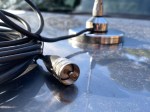
What the magnetic base looks like. Radioditty M916

The Antenna

Let’s talk about the antenna first…

The antenna is a portable telescopic antenna that covers HF bands 80m up to 6m. It comes with several parts that you adjust according to the band you want to use. You can also adjust it to the part of that band if you want the best SWR. I was surprised at first that there was only one page of instructions, however, I soon realised that is really all you need.

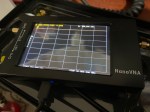
You can download manual here if you want to see how easy it is. My video below shows you how to do it and how I went. I connected my NanoVNA to it to see what the SWR is which was very interesting.

The antenna worked great when I took it away from my house and other buildings. Clearly height is an advantage when on HF, and having this antenna on the top of the car is best. But it is also great if you have your car parked up high on a hill.

I was easily able to talk to others on the antenna, and it took no time at all to change bands, especially if you mark the antenna with your best settings. It may be best to use a grey led pencil to start with so you can adjust as required. My video below shows the step by step process.

Although I didn’t video every band, I did manage to tune it in on all bands as advertised. This included 80 metres through to 6 metres. All the connectors were well built, looked good, and easy to use. According to the specifications, this antenna can withstand a PEP of 200W SSB and 100W CW.

This antenna is made for portable use, so clearly this would be a great POTA antenna. It is best used with the base as mentioned below.

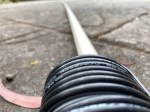
Before I talk about the base, one final tip. I got some PVC pipe from the hardware store so it can slide into it protected. This way nothing gets lost or broken. Everything stays together in transit. Have a look in my video below as to what mine looks like.

You can purchase the antenna via this link, or use the following link to receive a discount.

The Base

The base is very strong and heavy, as you would expect it to be, as it has three large magnets on it. I did like the RG58 coax from it. Sometimes the coax can be in-flexible, however this coax was great and soft. It can easily go into the car or beside it to your radio.

The antenna has a SO-239 connector, so you could use this base with other antennas that are smaller, like a dual band UHF/VHF antenna and then you could use it mobile. I tried this and it worked well.

I have had several magnetic antennas before over the last few decades. If you are going to use it while mobile, you need to make sure the antenna will not get blown off while mobile. The last thing you want is a large antenna blown off and it takes the mount with it and breaks your vehicle. This base with the HF-008 is only for still operations, not while mobile. But you can leave the base on the roof and just unscrew your antenna. Just put the protective cup back on the SO-239 to keep any water and dust off it.

Magnetic bases are great, as you get the antenna right in the centre of the car roof without drilling holes into the vehicle. This centre position is the best position.

See how I went setting this antenna up

In Summary

In summary, this appears to be a great portable antenna for remote use. I strongly recommend getting some PVC pipe though to keep it safe. As a family, we do a lot of traveling, all over Australia, and I plan on taking this setup with my on our next trip. I might even put the magnetic base on our caravan which is higher than the car, and then CQ the world from inside our van.

Hopefully you hear me while we travel soon.

If this helped you, please give us a thumbs up below, and don’t forget to subscribe to this blog for more updates. There is a lot more information on this website which I have put together to help other people enjoy the hobby as much as I do.

Other Reads

If you enjoyed this read, here are some other things you may enjoy also:

EchoLink CQ

I’ve been using EchoLink well before smartphones where the only way I knew how to connect to a different station was via the radio. The internet wasn’t as extensive as it is now and you had to dial the node you wanted via the radio. You can still do this today but I don’t think anywhere near as many do it.

I always felt EchoLink was well ahead of its time. Started well before any digital radio was thought of. Connecting the world via the internet.

It was great to be able to talk to the UK or States while mobile on the way to work just using a small whip antenna on the car.

Given I’m in Australia, it can be difficult to remember when overseas nets are on, or what part of the world is awake and up for a chat and which ones are not. But EchoLink has a CQ feature.

Calling CQ

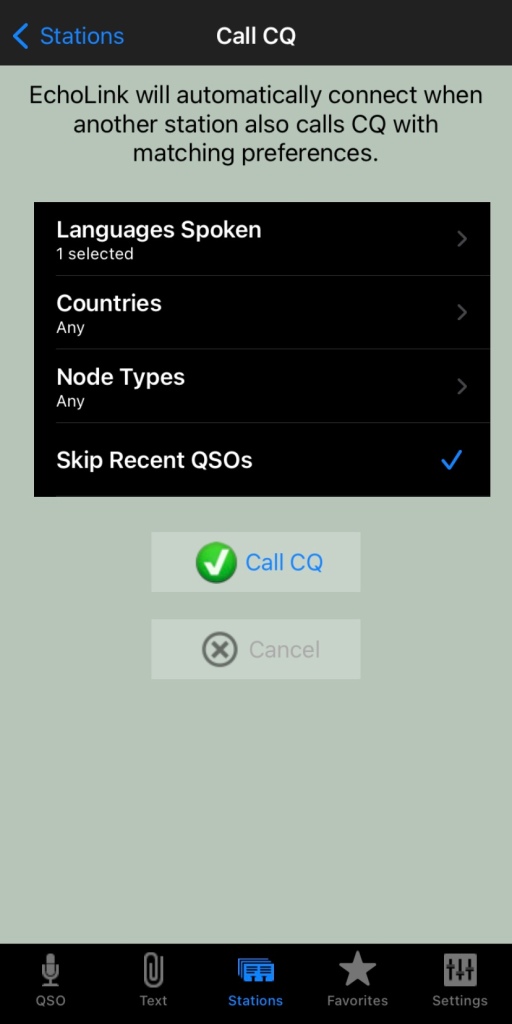
EchoLink had a CQ feature where you can call CQ and it will automatically connect to someone who is calling CQ also.

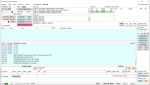
From the Stations screen select call CQ.

  • Then select your language.
  • Select the country, if you leave it as any, you will not limit your connection options
  • Select the node type, again, leave as any to start with
  • And you can skip recent if you want to.

Then press Call CQ

It will call CQ for a while searching for a connection that matches your settings. I find that sometimes it tries to connect to another node but can fail. This is perhaps because the connection drops out for whatever reason. Just try again.

The good thing about this option is you will get someone who is wanting to talk to someone just like you do!

What is your experience with EchoLink? What is your favourite nodes? Why don’t you put it in the comments below so we can all learn from your experiences.

Some similar reading

  • What is an Antenna Coupler
    An antenna coupler (also called an antenna tuner or matching network) is a device used in radio systems to ensure impedance matching between a transmitter and an antenna. Most transmitters are designed for a specific…
  • Antennas
    Amateur radio operators use many different antenna types, each designed for specific bands, space limits, and operating goals. Here’s a clear overview of the most common ones and why hams choose them. Wire Antennas These…
  • Dipole Antenna for Portable Use – Make your own!
    A dipole antenna is a basic radio antenna made of two conductive elements fed at the center. It is typically a half-wavelength long and is widely used as a reference antenna in antenna theory and…
  • Interference
    Interference in Amateur Radio refers to unwanted signals that disrupt radio communication. This interference can reduce signal clarity, make contacts difficult, or completely block communication between amateur radio operators. Radio Frequency Interference (RFI) is one…
  • 6m and TV Channel 0
    Prior to 1989, it was illegal to operate between 50 MHz and 52 MHz in Australia. It was a real pain as that was where all the action was when the band opened up. However,…
  • Dipole Antennas Vs Long Wire Antennas
    I’ve heard a lot about dipole antennas, and I’ve heard a lot about long wire antennas also. I would say I’ve seen more dipoles than long wire antennas. So why is that? What is the…
  • Repeater-START
    Repeater-START is a multi-platform app designed for ham radio and radio-operator enthusiasts who need fast access to repeater information. The app provides a detailed repeater map as well as a distance-sorted list, allowing users to…
  • The 6-Meter Amateur Radio Band
    What Is the 6m Band? The 6-meter band, spanning roughly 50–54 MHz, is a section of the VHF spectrum assigned to amateur radio operators. Its wavelength is six meters, and its position between HF and…
  • Anytone AT-778UV
    Overview The Anytone AT-778UV is a dual-band VHF/UHF mobile transceiver designed for amateur radio operators. It operates on the 136–174 MHz (VHF) and 400–490 MHz (UHF) bands, offering reliable two-way communication for both ham radio…
  • 160 Meters Band
    160 meters band is known as the “Gentlemen’s band”. It is right next to the AM commercial band, known as medium wave. The 160-meter band is the radio frequencies between 1.8 and 2 MHz. For…

Diamond Antenna W-8010 and expanding it to all bands

I purchased the Diamond W series W8010 antenna and quickly put it together. The instructions were a bit hard to read as it was exceedingly small. However, I found someone who did a video on how to put it together. (this is not my video)

To me, an antenna is far more important than the power you put out and the radio you own. You can make a fantastic contact on an extremely old radio on a good well positioned antenna. But if you have a bad antenna and a fantastic radio, you may find it a bit harder.

Tip when tuning

The above video, and instructions will tell you when tuning the antenna to cut the tuning wires to length. Instead, I folded the tuning wires back on themselves towards the centre of the antenna. You may need to fold back a little more than you would have cut off, but if you ever need to move the antenna, you will need to re-tune it and you cannot re-tune it if you have cut the tunning wires off already.

So, for my antenna, all I did was set up the antenna where the wires were greater than 30 degrees from each other, and then bend the tuning wires on themselves with electrical tape. For one of the bands, I took the tuning wires completely off.

As my antenna is on the roof, I had to adjust and climb down many times and check the radio before trying again. At one stage I got a helper who stayed in the shack, and I stayed on the roof. However me being on the roof affected the antenna, even if I wasn’t near it. One of the bands wouldn’t tune in, but when I was sure it was right, I went off the roof and then it worked fine without me on the roof. Maybe my antenna doesn’t like the site of me!

Review of W-8010

This W-8010 antenna is a good cheap antenna that does a decent job. It isn’t hard to install and put together and covers several bands once you get it up and going. I was expecting it to take a lot longer than it did. It doesn’t need a huge mast and if you have the space, can be installed so it doesn’t look too bad either.

I managed to get this antenna working on all bands as advertised except 80m. I am still trying to get this band to work. I understand the antenna is very narrow on this band when I purchased it, so I expected tuning to be difficult. Given the antenna is above the house on new tiles, I didn’t want to climb on the roof to many times, so I tried several times while tuning the other bands, but ended up giving it away. Each time I get on the roof I adjust it a little, then try again, but I have almost given up and sure it won’t work right across the band either. 80m is my main issue with this band.

Expanding the W-8010 antenna to WARC Bands

After tuning in the antenna, I wondered if I could modify it to also be usable on the WARC bands. It was a little frustrating hearing people talk on the other bands yet couldn’t talk to them as I didn’t have a resident antenna.

I found some coaxial cable on the footpath on my morning walk. It was against a power pole and looked like the same cable used for pay TV which was above me at the time. I had a closer look at it, and noticed it was RG66 which is 75-ohm, but also had a strong wire wrapped in next to the coax. So, using this wire, I could hang it and put all the strain on the wire, and not the coax. Better still it was free!

So how much do I need for which band I hear you ask, especially since I am using 75-ohm not 50-ohm coax?

To calculate the lengths, you need is easy. Just work out what frequency you want to use. Try one in the middle of the range of the band you want to use. Then with this frequency, use the following formula:

Dipole total length in meters: 143 / frequency in MHz

This total length in the above is from point to point, so you need to half that for both sides of the dipole. But before you cut, don’t only measure twice (as they say in the building industry), but cut it longer than you need. It is a lot easier to trim the ends off than stick the ends back on! As I said earlier, I was using RG66 75-ohm coax, so these measurements may not be exact. But it also depends on how your antenna is mounted. For me, I added about a metre to each length so when I was on the roof, I knew it was about a metre longer than it should be. Depending on the band and length, you may want to leave more or less on it.

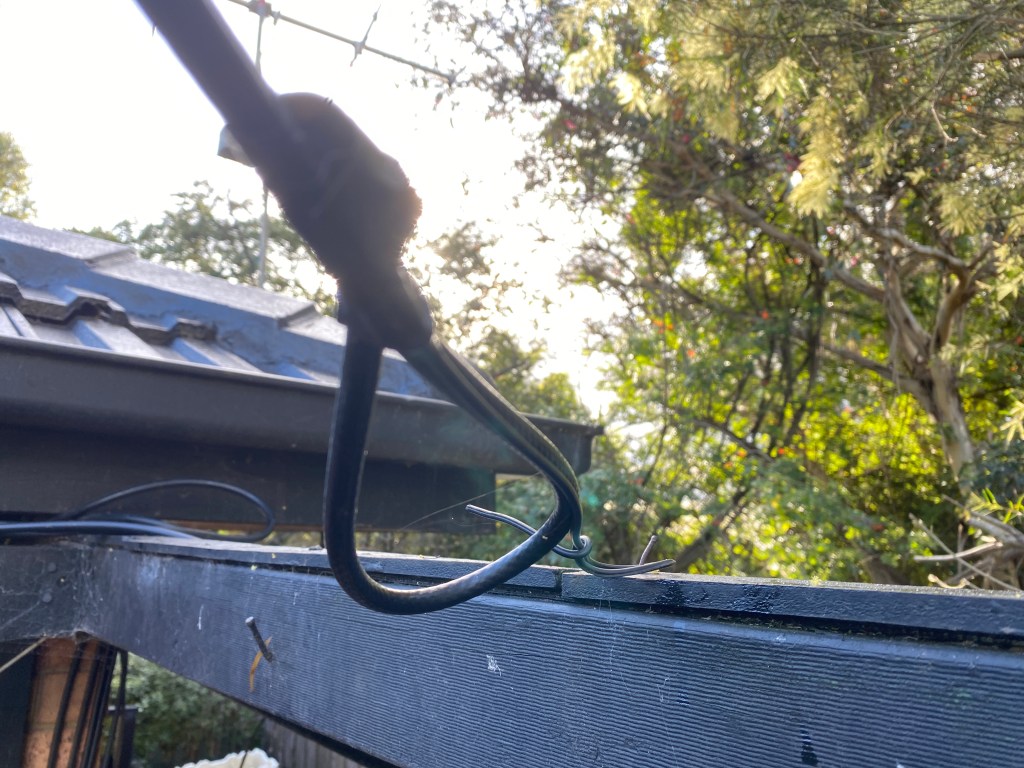
I first got it all working at a height I could reach, as I got sick of climbing up the ladder hundreds of times. Once it worked, I put it to the height I wanted, but it needed to be re-tuned again. Ah! If I had cut the wire, guess what, I would have had fun trying to extend my coax on the roof! You can see below how I folded the wire back on itself. As mentioned, this coax is RG66 and has a wire next to it. You can see this small wire in the photo that isn’t folded back and it supporting the coax on the nail. Don’t worry, this wasn’t my final setup, I was still tuning when I took the photo. It is secured a lot better than this now.

I noticed a lot of birds sat on some of my wires that were almost horizontal, and I was concerned their weight might break the antenna. About the same time, we were throwing out our old trampoline, so I kept some of the springs and have used them after the insulator and the mounting point. This may give the antenna a few more years of life hopefully.

Hope you enjoyed this read. What is your experience with Dipole antennas? What tricks have you learnt? I have been making antennas for some years, but really don’t think I am an experienced antenna builder. Please add your comments below so we can all learn from you.

Some other interesting reads

  • What is an Antenna Coupler
    An antenna coupler (also called an antenna tuner or matching network) is a device used in radio systems to ensure impedance matching between a transmitter and an antenna. Most transmitters are designed…
  • Antennas
    Amateur radio operators use many different antenna types, each designed for specific bands, space limits, and operating goals. Here’s a clear overview of the most common ones and why hams choose them.…
  • Dipole Antenna for Portable Use – Make your own!
    A dipole antenna is a basic radio antenna made of two conductive elements fed at the center. It is typically a half-wavelength long and is widely used as a reference antenna in…
  • Interference
    Interference in Amateur Radio refers to unwanted signals that disrupt radio communication. This interference can reduce signal clarity, make contacts difficult, or completely block communication between amateur radio operators. Radio Frequency Interference…
  • 6m and TV Channel 0
    Prior to 1989, it was illegal to operate between 50 MHz and 52 MHz in Australia. It was a real pain as that was where all the action was when the band…
  • Dipole Antennas Vs Long Wire Antennas
    I’ve heard a lot about dipole antennas, and I’ve heard a lot about long wire antennas also. I would say I’ve seen more dipoles than long wire antennas. So why is that?…
  • Repeater-START
    Repeater-START is a multi-platform app designed for ham radio and radio-operator enthusiasts who need fast access to repeater information. The app provides a detailed repeater map as well as a distance-sorted list,…
  • The 6-Meter Amateur Radio Band
    What Is the 6m Band? The 6-meter band, spanning roughly 50–54 MHz, is a section of the VHF spectrum assigned to amateur radio operators. Its wavelength is six meters, and its position…
  • Anytone AT-778UV
    Overview The Anytone AT-778UV is a dual-band VHF/UHF mobile transceiver designed for amateur radio operators. It operates on the 136–174 MHz (VHF) and 400–490 MHz (UHF) bands, offering reliable two-way communication for…
  • 160 Meters Band
    160 meters band is known as the “Gentlemen’s band”. It is right next to the AM commercial band, known as medium wave. The 160-meter band is the radio frequencies between 1.8 and…
  • What does this Antenna do?
    Have you ever had an antenna and forgotten what it is for? Maybe you have been given one and wasn’t told exactly what it was used for. I got given an antenna…
Cables, how to organise trick

A simple tip that you may always use after reading this.

Often our shacks end up with cables everywhere. It can be a little hard to remember what cable goes where after a few years. It all starts well but as the equipment grows, so do the cables. I have trouble with the power cords in the power boards and what each plug is!

My shack originally only had one cable that went out that hole, “I’ll remember what it is” we all say years later. But sometimes we might upgrade an antenna or radio. In doing so, it is far easier to use the same cable if it is ok, especially if it goes down a wall or through a small hole. After a few changes, the whole thing can become a bit of a mess (not that anyone else needs to know).

Power cables are easier to manage, as I stick a sticker on each plug at the power board to remind me what they go to. So, if I need to change the power board, I know exactly which plug I am pulling out.

But antenna cables are a bit harder. I started writing on a post it notes what this cable was for and taped it to the cable near the plug, but if you swap it to something else, you must change the note. Maybe you forgot last time you changed something or ran out of time. Perhaps after the testing you got so excited about the positive test you never did update the note on your cable.

So, I now have a new system. I colour code each cable at each end with electrical tape as shown below in the photo.

Using the same colour code on each end, I can now be sure which cable goes to which end. One of my cables has two of the same colour, which is fine, whatever works for you.

If you do this just before the plug at each end, then you can see which antenna the cable goes into and which radio. You could also do it again at the bottom of the tower or window so you know halfway along the cable.

I then have a list of yellow 1 strip = HF 6m and Red = VHF/UHF etc. if I swap the antennas, I just must change the list. I can double check by going outside to see what the same colour code ends up. The electrical tape will stay the same and will last a lot longer than handwritten notes.

So, what do you do to keep your station in order? Do you just remember? Do you have a system? Why not share it in the comments below so we can all learn from you.

Some other interesting reads

  • What is an Antenna Coupler
    An antenna coupler (also called an antenna tuner or matching network) is a device used in radio systems to ensure impedance matching between a transmitter and an antenna. Most transmitters are designed for a specific impedance, commonly 50 ohms, while…
  • Antennas
    Amateur radio operators use many different antenna types, each designed for specific bands, space limits, and operating goals. Here’s a clear overview of the most common ones and why hams choose them. Wire Antennas These are some of the simplest…
  • Dipole Antenna for Portable Use – Make your own!
    A dipole antenna is a basic radio antenna made of two conductive elements fed at the center. It is typically a half-wavelength long and is widely used as a reference antenna in antenna theory and practice. Dipole antennas work by…
  • Interference
    Interference in Amateur Radio refers to unwanted signals that disrupt radio communication. This interference can reduce signal clarity, make contacts difficult, or completely block communication between amateur radio operators. Radio Frequency Interference (RFI) is one of the most common problems…
  • 6m and TV Channel 0
    Prior to 1989, it was illegal to operate between 50 MHz and 52 MHz in Australia. It was a real pain as that was where all the action was when the band opened up. However, after many requests from the…
  • Dipole Antennas Vs Long Wire Antennas
    I’ve heard a lot about dipole antennas, and I’ve heard a lot about long wire antennas also. I would say I’ve seen more dipoles than long wire antennas. So why is that? What is the difference between them? Which is…
  • Repeater-START
    Repeater-START is a multi-platform app designed for ham radio and radio-operator enthusiasts who need fast access to repeater information. The app provides a detailed repeater map as well as a distance-sorted list, allowing users to easily locate nearby communication points…
  • The 6-Meter Amateur Radio Band
    What Is the 6m Band? The 6-meter band, spanning roughly 50–54 MHz, is a section of the VHF spectrum assigned to amateur radio operators. Its wavelength is six meters, and its position between HF and VHF makes it behave like…
  • Anytone AT-778UV
    Overview The Anytone AT-778UV is a dual-band VHF/UHF mobile transceiver designed for amateur radio operators. It operates on the 136–174 MHz (VHF) and 400–490 MHz (UHF) bands, offering reliable two-way communication for both ham radio and commercial use (depending on…
  • 160 Meters Band
    160 meters band is known as the “Gentlemen’s band”. It is right next to the AM commercial band, known as medium wave. The 160-meter band is the radio frequencies between 1.8 and 2 MHz. For many decades it was the…

Basic Antenna Fundamentals

A good friend of mine, Mike VK5ZC, put the information below together and asked me to put it on my web site. He has spent a lot of time putting it together with pictures and videos, so I encourage you to have a good read.

Topics include:

  • What is an antenna
  • Antennas types and general usage
  • Video of Antenna Propagation
  • The Antenna Mechanism
  • Antenna Resonance & Bandwidth
  • “Q” factor
  • Directional patterns of antennas
  • Video of Antenna Directivity
  • Gain of Antennas
  • Impedance matching
  • Vertical & Horizontal Polarization
  • Balun basics, Unun & Ugly Balun
  • SWR and Video
  • Coaxial cables and feed lines
  • The Velocity factor
  • Plugs and Connectors

Open the PDF document here:

So what did you think of this document? Please leave your comments below.

Mike also wrote a document that has the full history of Amateur Radio. You can read that here.

Want to read something similar:

If you enjoyed that read, here is some more posts we have on this site.

Antenna fun