The Yaesu FT-620 (and its updated version, the FT-620B) is a vintage amateur radio transceiver designed specifically for the 6-meter band (50–54 MHz). Produced in the 1970s, it…
Overview The Anytone AT-778UV is a dual-band VHF/UHF mobile transceiver designed for amateur radio operators. It operates on the 136–174 MHz (VHF) and…
I recently got my hands on the Hiroyasu IC-980 Pro dual band base radio. This is pronounced as “Hiro-Yasu”. When I say, got my hands on it, the unit is so small, you only need one hand really!
This analogue radio does both 2m and 70cm and will receive more outside of the Amateur bands. I’ve heard unlocking the radio is easy, but I haven’t done this yet, but will do another post on this if and when I do this.
Having the buttons light up makes it easy to control and do what you need to do. It looks intriguing when the radio isn’t turned on, and stylish when it is on.
The cost of the radio. At this cost, I don’t think you would be to upset if you were not happy with this radio,
The Radio body itself is tiny. It can easily fit in a car that hardly has any room, or a radio shack shelf that is almost full. They have also managed to get all the buttons and plugs on the back far enough away from each other so large fingers can still access them and see them.
While the body is small, the screen is a fantastic quality and clear. There is a lot of information available on the screen, and this can be customised as to what you want to display. The live signal metre and volt metre is a handy feature also.
The DTMF microphone is a good comfortable size. I am glad they didn’t go to small on this as they did the radio body. You need to be able to find the microphone, hold it comfortably and use it well. A tiny microphone would not achieve this. I love the direct input you can do with the buttons that light up as well as the shortcuts they have included, such as scan, squelch settings, and offset frequency.
I love the sound from it with the quality speaker mounted on the top of the unit. Although the body is small, it doesn’t have a small tinny speaker at all. I also like how it sounds on air. Many have said how clear the audio is when they hear me use the radio.
The mounting bracket that came with the radio contained all the screws and even a spare fuse. There were no short cuts here which was nice.
The power cord was of good quality and to have a cigarette lighter plug already installed with a led made it easier to install in the car or via a modern power supply that has the socket installed.
While the box did not contain the programming cable, they are a common cable and very fast in communicating between the radio and the computer.
For such a small radio, the output power of 25/30 watts is great. No wonder the back half of the radio is a heatsink. The fan is quiet and comes on automatically after long transmissions.
I liked how easy the programming software was and how you could give each memory a name. You could also adjust a lot of other functions via the software and find things quickly.
Being able to PTT from the unit is a bonus, especially if you can’t reach for the microphone. Though you would have to change in the settings which microphone to use. Perhaps the next firmware upgrade could use the microphone in the mic is the PTT was pressed there, and the microphone in the unit of the PTT button was pressed on the radio. This is a very minor point though.
The packaging the radio came in was well planned and kept everything save in transit. While this is a small point compared to the others, it is a good first impression when the box arrives well, and everything inside is placed well, which can later be used if you want to store the radio.
The time the radio took to arrive after ordering was amazing. It came with full tracking information, but I hardly looked at that, because it arrived before I started to wonder where it was.
The things I didn’t like about this radio
The software was hard to find. I understand if you email them, they will send it to you. I ended up finding it on a Facebook site after some searching. You also have to make sure you have the correct cord when connecting to the radio. However, once I got the software, it worked well and a far easier way to program the radio.
Using dual watch make the radio make a clicking sound like a car indicator. Bit odd, but there you go. Not really annoying me, and most don’t use dual watch anyway.
No way to control the screen brightness. This is only a minor point, but in a car at nighttime, it will be very bright if mounted close to your face. You can configure the screen / microphone and how long it lights up so maybe this is a solution if it bothers you. That said, it really doesn’t bother me, but worth noting.
Some things you may want to know
If you want to turn on commercial FM radio, press the FUN key on the microphone momentarily, then press 7. You can then change to your required station.
How to save a memory channel?
Press V/M button on the front panel to switch your radio in VFO Mode.
Input the desired frequency by the numeric key on the microphone.
Press “FUN” key on the microphone momentarily, then press Numeric key “0” subsequently, and press “Up” or” Down” Key on the microphone to select your desired channel number. The LCD will display Cover->001, which means that the channel 1 is occupied, you can save your frequency to cover the previous memory channel. SAVE->234 means that the channel you selected is empty, you can directly save your frequency to it.
Press “FUN” key on the microphone to save the frequency to channel,.When the data is stored, the word OK will be displayed.
You can recall the memory channel in channel model.
How to delete a memory channel?
Press FUN on the microphone, select SET (or press 3) and then submenu 3.20 “Delete Ch”.
Use the up and down arrows to select the channel number to be deleted and press FUN to confirm.
I belive this radio will do GRMS, however as we don’t have that in Australia, I couldn’t tell you how to do it. I assume it would just require you to program the correct frequencies via the program or directly into the radio.
Frequency Range: FM:76-108MHz (Rx), VHF:136-174MHz (Tx&Rx), UHF:400-470MHz (Tx&Rx)
Output Power (H/L Power Switchable): High=25W, LOW=10W
Memory Channels: 200
Review Video
Below is a video of my full review which I highly recomend seeing and I hope helps you:
Purchacing
If you want to purchase one of these radios, the direct link below is available on the AliExpress website by Global Wakie Talkie Store.
HF radio and lightning storms are closely connected because lightning creates strong radio frequency interference that affects HF radio communication (3–30 MHz). High Frequency radio is commonly used for amateur radio (ham radio), marine radio, aviation HF communication, emergency communications,…
OpenHamClock is an open-source amateur radio dashboard designed as a modern successor to the original HamClock used by radio amateurs worldwide. It provides a real-time visual display of essential ham radio propagation data, world clocks, DX activity, and space weather…
The Radtel P8 PoC radio is a Push-to-Talk over Cellular (PoC) device that looks like a traditional walkie-talkie but communicates using 4G/LTE mobile networks instead of UHF/VHF radio frequencies. This means its effective range is not limited to a few…
An antenna coupler (also called an antenna tuner or matching network) is a device used in radio systems to ensure impedance matching between a transmitter and an antenna. Most transmitters are designed for a specific impedance, commonly 50 ohms, while…
Amateur radio operators use many different antenna types, each designed for specific bands, space limits, and operating goals. Here’s a clear overview of the most common ones and why hams choose them. Wire Antennas These are some of the simplest…
A dipole antenna is a basic radio antenna made of two conductive elements fed at the center. It is typically a half-wavelength long and is widely used as a reference antenna in antenna theory and practice. Dipole antennas work by…
Interference in Amateur Radio refers to unwanted signals that disrupt radio communication. This interference can reduce signal clarity, make contacts difficult, or completely block communication between amateur radio operators. Radio Frequency Interference (RFI) is one of the most common problems…
Prior to 1989, it was illegal to operate between 50 MHz and 52 MHz in Australia. It was a real pain as that was where all the action was when the band opened up. However, after many requests from the…
I’ve heard a lot about dipole antennas, and I’ve heard a lot about long wire antennas also. I would say I’ve seen more dipoles than long wire antennas. So why is that? What is the difference between them? Which is…
Repeater-START is a multi-platform app designed for ham radio and radio-operator enthusiasts who need fast access to repeater information. The app provides a detailed repeater map as well as a distance-sorted list, allowing users to easily locate nearby communication points…
What Is the 6m Band? The 6-meter band, spanning roughly 50–54 MHz, is a section of the VHF spectrum assigned to amateur radio operators. Its wavelength is six meters, and its position between HF and VHF makes it behave like…
Overview The Anytone AT-778UV is a dual-band VHF/UHF mobile transceiver designed for amateur radio operators. It operates on the 136–174 MHz (VHF) and 400–490 MHz (UHF) bands, offering reliable two-way communication for both ham radio and commercial use (depending on…
160 meters band is known as the “Gentlemen’s band”. It is right next to the AM commercial band, known as medium wave. The 160-meter band is the radio frequencies between 1.8 and 2 MHz. For many decades it was the…
Have you ever had an antenna and forgotten what it is for? Maybe you have been given one and wasn’t told exactly what it was used for. I got given an antenna at at ham fest because it didn’t sell.…
Yes, this popular girl name is actually an Amateur Radio term. Christian, DK8EW, put me onto Olivia after we chatted on VARA HF. I had heard about Olivia before, but he encouraged me to give it ago. Soon I made…
The Yaesu FT-620 (and its updated version, the FT-620B) is a vintage amateur radio transceiver designed specifically for the 6-meter band (50–54 MHz). Produced in the 1970s, it offers support for AM, CW, and SSB (USB/LSB) modes, making it a versatile rig for its time, especially during…
I came across something different, FreeDV. The name FreeDV insinuates it is free, but is it? What is it? And what does it do? They say it will be the new SSB of radio. They say it is clear and…
Key Assignment For some reason, not all the key assignment options are in the manual and after a bit of searching, I found no complete list. Hopefully this below helps you in selecting your Key Assignments on the main unit…
Everyone that has been into radio for a while will know the brand Kenwood. And most know Kenwood isn’t only into Amateur radio, they are bigger than that, and have been also. But are you sure it started in Japan?…
Today (20/06/25) I head Ron, VK3AHR, on the 7.100 40-meter net. I understand he ran this net for over 7 years, but hasn’t been able to for the last few weeks due to bad health. At 10am this morning he…
As licensed Amateur Radio operators, we have all heard about Yaesu. We have all seen a Yaesu radio and most of us have used and even own one. I’ve had and have several Yaesu radios. From extremely old ones full…
I’ve been using the Parks and Peaks app on iphone and ipad for a little while now and quite enjoyed it. There don’t seem to be many iphone apps compared to android, so when there is one, I usually have…
With digital radio changing so quickly, below is a bit of an update in regards to DMR radio networks. DMR stands for Digital Mobile Radio and is an internation standard for digital radios since about 2005. It can contain voice…
I managed to get one of these radios and was rather impressed with it and what it came with. Have a look what my box had in it. Some of the things I liked included: It is a Tri-Band radio…
I purchased this radio from a friend, and it worked well. He hadn’t really used it, so I did a factory reset. This was a bit of a mistake, as it did a few things like turning everything to Chinese.…
HamClock has always fascinated me, as it seems such an amazing program specifically set up for Amateur Radio. I have seen countless videos on it but the draw back was always needing to have a Raspberry Pi. While I am…
You could say every amateur radio operator knows about the Baofeng if they have been around long enough. Most have held one of their radios and lots have at least one. They have made a huge amount of radios. According…
Have you heard of a flowerpot antenna? I hadn’t until recently, and I enjoy gardening also. But this antenna has nothing to do with gardening apart from why it was named flowerpot and it will probably end up either on your roof or garden.
A good friend of mine put me onto it as I was having trouble on 6m. A small group of us think 6m is under-utilised so we all get on their and chat for a while either on AM or SSB.
My antenna worked reasonably well, but they suggested I build my own using the flowerpot method. Given I’m always up for learning something new, I couldn’t resist.
The best but about the antenna is it is extremely cheap to make, easy to put together and the antenna works really well.
You can make a flowerpot antenna for either 6m, 2m or 70cm. You can hang it in a tree if you wish, in a pvc pipe like I did, or using a pole or something else.
There were only two parts I needed, everything else I already had. But if I had bought everything, it would have cost me I total about $15. Not bad for a great antenna and one you can say you built yourself.
All I needed to buy was the pvc pole, which is optional and a slightly wider pipe to make the coil on I already had the RG58 coax, and it even had a pl259 plug on it!
My flowerpot antenna
Items I purchased included: PVC Pipe. Make sure you give it a shake in the store before buying. If it is too flexible then it may bend and snap in the wind. But you don’t want it to heavy either.
HF radio and lightning storms are closely connected because lightning creates strong radio frequency interference that affects HF radio communication (3–30 MHz). High Frequency radio is commonly used…
OpenHamClock is an open-source amateur radio dashboard designed as a modern successor to the original HamClock used by radio amateurs worldwide. It provides a real-time visual display of…
The Radtel P8 PoC radio is a Push-to-Talk over Cellular (PoC) device that looks like a traditional walkie-talkie but communicates using 4G/LTE mobile networks instead of UHF/VHF radio…
An antenna coupler (also called an antenna tuner or matching network) is a device used in radio systems to ensure impedance matching between a transmitter and an antenna.…
Amateur radio operators use many different antenna types, each designed for specific bands, space limits, and operating goals. Here’s a clear overview of the most common ones and…
A dipole antenna is a basic radio antenna made of two conductive elements fed at the center. It is typically a half-wavelength long and is widely used as…
Interference in Amateur Radio refers to unwanted signals that disrupt radio communication. This interference can reduce signal clarity, make contacts difficult, or completely block communication between amateur radio…
I’ve heard a lot about dipole antennas, and I’ve heard a lot about long wire antennas also. I would say I’ve seen more dipoles than long wire antennas.…
Repeater-START is a multi-platform app designed for ham radio and radio-operator enthusiasts who need fast access to repeater information. The app provides a detailed repeater map as well…
What Is the 6m Band? The 6-meter band, spanning roughly 50–54 MHz, is a section of the VHF spectrum assigned to amateur radio operators. Its wavelength is six…
Overview The Anytone AT-778UV is a dual-band VHF/UHF mobile transceiver designed for amateur radio operators. It operates on the 136–174 MHz (VHF) and 400–490 MHz (UHF) bands, offering…
Yes, this popular girl name is actually an Amateur Radio term. Christian, DK8EW, put me onto Olivia after we chatted on VARA HF. I had heard about Olivia…
The Yaesu FT-620 (and its updated version, the FT-620B) is a vintage amateur radio transceiver designed specifically for the 6-meter band (50–54 MHz). Produced in the 1970s, it offers support for AM, CW, and…
Key Assignment For some reason, not all the key assignment options are in the manual and after a bit of searching, I found no complete list. Hopefully this…
Everyone that has been into radio for a while will know the brand Kenwood. And most know Kenwood isn’t only into Amateur radio, they are bigger than that,…
HamClock has always fascinated me, as it seems such an amazing program specifically set up for Amateur Radio. I have seen countless videos on it but the draw…
You could say every amateur radio operator knows about the Baofeng if they have been around long enough. Most have held one of their radios and lots have…
Have you heard of a flowerpot antenna? I hadn’t until recently, and I enjoy gardening also. But this antenna has nothing to do with gardening apart from why…
The Daiwa CN-460M is a small cross-needle meter displays both forward and reflected power for 2m and 70cm. It measures in ranges of 15/150 watts forward and 5/50 watts reflected.…
The 2m band has always been an interesting one for me. It used to be swamped with pager interference, but it actually is a great band. Inversion allows…
HF radio and lightning storms are closely connected because lightning creates strong radio frequency interference that affects HF radio communication (3–30 MHz). High Frequency…
OpenHamClock is an open-source amateur radio dashboard designed as a modern successor to the original HamClock used by radio amateurs worldwide. It provides a…
The Radtel P8 PoC radio is a Push-to-Talk over Cellular (PoC) device that looks like a traditional walkie-talkie but communicates using 4G/LTE mobile networks…
Amateur radio operators use many different antenna types, each designed for specific bands, space limits, and operating goals. Here’s a clear overview of the…
Interference in Amateur Radio refers to unwanted signals that disrupt radio communication. This interference can reduce signal clarity, make contacts difficult, or completely block…
Repeater-START is a multi-platform app designed for ham radio and radio-operator enthusiasts who need fast access to repeater information. The app provides a detailed…
Overview The Anytone AT-778UV is a dual-band VHF/UHF mobile transceiver designed for amateur radio operators. It operates on the 136–174 MHz (VHF) and 400–490…
The 2m band has always been an interesting one for me. It used to be swamped with pager interference, but it actually is a great band. Inversion allows your signal to travel long distances at times, especially on SSB.
This video is about the Yaesu FT-225R 2m all band radio. While the radio is huge, it is a beautiful radio any collector would love to have.
If you want to look at the manual, you can look at it here. I love these old manuals, where they state every component in them as well as circuit diagrams.
According to all reports, I sounded excellent on receive and I loved the sound from it on revive at my end also. You can plug in an external speaker, but I was happy with what it had.
Special thanks to Michael VK3CMC who let me use the radio so I could access the 2m SSB net.
The FT-225R
The two metre band probably should be used more than it is, but it is a good fun band.
Hopefully we can make contact with each other on that band one day!
If you enjoyed that, here is some more you may be interested in.
The Yaesu FT-620 (and its updated version, the FT-620B) is a vintage amateur radio transceiver designed specifically for the 6-meter band (50–54 MHz). Produced in the 1970s, it…
Overview The Anytone AT-778UV is a dual-band VHF/UHF mobile transceiver designed for amateur radio operators. It operates on the 136–174 MHz (VHF) and…
There are lots of duel band antennas available, but most required extra mounting brackets. These brackets often restrict you as to where you can mount the antenna on your car.
One of my first mobile antennas for the car was a magnet mount antenna. I used it on the family car before I even had a driver’s license. I could mount it right in the centre of the roof, giving me excellent reflection from the car.
It was also easy to remove when I wasn’t in the car, or if we had to park the car in a low garage.
The dual band antenna is easy to put together on the magnetic base, and heavy-duty cable with PL-259 connector.
It comes with a very strong magnetic base that measures 91mm /3.6’’ across. After using it on the car, I doubt any wind or speed will blow it off the car like my older smaller magnet base antennas.
HF radio and lightning storms are closely connected because lightning creates strong radio frequency interference that affects HF radio communication (3–30 MHz). High Frequency radio is commonly used for amateur radio…
OpenHamClock is an open-source amateur radio dashboard designed as a modern successor to the original HamClock used by radio amateurs worldwide. It provides a real-time visual display of essential ham radio…
The Radtel P8 PoC radio is a Push-to-Talk over Cellular (PoC) device that looks like a traditional walkie-talkie but communicates using 4G/LTE mobile networks instead of UHF/VHF radio frequencies. This means…
An antenna coupler (also called an antenna tuner or matching network) is a device used in radio systems to ensure impedance matching between a transmitter and an antenna. Most transmitters are…
Amateur radio operators use many different antenna types, each designed for specific bands, space limits, and operating goals. Here’s a clear overview of the most common ones and why hams choose…
A dipole antenna is a basic radio antenna made of two conductive elements fed at the center. It is typically a half-wavelength long and is widely used as a reference antenna…
Interference in Amateur Radio refers to unwanted signals that disrupt radio communication. This interference can reduce signal clarity, make contacts difficult, or completely block communication between amateur radio operators. Radio Frequency…
I’ve heard a lot about dipole antennas, and I’ve heard a lot about long wire antennas also. I would say I’ve seen more dipoles than long wire antennas. So why is…
Repeater-START is a multi-platform app designed for ham radio and radio-operator enthusiasts who need fast access to repeater information. The app provides a detailed repeater map as well as a distance-sorted…
What Is the 6m Band? The 6-meter band, spanning roughly 50–54 MHz, is a section of the VHF spectrum assigned to amateur radio operators. Its wavelength is six meters, and its…
Overview The Anytone AT-778UV is a dual-band VHF/UHF mobile transceiver designed for amateur radio operators. It operates on the 136–174 MHz (VHF) and 400–490 MHz (UHF) bands, offering reliable two-way communication…
160 meters band is known as the “Gentlemen’s band”. It is right next to the AM commercial band, known as medium wave. The 160-meter band is the radio frequencies between 1.8…
Yes, this popular girl name is actually an Amateur Radio term. Christian, DK8EW, put me onto Olivia after we chatted on VARA HF. I had heard about Olivia before, but he…
The Yaesu FT-620 (and its updated version, the FT-620B) is a vintage amateur radio transceiver designed specifically for the 6-meter band (50–54 MHz). Produced in the 1970s, it offers support for AM, CW, and SSB (USB/LSB) modes, making…
I’ve always wanted to take the radio with me while on holidays and I always do. However I’ve always been limited to 2m and 70cm including local repeaters and digital work.
Our family enjoy holidays all over Australia into some of the most remote places without water, power or any mobile signal. Sometimes this can last week’s at a time.
If your keen to learn more about our travels around Australia and learn more, please let me know.
Most of these remote locations means limited activity on 2m or 70cm as there are no repeaters for days!
Because of this remoteness, there are several outback radio networks we can join or listen to. They make quite interesting listening.
However, when on holidays, we amateurs don’t want to just listen, we want to be part of the action! And HF is the next best thing.
I’m currently on holiday in the Victorian high country, also known as “The Man from Snowy River” country. It is rugged, beautiful and high. So up here I can actually can receive several 2m and 70cm repeaters, but this is a good test for HF work.
High up on Mount Buffalo
With me, I brought a battery pack, that has a 12 volt lithium battery which we run our camping fridge off. I now run my HF gear off it!
I also brought my new QT-80 radio, which is small in size yet puts out 80 watts. I have placed a video below on this radio if you are not familiar with it.
I used a magnet mount antenna base as the car I was using is not mine. This mount sticks to the car like glue, but also comes off on demand so you can adjust the antenna as required.
I brought two antennas to test. The first one was the HF-008 antenna that covers more bands than the QT80. I have a video on both these below for you if you are not familiar with it.
I also brought the new CBL-561 HF antenna so I could compare the two antennas. This antenna can be used while mobile unlike the HF-008 antenna. I have another video for you to show you that antenna below:
Before leaving home, I went to the hardware store and bought two lengths of pipe with caps that could safely store each antenna. I could then almost throw them in the boot of the car and not be worried about them being damaged or caught on something as I pulled them out of the boot.
Hot Tip
The funny thing was, while on holidays, I forgot to bring a measuring tape to adjust the antenna. Fortunately one of my children had a ruler with them so I was able to mark measurements down the side of the tube with a sharpie.
I also wrote down next to the measurements the lengths Radioddity recommended and then as I tuned in the antenna myself with the lowest SWR, I marked the pipe to my best measurements which were very close to the same as Radioddity.
This Tip I am sure will be very useful going forward when I’m out in the Australian outback or somewhere that I have no ruler!
Results
Both antennas fitted the same magnetic base which made this setup work well.
On testing both antennas using the same frequency to the same long distance contact, I and they couldn’t tell the difference between us. I found both antennas easy to tune in and get the SWA right down before making any contacts.
I then tried again from the top of Mount Buffalo, one of our highest mountains and got the same results where both myself and the contacts I spoke to didn’t know I had even changed the antenna.
There are differences between the antennas though which may help you decide which antenna is right for you.
Compare Antennas
HF-008
This antenna covers a lot of HF bands, as covered in the video above. However it cannot be used while mobile, mainly due to the jumper cable. It is a great antenna and can be used with a radio that puts out a lot more watts than the small QT-80 radio I used.
CBL-561
The CBL-561R antenna does not cover as many HF bands as the HF-008 does, but if you are using the bands it does cover, then this antenna might be good for you. One big advantage to this antenna is that it can be used while mobile, not just stationary.
Both antennas will need adjusting if you switch bands or switch from one end of the band to another. So setting the antenna to a permanent mount on the car on the top of the roof where it ends up out of reach, then you may want to rethink this. I found the magnet mount ideal, as you can still have it on the highest point of the car and access it easily.
Another option I also use is a bull bar mount that I use on my 4×4.
I’d encourage you to watch my video below as it explains what I discovered.
Remember the old saying Hight is Might and going portable gives you an opportunity to test this theory.
Hope you enjoyed this read. Below are some other interesting articles I have also written that you may enjoy.
HF radio and lightning storms are closely connected because lightning creates strong radio frequency interference that affects HF radio communication (3–30 MHz).…
Amateur radio operators use many different antenna types, each designed for specific bands, space limits, and operating goals. Here’s a clear overview…
Interference in Amateur Radio refers to unwanted signals that disrupt radio communication. This interference can reduce signal clarity, make contacts difficult, or…
Repeater-START is a multi-platform app designed for ham radio and radio-operator enthusiasts who need fast access to repeater information. The app provides…
The Yaesu FT-620 (and its updated version, the FT-620B) is a vintage amateur radio transceiver designed specifically for the 6-meter band (50–54 MHz). Produced in the 1970s,…
The new CBL-561 antenna is strong and light that is fit for mobile work, camping or remote radio use. I plan to use this on our next outback trip!
This antenna supports a frequency range of 25-30MHz, covering both 10-meter and 11-meter bands.
With a SWR of ≤1.3:1 and a high power capacity of up to 500W, this makes an ideal mobile or camping antenna.
This antenna is compatible with the following radios:
Radioddity QT40
Radioddity QT60
Radioddity QT80
Radioddity CS-47
Radioddity CB-27 Pro
Radioddity CB-500
Radioddity CB-900 Pro
and all other brand’s that transmit in the range of 25-30MHz.
I use the QT80 radio with this antenna, so I highly recommend you seeing that review.
Tuning the antenna
I found tuning the antenna was simple. Just a small Allen Key allowed for adjustment between bands, however some bands were close enough as you can see in my video.
If you mark the antenna to the correct lengths, then it becomes easier still.
The antenna is built from aluminium alloy, so it shouldn’t rust. It is strong and windproof plus I’ve tested it mobile with the M916 base (extra) with great success.
The coil on the antenna is strong and doesn’t rattle at all.
The antenna has a standard PL259 on the bottom of the antenna so it fits my antenna connector that was already on my 4×4 which will save me wiring it all in.
More information
More information is available on my YouTube channel here.
There are several mounting options to the car, this is the base we use, th M916 Heavy Duty Magnetic Antenna:
CHIRP is a free, open-source tool for programming your amateur radio. It supports a large number of manufacturers and models, as well as provides a way…
I bought this wireless keyboard/mouse which was very cheap. It does not come with batteries, but come with a USB dongle. It has a fantastic range since it is 2.4GHz RF. The back also has good grip which apparently isn’t common on all models. You can select what colour you want the plastic to be also.…
I recently started using ProScan after years of using FreeScan. I have always enjoyed using FreeScan as it is easy to setup, I can download outputs from the software, and the main reason “it works”. However ProScan seems to be more graphical and has different features also.…
I recently started using ProScan after years of using FreeScan. I have always enjoyed using FreeScan as it is easy to setup, I can download outputs from the software, and the main reason “it works”. However ProScan seems to be more graphical and has different features also.…
A good friend of mine, Mike VK5ZC, put the information below together and asked me to put it on my web site. He has spent a lot of time putting it together with pictures and videos, so I encourage you to have a good read.…
A good friend of mine, Mike VK5ZC, put the information below together and asked me to put it on my web site. He has spent a lot of time putting it together with pictures and videos, so I encourage you to have a good read.…
This page is just a help to friends I have spoke to who are interested in upgrading the Radioditty GD-77 to the OpenGD77 software. This is not my work, however I really do appreciate Roger and his team have done to put this together. I claim no responsibility if it breaks your radio, however I have not hear this happen now in some time. I am not an expert at all with OpenGD77, I have just put this together to help people who have asked me how to do it.…
There are several DMR networks around the world, and more and more start all the time. The Australian DMR network currently covers the entire country and…
The new QT80 radio by Radioddity is a fantastic radio and I have a lot of contacts on it already.
QT60 Vs QT80
This is a QT80 model but there is also the QT60 model so what’s the difference?
QT80 has a higher power of 80W, while QT60 only has 60W
QT80 does not have NOAA (alarm) feature, while the QT60 has
In addition to unlocking 25-30 MHz, QT80 can also support 15 meters (21MHz) after unlocking, while QT60 cannot
One thing I did notice was the antenna plug on the back. It is a little bit tricky to put the plug on the back of the radio because of the big heat sink as you can only get to about 2/3 to turn it you can’t get your finger right around unfortunately. But that is not a deal breaker for me once it’s on it’s on and I don’t usually swap them around too much. You can purchase an adaptor if you want to.
Changing Modes
To change from Channel mode as you can see in Channel mode to VFO mode just hold and press the band button.
You can change the colour of the screen and there’s several colours to chose from. Some are a bit harder to see than others. While this is a bit gimmicky, it would be good mobile to turn down the screen or have it match your car interior.
Each button around the screen has at least three things that it can do depending upon which mode you are in. You can press each button, or press Function first, or long press it.
The radio also has a scan function here so you can press scan and you’ll see that this SC starts flashing and it’s scanning up the band if we want to go in the opposite direction just turn the VFO knob and it should go in the opposite direction. If you are in channel mode it will do the same there. If you hold the scan on the channel it’ll remove it from the scan list.
Turning the Beeping off
To turn the beeping off just press the function button here hold it in and menu item number one then press the VFO knob and it’s on one and turn up louder or off and then press function again to store that. Now if you selected off, it doesn’t beep.
You can make the radio show it’s SWR while transmitting, and preset what the maximum SWR you will allow the radio to transmit on.
The microphone has an up and down button, plus a predefined button on it that you can change as to what it will do.
The VFO knob is a clicking knob which is a bit CBish which is a shame, but just something to get used to.
Repeaters
Press the function key and then split and you can adjust to minus then you can set the offset. Then when you transmit, you will have a minus offset. You can do this on any more which is funny.
Unlocking the radio
Place the radio upside down with the speaker facing up and undo the top four screws on both sides of the radio.
Take the cover of the radio off, the one with the speaker on it.
Right at the front of the radio here there’s a little pin there and if we have a look closely you can see that it is currently connecting one and two we want to pull this out and change it to connect two and three
Put the cover back together
Hold the band button down the memory button down and then turn it on.
Then we have got two choices here as you can see it says ham.band or if I turn the knob we got HF.band so you got to choose which one you want. HF band is all the frequencies between 21 and 29 MHz or select ham.band which is just 10 metres.
Everything I have said above is in the video below which shows you step by step instructions.
The radio is not too big it fits easily in the car so it is great for mobile work or camping. I intend on using it on our next trip across Australia, rather than take my big HF radios that take up a lot of room.
If you want to see how I went connecting it up to the PC, then there is a video for that also:
HF radio and lightning storms are closely connected because lightning creates strong radio frequency interference that affects HF radio communication (3–30 MHz). High Frequency radio is commonly used for…
OpenHamClock is an open-source amateur radio dashboard designed as a modern successor to the original HamClock used by radio amateurs worldwide. It provides a real-time visual display of essential…
The Radtel P8 PoC radio is a Push-to-Talk over Cellular (PoC) device that looks like a traditional walkie-talkie but communicates using 4G/LTE mobile networks instead of UHF/VHF radio frequencies.…
An antenna coupler (also called an antenna tuner or matching network) is a device used in radio systems to ensure impedance matching between a transmitter and an antenna. Most…
Amateur radio operators use many different antenna types, each designed for specific bands, space limits, and operating goals. Here’s a clear overview of the most common ones and why…
A dipole antenna is a basic radio antenna made of two conductive elements fed at the center. It is typically a half-wavelength long and is widely used as a…
Interference in Amateur Radio refers to unwanted signals that disrupt radio communication. This interference can reduce signal clarity, make contacts difficult, or completely block communication between amateur radio operators.…
I’ve heard a lot about dipole antennas, and I’ve heard a lot about long wire antennas also. I would say I’ve seen more dipoles than long wire antennas. So…
What Is the 6m Band? The 6-meter band, spanning roughly 50–54 MHz, is a section of the VHF spectrum assigned to amateur radio operators. Its wavelength is six meters,…
The first thing I noticed after receiving the radio was the size of the radio. It is small yet not to small that it is hard to use. It fits comfortably in your hand.
Not only is it physically small, the price is amazingly small also. How I would have loved to have this radio when I started in the hobby 35 years ago!
Saying that, I see this as a great entry level budget radio. Or a small radio for camping or in the car rather than putting an expensive radio in.
The GT-5R PRO is an enhanced version of the classic GT-5R, capable of receiving a wider range of frequency bands including UHF, VHF, FM, NOAA, Airband, 1.25M, and 1M.
I was easily able to program the radio via the keypad putting in my local repeaters with the required offset and tone squelch. But it was even easier to program it via Chirp Next and I have a video on how to do that.
It is a 5 watt radio complete with VOX if you want to go hands free.
The GT-5R PRO is fully compatible with the UV-5R’s accessories. Such as the car charger, speaker mic, ear piece, antennas plus more.
The GT-5R Pro comes in a standard single-unit version as well as a kit version that includes a long antenna and programming cable. I got the kit version, so be shore when purchasing you know if you want the kit or the single unit version.
Contents • Radio • Fast desktop charger • Antenna • Long antenna • Li-lon battery pack • Wall adapter • Belt clip
It supports UHF VHF dual band transmission and a wide range of reception frequency bands, including 136-174MHz, 400-520MHz, 76-108MHz, 108-136MHz, 200-260MHz, 350-390MHz, and NOAA weather channels.
Receiver Frequency: FM 76-108 MHz; AM 108-136 MHz; VHF 136-174 MHz, 220-260 MHz; UHF 350-390 MHz, 400-520 MHz
Transmission Frequency (US version): 144-148 & 420-450 MHz Transmission Frequency (EU version): 144-146 & 430-440 MHz
It has 128 memory channels and I love how when you program them from the radio, you can see what has already been used.
50 CTCSS tones and 210 DCS codes
SOS Emergency function
FM radio receiver (87.5-108MHz)
Channel or frequency mode selection
TOT (Time out timer)
Reverse function
CTCSS and DCS codes research
Busy Channel Lockout function (BCL)
Frequency step: 2.5/5/6.25/10/12.5/25KHZ
Repeater shift
VOICE: vocal indication of the function selected
Li-lon battery pack
VHF and UHF bands and channel name displayed
Squelch adjustable in 9 levels
1750Hz tone for repeaters
LCD display with backlight adjustable in 3 colours
VOX, Scan, Dual Watch functions
Power Save
DTMF function
Alarm function
Setting and storing of channel names
High/low power selection
Frequency offset (adjustable): 0-69.990MHz
2pin Kenwood accessory jack
Keypad lock
Battery allows direct charging from the DC port
Testing
I quickly made some contacts on both 2m and 70cm and both said my audio was great. I swapped antennas halfway though a conversation and found the small antenna better but that was just for one repeater. I plan on doing more tests in the coming weeks.
Programming Tip
Did you know you can program these radios via Chirp? Here is a great tip you may like with chirp.
Summary
When I received the radio, I was stunned at the price and thought I can’t really go wrong here. I didn’t check the hypnotics but everything else I checked worked well.
There are lots of duel band antennas available, but most required extra mounting brackets. These brackets often restrict you as to where you can mount…
The Daiwa CN-460M is a small cross-needle meter displays both forward and reflected power for 2m and 70cm. It measures in ranges of 15/150 watts forward and…
A good friend of mine, Mike VK5ZC, put the information below together and asked me to put it on my web site. He has spent a lot of time putting it together with pictures and videos, so I encourage you to have a good read.…
A good friend of mine, Mike VK5ZC, put the information below together and asked me to put it on my web site. He has spent a lot of time putting it together with pictures and videos, so I encourage you to have a good read.…
I found it hard to find useful information on how to run the OpenGD-77 hotpot mode with Windows 10. At the time of writing this, there is a lot about this topic using a pistar and even android or ISO, but not much with Windows 10. This is my experence with BlueDV and Open GD-77 using a Windows 10 PC.…
An unusual name, but a catchy name no less, just like Peanut that was written by the same person, David PA7LIM. If you like Peanut, then you will like this project also. This project, like Peanut, includes some amazing coding and thinking.…


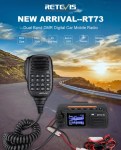 The Retevis RT73 and Kydera CDR300UV are identical radios. They are a DMR/FM duel band radio for Amateur radio use. This is great,…
 I recently got my hands on a new Baofeng UV-17R Plus Series radio. It didn’t take long at all to arrive and was…
 As per the Yaesu FT-710 manual, the Digital Noise Reduction (DNR) system is designed to reduce the level of ambient noise found on…
 I recently got the Radioddity M916 Heavy duty antenna magnetic mound with the Radioditty HF-008 all band portable antenna. I had always wanted…
 The first thing I noticed after receiving the radio was the size of the radio. It is small yet not to small that…
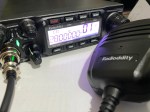 The new QT80 radio by Radioddity is a fantastic radio and I have a lot of contacts on it already. QT60 Vs QT80…
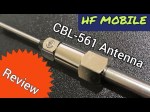 CBL-561 Review The new CBL-561 antenna is strong and light that is fit for mobile work, camping or remote radio use. I plan…
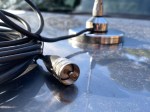 There are lots of duel band antennas available, but most required extra mounting brackets. These brackets often restrict you as to where you…
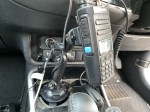 Why does a radio need a cup holder? I agree it’s a bit odd. But this isn’t a product that involves a cup.…
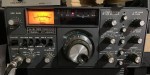 The 2m band has always been an interesting one for me. It used to be swamped with pager interference, but it actually is…
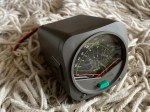 The Daiwa CN-460M is a small cross-needle meter displays both forward and reflected power for 2m and 70cm. It measures in ranges of 15/150 watts…
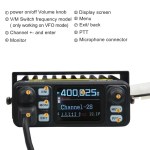 I recently got my hands on the Hiroyasu IC-980 Pro dual band base radio. This is pronounced as “Hiro-Yasu”. When I say, got…
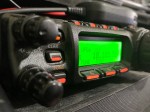 A great radio that does all bands up to 70cm. Using all modes also you can talk on SSB on VHF and UHF.…
 I purchased this radio from a friend, and it worked well. He hadn’t really used it, so I did a factory reset. This…
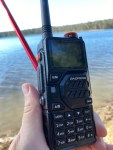 I managed to get one of these radios and was rather impressed with it and what it came with. Have a look what…
 Key Assignment For some reason, not all the key assignment options are in the manual and after a bit of searching, I found…
 The Yaesu FT-620 (and its updated version, the FT-620B) is a vintage amateur radio transceiver designed specifically for the 6-meter band (50–54 MHz). Produced in the 1970s, it…
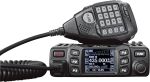 Overview The Anytone AT-778UV is a dual-band VHF/UHF mobile transceiver designed for amateur radio operators. It operates on the 136–174 MHz (VHF) and…
 The Radtel P8 PoC radio is a Push-to-Talk over Cellular (PoC) device that looks like a traditional walkie-talkie but communicates using 4G/LTE mobile…











 VK3TBS