
I’ve heard a lot about dipole antennas, and I’ve heard a lot about long wire antennas also. I would say I’ve seen more dipoles than long wire antennas. So why is that? What is the difference between them? Which is better? If one is a clear winner, why does anyone build the other?
A dipole antenna is one of the simplest and most widely used antenna types. It consists of two equal-length conductive elements, each about a quarter wavelength long, making the total length approximately half a wavelength. The antenna is center-fed, meaning the feedline connects at the midpoint, where the impedance is around 73 ohms, allowing for easy matching with standard coaxial cables.
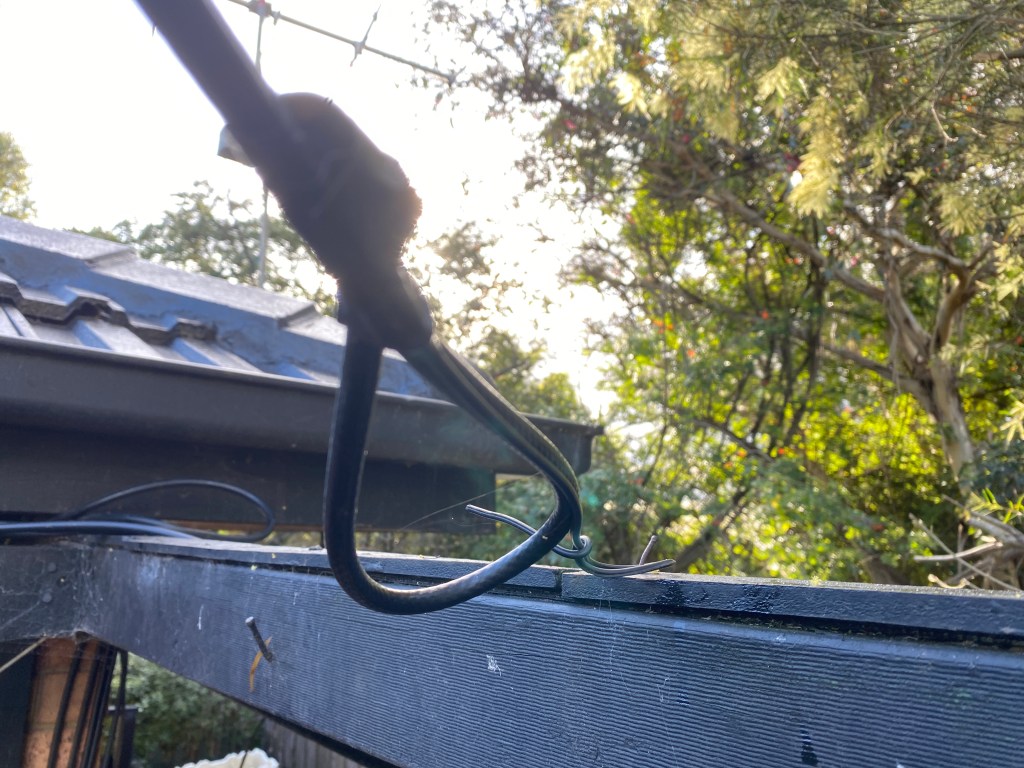
The radiation pattern of a dipole is broadside to the antenna, producing a figure-eight pattern in the horizontal plane. This means it radiates most strongly in directions perpendicular to the wire. The dipole provides a predictable, efficient, and balanced pattern, making it ideal for both HF and VHF communication systems where simplicity and reliability are important.
A long wire antenna, on the other hand, is a single conductive wire that is much longer than half a wavelength—often several wavelengths long. It is typically end-fed, with one end connected to the transmitter through an antenna tuner or matching network because the impedance is very high, often several hundred to several thousand ohms.
As the wire length increases, the radiation pattern of the long wire antenna becomes more directional and complex, forming multiple lobes with maximum radiation along the wire’s axis. This makes it useful for long-distance (DX)communication and applications where directional gain is advantageous.
In summary, the dipole antenna is a balanced, center-fed, half-wavelength antenna with a simple broadside pattern, while the long wire antenna is an unbalanced, end-fed, multi-wavelength antenna with a directional, multi-lobed pattern. Dipoles are preferred for efficient single-band operation, whereas long wire antennas are favored for multi-banduse and HF communications when space permits long installations.
So what is your experience with these antennas? Which one do you prefer and why? Have you made your own or have you bought it? Please leave your comments below.
If you enjoyed this read, see below for more interesting information:
- 10 metres 28.490
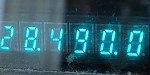
On the 10-metre band, 28.490 is the unofficial calling frequency for Australia and New Zealand. This is interesting as the Band plans state it is 28.390 as the recommended intra-VK calling frequency.
That said, 28.490 is more recognised as the unofficial calling frequency down under.
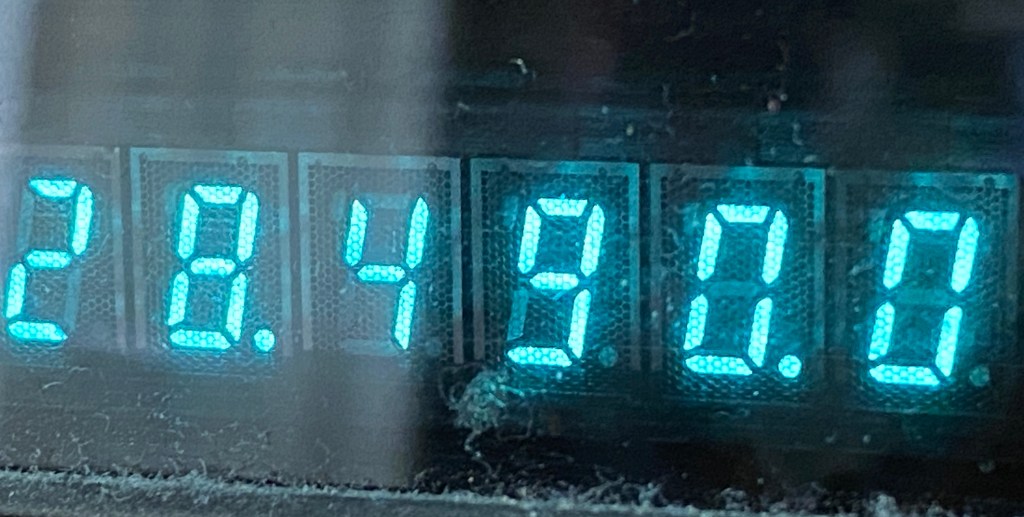
Most amateurs down under will listen to 28.490 on ten metres and put out a call there, but then QSY to another frequency 10 or 20 kHz away either after making contact, or before contacting another station by announcing where you plan to go.
- 160 Meters Band

160 meters band is known as the “Gentlemen’s band”. It is right next to the AM commercial band, known as medium wave.
The 160-meter band is the radio frequencies between 1.8 and 2 MHz. For many decades it was the lowest radio frequency band allocated for use by amateur radio, before the 630 and 2200 meter bands were introduced.
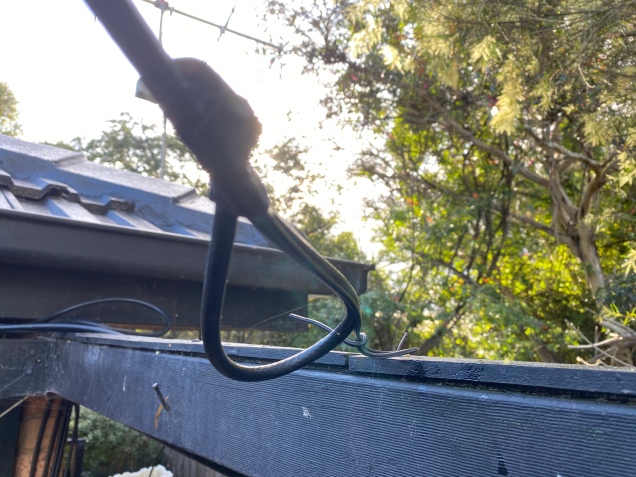
Amateur operators often refer to the 160 meters as the Top Band because it was for some time.
The 160-meter band is the oldest amateur band. Antennas are usually huge in size due to the wavelength at this frequency, making the higher bands a lot easier to get into given they have shorter wavelengths, requiring smaller antennas. Small antennas lead to less space required and less cost.
During the day propagation is limited to local contacts, but long distance contacts are possible at night, especially around sunrise and sunset.
How it started for me
The hobby started for me on Medium Wave, where I was shocked to receive long distance AM radio signals from interstate radio stations. The distances were huge, across countries if I was in Europe. As a kid I loved listening to interstate radio and sometimes phoned them to let them know. They were shocked I could hear them and often mentioned me by name soon after my phone call.
My Antenna’s
I’ve tried several antennas on this band. They include:
- A horizontal dipole antenna. This worked really well though it was huge. The problem I had with this antenna was most people in my area use vertical antennas so they couldn’t hear me well.
- A horizontal long wire antenna. This antenna was also huge, and also not vertical. So it worked well for close contacts, but not as good if I tried to contact a few suburbs away.
- An inverted L antenna. This worked the best as my local contacts used vertical antennas. I tried to get the vertical part as high and as long as I could before doing that horizontal part. Given the length of the wire needed, most of the wire was still horizontal, but at least the first but was vertical. Though the secret to this antenna was the ground wires. I started with two of them and ran one around the house about 2 feet from the ground. The other was around the fence. I will put at least two more out which should also help improve things.
Summary
Getting on 160m was a bit of a challenge due to the wavelength. I could be heard on SSB, but AM was the biggest challenge. With AM, my radios would put out less watts so I had to rely more on my antenna.
Below is a small video of my 160m antenna and how I made the inverted L. With amateur radio, there will always be improvements and I am sure this setup isn’t the best, but it is a start and I learned what I could from the other amateurs who had already mastered this band.
Below is an extended video which goes into a bit more detail of how and why I did what I did. I adjusted all my HF antennas to make this 160m antenna work while not upsetting any of the other bands.
As I mentioned in both videos, I am not a professional, but an amateur radio operator and as keen to learn as anyone else. If you have any thoughts on this, I would value them in the comments below. It will not only help me, but others reading this. So don’t forget to have a look at what others have to say.
160m Coffee Break Net
Each weekday in Melbourne, there is a 160m Coffee Break Net. This net is a bit of a challenge to get onto because you must:
- Have a full licence
- Have a vertical antenna (which is the biggest challenge for 160m)
- Have a radio that does AM, and puts a few watts out
As you can see above, I was able to make a 160m vertical antenna, so once I got this working, I was on the air! Many people try their dipole antenna, as did I at first, but on AM, it just doesn’t go far, and since everyone on the net is vertically polarised, they couldn’t hear me. I saw this as a challenge, and one worth trying.
Don’t forget to subscribe to this page, as I am sure I will have a version 2 of these antennas out one day!
If you enjoyed this, here are some other reads you may enjoy:
- Amateur Radio Nets
Below is a list of Radio nets we have gathered from web pages around the world, as well as friends etc.
Clearly nets change all the time, so please let me know if there is anything you notice as potentially being wrong, needing to be updated, not clear of if you would like to add one you know.
You can then sync this calendar to your device so you have all the nets available just by clicking on the Add to Google Calendar button down the bottom. It will update as we are notified of changes.
I suggest you click on the weekly or daily view of the calendar below to see it correctly.
If you found something missing, or incorrect, or just have some suggestions, please send us a message via the form below. It will be great to hear from you.
While you are here, there is lots of other useful information on this site:
- Anytone 778UV Key Assignment

Key Assignment
For some reason, not all the key assignment options are in the manual and after a bit of searching, I found no complete list. Hopefully this below helps you in selecting your Key Assignments on the main unit P1-P6 keys, as well as on the microphone PA-PD keys. I have listed them in alphabetical order however under it I have how I have my radio set up.
Selection Description A/B Switch Main Display from A or B BND Bandwidth (adjust for low signals) CAL Calibration (non-functional) CDT CTCSS / DCS options DIR Direction of display MON Disables squelch NULL Will make button do nothing. POW Power Level, Low Med Hi RDW Dual Watch REV Reverse transmit offset and frequency SCN Scan, channels or frequencies SFT Frequency Offset SQL Squelch TALK Turns TX off for any particular channel TRF Busy channel lockout VOL Volume Level, press to change volume instead of channel VOX Vox toggle on or off V/M Switch from VFO to Memory Channel Please let me know if I got any wrong or have missed one.
This is how I have set mine up, but as I use the radio, I will change this to suit my needs:
P1 A/B P2 V/M P3 MON P4 SCN P5 SQL P6 VOL P1 mode 2 DIR P2 mode 2 SFT P3 mode 2 RDW P4 mode 2 POW P5 mode 2 CDT P6 mode 2 BND PA SCN PB VOL PC POW PD RDW So what are your thoughts on this? How do you setup your radio? Please let me know via the comments below.
Here are some video’s you may enjoy also:
If you enjoyed this, here are some more reads you may enjoy:
- Anytone AT-778UV
Overview
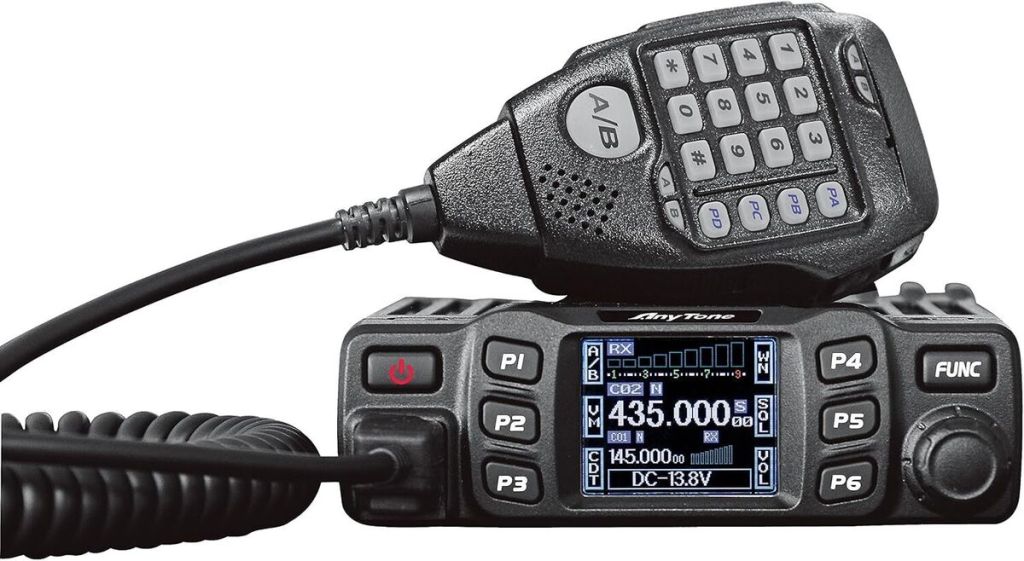
The Anytone AT-778UV is a dual-band VHF/UHF mobile transceiver designed for amateur radio operators. It operates on the 136–174 MHz (VHF) and 400–490 MHz (UHF) bands, offering reliable two-way communication for both ham radio and commercial use (depending on firmware version).
Power Output
This transceiver provides selectable power levels — typically 25 W, 15 W, and 5 W. These adjustable settings allow users to manage power efficiency, heat, and battery draw when operating from a 12 V vehicle power system.
Channel Capacity
The AT-778UV supports 200–250 programmable memory channels, making it versatile for storing repeaters, simplex frequencies, and emergency channels. Channel naming and scanning functions simplify navigation during mobile operation.
Display and Design
It features a color TFT LCD display with 180-degree rotation, allowing flexible mounting in various vehicles. The metal chassis and integrated cooling system improve durability and heat dissipation, especially during extended transmission periods.
Signaling and Features
Key functions include CTCSS/DCS, DTMF encoding/decoding, 2-tone/5-tone signaling, and ANI/PTT ID. These options make it suitable for both amateur repeaters and commercial communication networks, enhancing identification and access control.
Software and Programming
Users often mention programming challenges, particularly with USB cable drivers and COM port errors on newer Windows systems. The Anytone programming software or CHIRP can be used, but compatibility varies depending on firmware version.
Dual Watch
Some people hate Dual Watch, but this is mainly because they do not understand it. I think this radio does dual watch better than most and the reason is:
- There is a sperate signal meter per zone making it clear which one you are listening to. I wish all radio’s did this.
- When Dual Watch is on, you can see both the A band and B band, but when it is off, you can only see one band on the screen. Again, I wish all radio’s did this.
- It says clearly on the bottom of the screen if you are on A or B band. I really wish all radio’s did this.
If you are not sure what Dual watch is, then have a look at this video. It is great when you are listening, but not talking to anyone and the repeaters are a bit quiet.
Mic Gain
I had a few mic gain issues my my radio. Some have drilled holes in the microphone to fix this, but before you do this, it might pay to watch the following video.
Summary
Most owners praise its value for money, build quality, and audio clarity. Common complaints include menu complexity, occasional freezing, and scan delays. Overall, it’s regarded as a solid budget mobile ham radio with a rich feature set.
I do love how you can change the display on this radio and re-program the buttons. The following video with help you with this and show you what I mean.
I hope you enjoyed that review, if you did, here are some more you may be interested in.
- Australian DMR Repeaters
There are several DMR networks around the world, and more and more start all the time. The Australian DMR network currently covers the entire country and is for Australian residents only.
It can often be hard to find which DMR repeaters are online, offline and where they are, especially if you travel a bit like me.
Here is a few links that may be of some use. Please let me know if these links no longer work.
A map of all DMR repeaters around Australia is available here.
If you want to check the status of these above repeaters, have a look at this page. It shows which ones are currently online, or offline.
Online repeater map is a great page showing all repeaters around Australia. It is well worth the look at if you are traveling or are going to be in Australia. https://www.onlinerepeatermap.com/
Another way is via the DMR database. If you put the start of the repeater call sign in the middle repeater section it will list the repeaters in your area. For example, all repeaters in my area start with VK3, so I put in VK3 in the middle callsign box and selected begins with and got a list of registered repeaters. This will work all over the world. https://www.radioid.net/database/search#!
Further Reading
Enjoyed what you read, here is some more interesting articles on this site you may enjoy.
- Band Stacking

Have you ever tried Band Stacking before? This is where you have three options per band every time you go to that band. For example, you may have one set up on SSB, one on CW and another on Data, all on the same band. You can easily switch between them all.
For example, if you are on 20 metres, press band and 14 again, and if band stacking is on, it will keep you on 20 metres but to the different stack. This different stack could have a different mode. You usually have three per band.
Have a look at the video for more on how to use it and turn it on:
If you enjoyed that, below are some more interesting reads you may enjoy:
- Baofeng GT-5R Pro

The first thing I noticed after receiving the radio was the size of the radio. It is small yet not to small that it is hard to use. It fits comfortably in your hand.

Not only is it physically small, the price is amazingly small also. How I would have loved to have this radio when I started in the hobby 35 years ago!
Saying that, I see this as a great entry level budget radio. Or a small radio for camping or in the car rather than putting an expensive radio in.
The GT-5R PRO is an enhanced version of the classic GT-5R, capable of receiving a wider range of frequency bands including UHF, VHF, FM, NOAA, Airband, 1.25M, and 1M.
I was easily able to program the radio via the keypad putting in my local repeaters with the required offset and tone squelch.
But it was even easier to program it via Chirp Next and I have a video on how to do that.It is a 5 watt radio complete with VOX if you want to go hands free.

The GT-5R PRO is fully compatible with the UV-5R’s accessories. Such as the car charger, speaker mic, ear piece, antennas plus more.
The GT-5R Pro comes in a standard single-unit version as well as a kit version that includes a long antenna and programming cable. I got the kit version, so be shore when purchasing you know if you want the kit or the single unit version.
Contents
• Radio
• Fast desktop charger
• Antenna
• Long antenna
• Li-lon battery pack
• Wall adapter
• Belt clipIt supports UHF VHF dual band transmission and a wide range of reception frequency bands, including 136-174MHz, 400-520MHz, 76-108MHz, 108-136MHz, 200-260MHz, 350-390MHz, and NOAA weather channels.
Receiver Frequency:
FM 76-108 MHz;
AM 108-136 MHz;
VHF 136-174 MHz, 220-260 MHz;
UHF 350-390 MHz, 400-520 MHzTransmission Frequency (US version): 144-148 & 420-450 MHz
Transmission Frequency (EU version): 144-146 & 430-440 MHzIt has 128 memory channels and I love how when you program them from the radio, you can see what has already been used.
- 50 CTCSS tones and 210 DCS codes
- SOS Emergency function
- FM radio receiver (87.5-108MHz)
- Channel or frequency mode selection
- TOT (Time out timer)
- Reverse function
- CTCSS and DCS codes research
- Busy Channel Lockout function (BCL)
- Frequency step: 2.5/5/6.25/10/12.5/25KHZ
- Repeater shift
- VOICE: vocal indication of the function selected
- Li-lon battery pack
- VHF and UHF bands and channel name displayed
- Squelch adjustable in 9 levels
- 1750Hz tone for repeaters
- LCD display with backlight adjustable in 3 colours
- VOX, Scan, Dual Watch functions
- Power Save
- DTMF function
- Alarm function
- Setting and storing of channel names
- High/low power selection
- Frequency offset (adjustable): 0-69.990MHz
- 2pin Kenwood accessory jack
- Keypad lock
- Battery allows direct charging from the DC port
Testing
I quickly made some contacts on both 2m and 70cm and both said my audio was great. I swapped antennas halfway though a conversation and found the small antenna better but that was just for one repeater. I plan on doing more tests in the coming weeks.
Programming Tip
Did you know you can program these radios via Chirp? Here is a great tip you may like with chirp.
Summary
When I received the radio, I was stunned at the price and thought I can’t really go wrong here. I didn’t check the hypnotics but everything else I checked worked well.
If you go via this link, you will get a discount:
https://radioddity.refr.cc/bensangster otherwise you can see it here: https://www.radioddity.com/products/baofeng-gt-5r-pro
If you enjoyed this read, here are some other ones you may be interested in.
- Baofeng K5 Plus Radio
I managed to get one of these radios and was rather impressed with it and what it came with.
Have a look what my box had in it.
Some of the things I liked included:
It is a Tri-Band radio which includes UHF, VHF, 1.25M, and multi-band reception (VHF, UHF, FM, Airband, 1.25M, 1M, NOAA).
It does a huge 10W which isn’t bad for a hand held. But also does 10W, 7W, and 4W output.
It has several ways to charge it. The 2500mAh rechargeable battery lasts a long time even on high power, and doesn’t take long to charge either. You can recharge via the new Type-C port cable, or recharge using the included desktop charger.
While the radio does come with its own software, I love it is Chirp Programmable. It means you can continue to use software you are familiar with and import repeaters from repeaterbook for example.
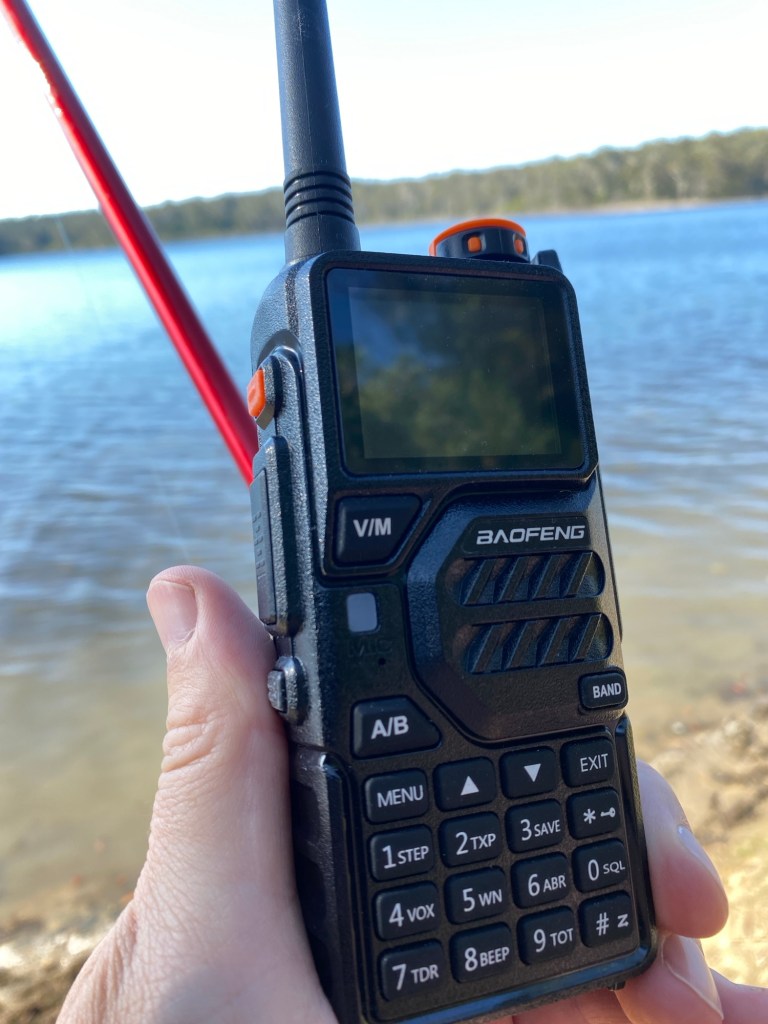
Using the radio while fishing The radio has a 1.77-inch LCD display and a robust 2500mAh rechargeable battery
You can keep your conversations private using the scramble function, but just check first you can use this feature. I noticed it works well when signal levels are high.
Some of the things I didn’t like
The hand speaker mic felt a bit cheap as mine had a switch that made a lot of noise when you shook it. That said, it worked fine and no one said I sounded any different. It also has a nice adjustable clip that you can rotate.
My Review
Have a look at the video below for my review.
Programming Tip
Did you know you can program this radio via Chirp? Here is a great tip you may like with chirp.
Purchasing Tips
You can view the radio directly via this link.
However you can get a discount if you go via this website and search for this product.
If you enjoyed this, here are a few others you may enjoy. Don’t forget to subscribe to my site if you want to receive updates.
- Baofeng Radios

You could say every amateur radio operator knows about the Baofeng if they have been around long enough. Most have held one of their radios and lots have at least one. They have made a huge amount of radios.
According to their website, they have been around fifty years now. However other information I found contradicts this.
Owning a R&D team with 50 years experience in the field of wireless communication. Having launched the Baofeng series of wireless walkie-talkies and related ancillary products.
But how big are they? Do they just build radios and then tweak them to launch another one or are they bigger than that?
Again, according to their website:
Total employees over 1500+. Our factory locates in Changfu Industrial Zone, XIamei of Nan’an, Quanzhou, Fujian province, China.
So what does Baofeng mean in English?
storm wind storm
bào fēng. storm wind storm (force 11 wind)
Baofeng Radio Information
After a bit of research, this is what I found.
Baofeng, a Chinese manufacturer, was founded in 2001 by Mr. Wang Jinding founded Baoan Electronics Co., Ltd. in Nan’an City, Fujian Province in Nan’an City, Fujian Province. In 2017, Fujian Nan’an Baofeng Electronics Co., Ltd. changed its name to Fujian Baofeng Electronics Co., Ltd.
It gained prominence with its Baofeng UV-5R dual-band radio, which became popular for its affordability and features, but also faced regulatory scrutiny due to potential frequency interference.
Fujian Baofeng Electronics Co., Ltd. was founded in 2001 as a high-tech enterprise focused on research, development, production, and sales of radios.
The Baofeng UV-5R, a dual-band radio, became a global sensation in 2012 due to its affordability and features, particularly its ability to operate on both VHF and UHF bands.
However, the UV-5R, and other similar radios, faced regulatory issues in countries like Switzerland, Germany, Poland, and South Africa, due to concerns about frequency interference and the lack of certification in some regions. In the United States, the FCC cited Baofeng for illegally marketing the UV-5R, which was “capable of operating outside the scope of its equipment authorization”. The UV-5R served as a basis for numerous other models, with vendors able to create private-labeled versions, according to CHIRP.
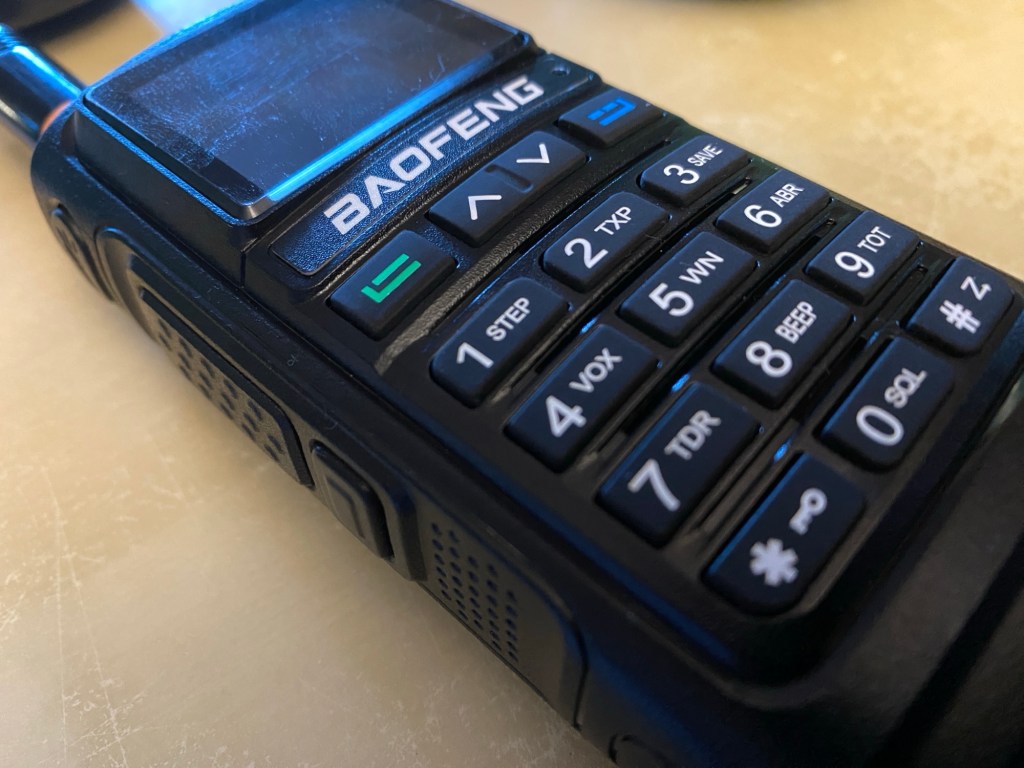
The German Federal Network Agency banned the UV-5R because it dampens harmonics poorly, potentially disturbing other users, and the Independent Communications Authority of South Africa issued a ban after finding the UV-5R to be causing radio frequency interference and for having continuous tuning capabilities, a feature that would require an operator obtain a Frequency allocation license before purchasing or using the device.
Baofeng Models
This website I think only shows a fraction of the radios Baofeng have made and sold. For example a Pro version will be very similar to the original version but comes with so many more things, it is almost a new radio.
https://en.m.wikipedia.org/wiki/List_of_amateur_radio_transceivers

In my experience, you either love them starting at their cost, or hate them. It’s well known that some of cheap in price and quality, but this is perhaps the earlier models. If you love them, then they will bread like rabbits, if you hate them and own one, it will probably be sitting at the back of the draw or behind a box somewhere out of site.
There are so many models available now. So if you are wanting a hand held radio and on a budget, do your homework well. Just because it may be the latest model, doesn’t mean it has everything all the other models have.
Baofeng Radios Reviewed
Below are the Baofeng radios I have reviewed on YouTube. Hope you enjoy them.
Programming Tip
Did you know you can program these radios via Chirp? Here is a great tip you may like with chirp.
Purchacing
If you go via this link, you will get a discount:
https://radioddity.refr.cc/bensangsterhttps://radioddity.refr.cc/bensangster then search for your item.
I hope you enjoyed this review, there are other posts below you may enjoy also:
- Baofeng UV-17R Plus Series Review
I recently got my hands on a new Baofeng UV-17R Plus Series radio. It didn’t take long at all to arrive and was not expensive at all. People these days pay more for a UHF CB radio than a radio that does all this can do.
You can purchase it via this link: https://www.radioddity.com/products/baofeng-uv-17r-plus However, if you go via this link, you will get a discount: https://radioddity.refr.cc/bensangster
My last Baofeng radio is a GT-3TP which you can still purchase new. It also works well and have always received good reports from it.
The UV-17R Plus is an upgraded version of the UV-17R handheld with the following: extras
- an expanded receiving frequency band (encompassing aviation and police bands in the US),
- an extended battery boost from 1800mAh to 2500mAh (that works out to about 40% more charge),
- a quick USB-C charging plug and cord, and
- it also has a new voice scrambler function.
Some of the things I liked with the new UV-17R Plus Series includes:
- The look and feel of the radio. This includes the bright display, feel and position of the buttons, large LED lights, and easy antenna swapping as the area is wide. I also like the speaker behind the keypad, this saves room and is an area you never cover with your hand either. The text on the display is far easier to read than older models inside and in the sunshine.
- The new USB-C charging is so much better. You don’t have to bring a charging cradle anymore when you leave the house, and can even charge it in the car easily.
- Customising DTMF is easy via the # key. It will also search for a used frequency then will display what CTCSS or DTMF is used. This can quickly be saved as a channel also.
- Secure conversations – I couldn’t test this as I only have one radio, but agree this is a good feature. However, I did talk on it myself and my digital scanner couldn’t decode it.
- The weather feature would be good if you are in a country that uses it. Australia does not. I could see this being a great radio in an emergency with the LED lights.
- The user manual is well put together and entirely in English. A PDF version is available online also.
- The radio can be programmed directly, or your PC via several different software options. I have done a video on this below if you want to see this.
- It comes with an 18-month warranty.
Here is a video where I unbox the radio and show what is included in the package. If it is helpful to you, please press the like button.
The video below is an overview summary of this radio. I’d recommend watching it as it has more details than posted here.
Below is another video showing some of the features that the radio has. While I don’t show you them all in action, it will at least give you an idea of how the radio works.
If you want to get connected into the Baofeng community, have a look at this groups id where others comment and are there to help. https://groups.io/g/BaufangRadios
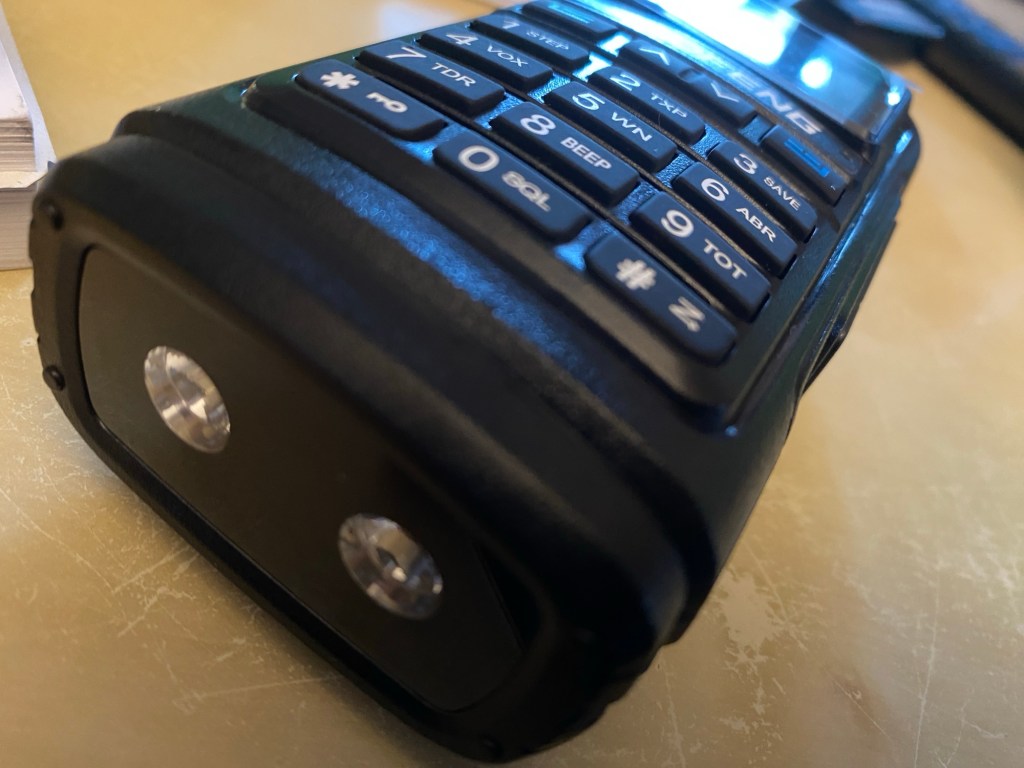
This is a great radio for the price. It does far more than I thought it would and I am sure will get a lot of use out of it. I was initially concerned it may be hard to use because of the price, however, was pleasantly surprised how easy it was to program.
Below is a video I did showing you how to program the radio via a PC using Chirp-Next.
Programming Tip
Did you know you can program this radio via chirp? Here is a tip you may like.
Hope you have got something from this to help you in the hobby. If you go via this link, you will get a discount: for this radio and anything else on their website https://radioddity.refr.cc/bensangster
There is also a new group io you can join if you want https://groups.io/g/BaofengRadios
If this has been helpful, please let me know. Perhaps you have one of these radios and have thoughts of your own, I would value your commitments below.
Other reads
If you enjoyed this review, please see below some of my other articles.
- Barefoot
I’ve heard several amateur radio operators say they are running a Barefoot setup. But what does it mean?
It has nothing to do with what is or is not on your feet. But simply means transmitting without an amplifier.
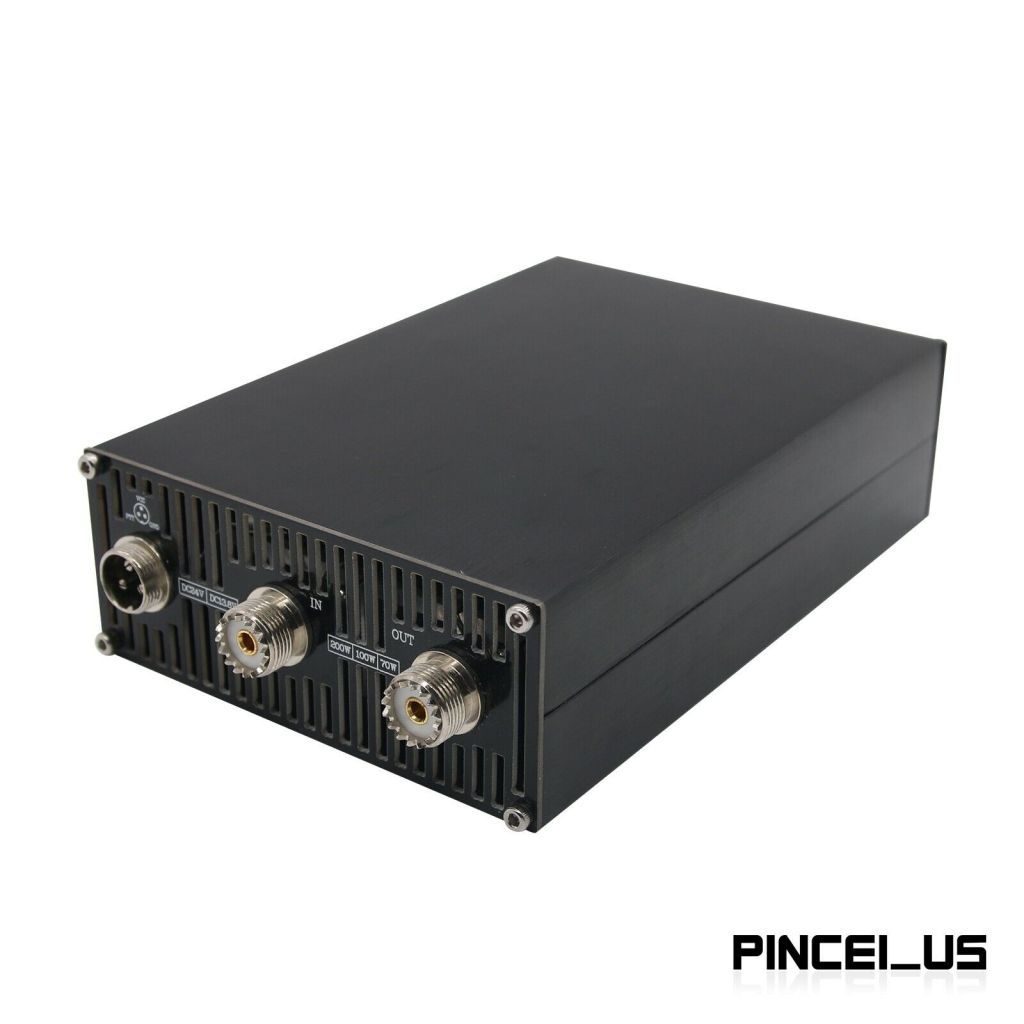
While power helps, the best thing you can do to fix your signal is your antenna. It doesn’t matter how much power you put out if your antenna is facing the wrong way, or not tuned in correctly. If you are struggling to be heard and sure your radio is set up correctly, I would look at the antenna first.
Some operators think there are two types of radio setups, thoughts with amplifiers, and thoughts without. Some see using an amplifier as cheating. I am not sure I would go that far, but if you are putting out a thousand watts, then yes people will hear you, but this doesn’t help you hear them when they put out 100 watts.
So, are you a barefoot operator or not? Perhaps you are on some bands or radios, but not on others?
Why not leave a comment below.
Other things to see
- Basic Antenna Fundamentals
A good friend of mine, Mike VK5ZC, put the information below together and asked me to put it on my web site. He has spent a lot of time putting it together with pictures and videos, so I encourage you to have a good read.
Topics include:
- What is an antenna
- Antennas types and general usage
- Video of Antenna Propagation
- The Antenna Mechanism
- Antenna Resonance & Bandwidth
- “Q” factor
- Directional patterns of antennas
- Video of Antenna Directivity
- Gain of Antennas
- Impedance matching
- Vertical & Horizontal Polarization
- Balun basics, Unun & Ugly Balun
- SWR and Video
- Coaxial cables and feed lines
- The Velocity factor
- Plugs and Connectors
Open the PDF document here:
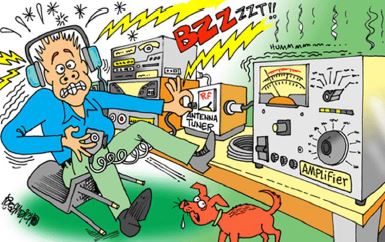
So what did you think of this document? Please leave your comments below.
Mike also wrote a document that has the full history of Amateur Radio. You can read that here.
Want to read something similar:
If you enjoyed that read, here is some more posts we have on this site.












 VK3TBS