For some reason, not all the key assignment options are in the manual and after a bit of searching, I found no complete list. Hopefully this below helps you in selecting your Key Assignments on the main unit P1-P6 keys, as well as on the microphone PA-PD keys. I have listed them in alphabetical order however under it I have how I have my radio set up.
Selection
Description
A/B
Switch Main Display from A or B
BND
Bandwidth (adjust for low signals)
CAL
Calibration (non-functional)
CDT
CTCSS / DCS options
DIR
Direction of display
MON
Disables squelch
NULL
Will make button do nothing.
POW
Power Level, Low Med Hi
RDW
Dual Watch
REV
Reverse transmit offset and frequency
SCN
Scan, channels or frequencies
SFT
Frequency Offset
SQL
Squelch
TALK
Turns TX off for any particular channel
TRF
Busy channel lockout
VOL
Volume Level, press to change volume instead of channel
VOX
Vox toggle on or off
V/M
Switch from VFO to Memory Channel
Please let me know if I got any wrong or have missed one.
This is how I have set mine up, but as I use the radio, I will change this to suit my needs:
P1
A/B
P2
V/M
P3
MON
P4
SCN
P5
SQL
P6
VOL
P1 mode 2
DIR
P2 mode 2
SFT
P3 mode 2
RDW
P4 mode 2
POW
P5 mode 2
CDT
P6 mode 2
BND
PA
SCN
PB
VOL
PC
POW
PD
RDW
So what are your thoughts on this? How do you setup your radio? Please let me know via the comments below.
Here are some video’s you may enjoy also:
If you enjoyed this, here are some more reads you may enjoy:
The Retevis RT73 and Kydera CDR300UV are identical radios. They are a DMR/FM duel band radio for Amateur radio use. This is great, as most of the early DMR radios available were commercial radios that…
I recently got my hands on a new Baofeng UV-17R Plus Series radio. It didn’t take long at all to arrive and was not expensive at all. People these days pay more for a UHF…
As per the Yaesu FT-710 manual, the Digital Noise Reduction (DNR) system is designed to reduce the level of ambient noise found on the HF and 50 MHz bands. The (DNR) system is especially effective…
I recently got the Radioddity M916 Heavy duty antenna magnetic mound with the Radioditty HF-008 all band portable antenna. I had always wanted to use HF more while camping or going on adventures around Australia…
The first thing I noticed after receiving the radio was the size of the radio. It is small yet not to small that it is hard to use. It fits comfortably in your hand. Not…
The new QT80 radio by Radioddity is a fantastic radio and I have a lot of contacts on it already. QT60 Vs QT80 This is a QT80 model but there is also the QT60 model…
CBL-561 Review The new CBL-561 antenna is strong and light that is fit for mobile work, camping or remote radio use. I plan to use this on our next outback trip! This antenna supports a…
There are lots of duel band antennas available, but most required extra mounting brackets. These brackets often restrict you as to where you can mount the antenna on your car. One of my first mobile…
Why does a radio need a cup holder? I agree it’s a bit odd. But this isn’t a product that involves a cup. Rather it uses a cup holder. Almost every car now has a…
The 2m band has always been an interesting one for me. It used to be swamped with pager interference, but it actually is a great band. Inversion allows your signal to travel long distances at…
Everyone that has been into radio for a while will know the brand Kenwood. And most know Kenwood isn’t only into Amateur radio, they are bigger than that, and have been also. But are you sure it started in Japan? What else do they make? How big are they today? And what does the name Kenwood stand for?
Kenwood is a Japanese brand of consumer electronics.
In December 1946, Kenwood was established as the Kasuga Radio Co. Ltd. in Komagane, Nagano Prefecture, Japan
In 1958 the company put its first amateur radio on sale.
In 1960, the company was renamed Trio Corporation.
In 1962 they launched the industry’s first transistor amplifier
In 1963, the company established its first overseas office in Los Angeles County, California, United States. It began to sell overseas.
During the 1960s, Trio’s products were rebranded and sold by the Lafayette Radio Company, which focused on citizens band (CB) radio.
The name Kenwood was invented by Kasuga as a combination of
“Ken” which is a name common to Japan and North America and was considered acceptable to American consumers, and
“Wood” which was referring to the material wood, as well as suggesting a relation to Hollywood, California.
In 1966 they introduced the fully transistorised audio products for the first time in the industry.
In 1969 the TR-7100 2m amateur radio for the car goes on sale.
In 1979 the company established the first production overseas in Singapore.
In 1986, Trio acquired Kenwood and subsequently rebranded itself as Kenwood Corporation. This was because Kenwood was more widely recognised than Trio.
In 1991 Kenwood signs an official supply contract with McLearen to provide wireless radio equipment for the F1 Championship
In 1992 they produced their first car navigation system
In 1995, the Mir Space Station carries Kenwood’s amateur wireless equipment.
In 1996 the company was renamed from Tri-Kenwood to Kenwood which coincided with the company’s 50th anniversary.
In 1997 Kenwood made Japan’s first car mounted DAB receivers.
In 2001, Kenwood releases its first digital transceiver operating on P25.
In 2002 they withdrew from the test and measuring equipment business
In 2005, Kenwood joins up with Icom to jointly research the standardisation of technical specifications for digital wireless radio equipment (NXDN).
Since October 2008, Kenwood has been owned by JVC-Kenwood because of a merger between Kenwood Corporation and JVC.
Kenwood has manufactured electronic equipment such as
AM/FM stereo receivers,
cassette tape decks/recorders,
amateur radio (ham radio) equipment,
radios,
televisions,
mobile phones,
speakers, and
other consumer electronics.
Radio
Kenwood has produced two-way radios for a variety of communications standards, including:
wireless DECT intercom systems,
the radio frequency PMR446 and its digital counterpart DPMR446,
DPMR, the Project 25 standards suite,
DMR and
NXDN
Kenwood Today
The Kenwood radio catalogue of today shows what radios they are selling now.
These include
hand held radios that are single, dual and tri band radios
Mobile dual band radios some complete with remote heads. Again single and dual band radios.
All band HF radios some small, some are large and covered in buttons and options
And all band HF, VHF and UHF radios
Today their website shows they are into
Car electronics including digital technology and enhanced in-car comfort and navigation. They have some very cool photos of their motorsports equipment on their website. https://www.kenwood.com/e/motorsports/
Communications using digital technology handheld and base stations, from Professional through to CB radios
Audio and digital communications
Kenwood Logo
So, what do you know about the Kenwood logo?
If you go to their smart website, you can see the red triangle in the logo isn’t there to just look pretty.
The red triangle is the core part of their logo and represents the three values of the Kenwood brand.
Advanced
High Quality
Sharpness
But it doesn’t stop there, the four corners of the W stands for
Precision
Innovation
Emotion
Communication
Your thoughts
So, what do you think, does Kenwood measure up to your expectations? Tell me in the comments below.
What Kenwood radios did, or do you have? What did you think of it? I’d love to know.
For me, I have had a few but still use occasionally the Kenwood TS-120V. It was one of my first HF radio’s and I bought it before the internet was available. I though it was the 100W version, but quickly found out it is not. That said, I enjoy using it every now and then.
So, what did what you learn? I know I learnt a bit. I’m keen to hear what you learnt today.
How many of the Kenwood Radios do you know that I have shown in this video?
If you enjoyed that read, then you may enjoy some of these, including my post on Yaesu which is just as informative.
Amateur Radio Television (ATV), often called “ham TV,” is a niche part of amateur television where licensed radio operators transmit live video and audio over radio frequencies instead of traditional broadcast networks. It is essentially an extension of amateur (ham) radio, using higher bandwidth signals…
The Baofeng UV-5R Mini handheld radio is a popular and affordable dual-band amateur radio transceiver widely used by beginners and experienced ham radio operators. Designed as a compact version of the original UV-5R, this small and lightweight VHF/UHF walkie talkie offers solid performance for everyday…
HF radio and lightning storms are closely connected because lightning creates strong radio frequency interference that affects HF radio communication (3–30 MHz). High Frequency radio is commonly used for amateur radio (ham radio), marine radio, aviation HF communication, emergency communications, and long-distance shortwave listening. HF…
OpenHamClock is an open-source amateur radio dashboard designed as a modern successor to the original HamClock used by radio amateurs worldwide. It provides a real-time visual display of essential ham radio propagation data, world clocks, DX activity, and space weather information in a single, easy-to-read…
The Radtel P8 PoC radio is a Push-to-Talk over Cellular (PoC) device that looks like a traditional walkie-talkie but communicates using 4G/LTE mobile networks instead of UHF/VHF radio frequencies. This means its effective range is not limited to a few kilometres like standard two-way radios,…
An antenna coupler (also called an antenna tuner or matching network) is a device used in radio systems to ensure impedance matching between a transmitter and an antenna. Most transmitters are designed for a specific impedance, commonly 50 ohms, while antennas often vary depending on…
Amateur radio operators use many different antenna types, each designed for specific bands, space limits, and operating goals. Here’s a clear overview of the most common ones and why hams choose them. Wire Antennas These are some of the simplest and most popular antennas that…
A dipole antenna is a basic radio antenna made of two conductive elements fed at the center. It is typically a half-wavelength long and is widely used as a reference antenna in antenna theory and practice. Dipole antennas work by converting alternating current into electromagnetic…
Interference in Amateur Radio refers to unwanted signals that disrupt radio communication. This interference can reduce signal clarity, make contacts difficult, or completely block communication between amateur radio operators. Radio Frequency Interference (RFI) is one of the most common problems in amateur radio. It often…
Prior to 1989, it was illegal to operate between 50 MHz and 52 MHz in Australia. It was a real pain as that was where all the action was when the band opened up. However, after many requests from the WIA to the DoTC back…
I’ve heard a lot about dipole antennas, and I’ve heard a lot about long wire antennas also. I would say I’ve seen more dipoles than long wire antennas. So why is that? What is the difference between them? Which is better? If one is a…
Repeater-START is a multi-platform app designed for ham radio and radio-operator enthusiasts who need fast access to repeater information. The app provides a detailed repeater map as well as a distance-sorted list, allowing users to easily locate nearby communication points wherever they travel. Because it…
What Is the 6m Band? The 6-meter band, spanning roughly 50–54 MHz, is a section of the VHF spectrum assigned to amateur radio operators. Its wavelength is six meters, and its position between HF and VHF makes it behave like a mix of both services.…
Overview The Anytone AT-778UV is a dual-band VHF/UHF mobile transceiver designed for amateur radio operators. It operates on the 136–174 MHz (VHF) and 400–490 MHz (UHF) bands, offering reliable two-way communication for both ham radio and commercial use (depending on firmware version). Power Output This…
160 meters band is known as the “Gentlemen’s band”. It is right next to the AM commercial band, known as medium wave. The 160-meter band is the radio frequencies between 1.8 and 2 MHz. For many decades it was the lowest radio frequency band allocated…
Have you ever had an antenna and forgotten what it is for? Maybe you have been given one and wasn’t told exactly what it was used for. I got given an antenna at at ham fest because it didn’t sell. Funny enough after I got…
Yes, this popular girl name is actually an Amateur Radio term. Christian, DK8EW, put me onto Olivia after we chatted on VARA HF. I had heard about Olivia before, but he encouraged me to give it ago. Soon I made contact with VK4XP and must…
The Yaesu FT-620 (and its updated version, the FT-620B) is a vintage amateur radio transceiver designed specifically for the 6-meter band (50–54 MHz). Produced in the 1970s, it offers support for AM, CW, and SSB (USB/LSB) modes, making it a versatile rig for its time, especially during the era when 6 meters…
I came across something different, FreeDV. The name FreeDV insinuates it is free, but is it? What is it? And what does it do? They say it will be the new SSB of radio. They say it is clear and goes further when conditions are…
Key Assignment For some reason, not all the key assignment options are in the manual and after a bit of searching, I found no complete list. Hopefully this below helps you in selecting your Key Assignments on the main unit P1-P6 keys, as well as…
Everyone that has been into radio for a while will know the brand Kenwood. And most know Kenwood isn’t only into Amateur radio, they are bigger than that, and have been also. But are you sure it started in Japan? What else do they make?…
Today (20/06/25) I head Ron, VK3AHR, on the 7.100 40-meter net. I understand he ran this net for over 7 years, but hasn’t been able to for the last few weeks due to bad health. At 10am this morning he gave the group an announcement…
As licensed Amateur Radio operators, we have all heard about Yaesu. We have all seen a Yaesu radio and most of us have used and even own one. I’ve had and have several Yaesu radios. From extremely old ones full of valves and extremely heavy.…
I’ve been using the Parks and Peaks app on iphone and ipad for a little while now and quite enjoyed it. There don’t seem to be many iphone apps compared to android, so when there is one, I usually have a look. This one caught…
With digital radio changing so quickly, below is a bit of an update in regards to DMR radio networks. DMR stands for Digital Mobile Radio and is an internation standard for digital radios since about 2005. It can contain voice and data. It was created…
I managed to get one of these radios and was rather impressed with it and what it came with. Have a look what my box had in it. Some of the things I liked included: It is a Tri-Band radio which includes UHF, VHF, 1.25M,…
I’ve been using the Parks and Peaks app on iphone and ipad for a little while now and quite enjoyed it. There don’t seem to be many iphone apps compared to android, so when there is one, I usually have a look. This one caught my eye as it was not only free, but useful.
After using it for a while, I contacted the author of the app, Sue Southcott, VK5AYL where she was thrilled that I would do a review on this free app, and provided me with a bit more information about her and the app.
The current version is for iphone only at this stage, but I think there are plans to expand this. It allows users to Spot, Alert and export in ADIF and or spreadsheet format.
The app also allows users to search for sites including parks, peaks and silos by site ID. Or you can search by partial site name or by using the inbuilt map.
Setting up the map and connecting site data by longitude/latitude co-ordinates has been Sue’s favourite part. Sue said “I already had the experience of connecting data to mapping systems during my career.
The following awards are handled – WWFF, SOTA, HEMA, IOTA, KRMNPA, SANPCPA, SIOTA, SHIRES, ZLOTA & POTA.
Parks & Peaks is an Australian website that collects data from Amateur Radio operators who get out of their shacks and operate their radios portable in parks or on peaks. It also collects data from those who Spot them.
AU/NZ sites can be downloaded to the device for use when there is no network available.
It will also produce multiple logs for one activation, so if you are on a Summit in a WWFF Park with a Pota reference, you will get 3 logs, one for SOTA, one for WWFF and one for POTA.
There is also a quick way to log activators as I show in the video below.
About Sue VK5AYL….
Sue has had her Advanced Amateur licence for a very long time and it led to her decision to study IT back in the 80s.
For over 30 years, she had a successful career as an IT Manager, Analyst/Programmer, TAFE Lecturer and even my own software business, contracting to many organisations.
Most of her work involved working on client/server applications for large businesses.
In 2014, Sue decided to learn how to write an iOS app and along came Parks & Peaks, which gave me something to work on. After purchasing a Mac Pro Sue had to learn how to use it very quickly, along with the new Apple language.
In 2015, Sue presented version 1 to the WIA AGM in SA. Since then, Sue has released versions 2 and 3 and compared to version 1, they had many more features. Sue told me she loved every minute of developing the app as it has been a massive challenge and allowed her to continue with my love of programming.
Why not have a look at my video on this app where you can see it in full operation:
If you enjoyed that read, please remember to like and subscribe so you get updates as they happen. Below are some more reads you may enjoy from this site:
Orion is an app that isn’t really known in my world, perhaps because it isn’t available on all platforms, or because it does transmit your exact location to everyone on the channel.…
There are several website that tell you what bands are open in your area. Most people paste them on their QRZ page, but there are some examples below that update every hour.…
I’ve been using EchoLink well before smartphones where the only way I knew how to connect to a different station was via the radio. The internet wasn’t as extensive as it is…
The Retevis RT73 and Kydera CDR300UV are identical radios. They are a DMR/FM duel band radio for Amateur radio use. This is great, as most of the early DMR radios available were…
I recently got my hands on a new Baofeng UV-17R Plus Series radio. It didn’t take long at all to arrive and was not expensive at all. People these days pay more…
As per the Yaesu FT-710 manual, the Digital Noise Reduction (DNR) system is designed to reduce the level of ambient noise found on the HF and 50 MHz bands. The (DNR) system…
I recently got the Radioddity M916 Heavy duty antenna magnetic mound with the Radioditty HF-008 all band portable antenna. I had always wanted to use HF more while camping or going on…
The first thing I noticed after receiving the radio was the size of the radio. It is small yet not to small that it is hard to use. It fits comfortably in…
CBL-561 Review The new CBL-561 antenna is strong and light that is fit for mobile work, camping or remote radio use. I plan to use this on our next outback trip! This…
HamClock has always fascinated me, as it seems such an amazing program specifically set up for Amateur Radio. I have seen countless videos on it but the draw back was always needing to have a Raspberry Pi. While I am not afraid to get one, and learn how to use it, I just didn’t feel like taking the plunge into that world just yet. Though I think that world is about to come, and I will end up regretting not doing it sooner!
So, what is HamClock?
Glad you asked. According to their website (https://www.clearskyinstitute.com/ham/HamClock/) HamClock is a kiosk-style application that provides real time space weather, radio propagation models, operating events and other information particularly useful to the radio amateur.
It is designed to provide ham radio enthusiasts with real-time information about the sun’s position, ionospheric conditions, and DX cluster spots. HamClock is an open source application which is a tool for the shack providing live up to date information all on one screen. It was originally written by Elwood Downey WB0OEW.
HamClock displays a map showing the sun’s position, illumination (daylight/darkness), and the “grey line” (the transition between day and night). This information is crucial for understanding propagation conditions, as the grey line is often a prime time for DX (long-distance) communication.
Usually it needs to be installed on Quadra or lynix, but I have recently found out you can install it on Windows.
Installing HamClock on Windows
Guess what, this is possible, and may feel overwhelming at first, but after following the video below, I was able to do it in real time along with this video. I was shocked how easy it was and super surprised I had not done this earlier.
Before doing the video, I suggest you read all the points below it as there were a couple of things I changed.
The video starts with music, but just do what it says. Then the author will talk you through the steps after the initial install.
The bit I got stuck on was setting up Cluster in HamClock. This is about 12:50 into the video, perhaps it was because I had an updated version of HamClock since the above video was done. So, instead, I put in the following settings:
Setting Up HamClock
There are countless ways to set up HamClock. As a starting point, I stuck with the video above as he shows you how to from 13:30. Below is a link to that point in the above video.
This video below is from a friend who also shows you in great detail how to set up your HamClock to get the most of it. Some things are slightly different, but after seeing this, you can have an informed choice.
I found this video below very good also, as it goes into detail regarding the map in HamClock. As you will see it is done by the same person. He talks about the maps and how to customise it easily.
After a Windows Reboot
When you next do a windows reboot, you will need to restart HamClock. To do this, open a CMD window by typing CMD in the windows search menu.
Then type in :
wsl sudo hamclock &
and put in your password you made for lynx and you should be able to open it again. Make sure you do n ot close the comand screen until you are finished.
Summary
Below is what my HamClock looks like. I like the background “terrain” map as well as the night and day showing on the map. I would value your thoughts though, as I know I am about the last one to finally get onto HamClock.
With all of these tools, we should remember propagation shown is using data, but the rest of it is predictions based on knowledge.
If these propagation tools show there isn’t anything happening, always give it a try anyway. You never know without trying. You may be higher than other stations, or put out more power. You might just get an opening before other stations.
All the propagation websites are a summary of conditions recorded and sent in. HamClock is a good tool, it looks good, and gives you a lot of information on the one screen. You can adjust it easily also.
Please tell me your thoughts, and what you think. Do you use it? Perhaps you use it differently and have some advice for me and other readers. Hope you enjoyed the read.
Other Reads
If you enjoyed this read, here are some other ones you may be interested in. Please remember to subscribe and comment if this is helpful.
I recently started using ProScan after years of using FreeScan. I have always enjoyed using FreeScan as it is easy to setup, I can download outputs from the software, and the main reason “it works”. However ProScan seems to be more graphical and has different features also.…
I recently started using ProScan after years of using FreeScan. I have always enjoyed using FreeScan as it is easy to setup, I can download outputs from the software, and the main reason “it works”. However ProScan seems to be more graphical and has different features also.…
I found it hard to find useful information on how to run the OpenGD-77 hotpot mode with Windows 10. At the time of writing this, there is a lot about this topic using a pistar and even android or ISO, but not much with Windows 10. This is my experence with BlueDV and Open GD-77 using a Windows 10 PC.…
If you don’t have one of the latest and greatest expensive scanners, you will struggle to listen to a lot of transmissions. While there is still a lot of Analogue transmissions today, even a lot still on AM especially when it comes to Aviation, however most have gone…
An unusual name, but a catchy name no less, just like Peanut that was written by the same person, David PA7LIM. If you like Peanut, then you will like this project also. This project, like Peanut, includes some amazing coding and thinking.…
Welle.io is a DAB and DAB+ software defined radio (SDR). It runs on Windows, Linux and embedded devices like the Raspberry Pi 2 and 3. You can find the program and where to download it from their website. Using the Software With all these things, the software is…
Here is a free windows program that will connect your PC to: DMR Yaesu Fusion DStar M17 P25 NXDN You can do all this without needing to purchase a radio. I prefer to use a radio, however I thought I would put this review together to help others…
I have been using my Radioddity now for some years and love it. Though upgrading this to the OpenGD77 opened a whole new world and it gets better all the time. One issue I had for a period was not being able to connect to it via my…
When using digital over the radio, it is particularly important you have the correct time. Even a second out will stop you from making contacts. I relied on Windows to update the time and got an email from a helpful amateur telling me my time was out. You…
I’ve been using EchoLink well before smartphones where the only way I knew how to connect to a different station was via the radio. The internet wasn’t as extensive as it is now and you had to dial the node you wanted via the radio. You can still…
Ever heard this sound on HF / VHF / UHF? I know I have more and more recently. After a bit of research, someone told me it was VARAC. https://www.varac-hamradio.com/ As I understand it, the project started with Irad Deutsch 4Z1AC. It is free of charge for amateur…
Flrig is a transceiver control program designed to be used either stand alone or as an adjunct to fldigi (see my review on this). The supported transceivers all have some degree of CAT. The flrig user interface changes to accommodate the degree of CAT support available for the…
If you haven’t seen my previous blog on the NanoVNA Analyser, then I suggest you look at that first before reading this blog. This one will talk about how to connect your NanoVNA to your PC via the USB cable, so I am assuming you know the basics…
Have you heard of a flowerpot antenna? I hadn’t until recently, and I enjoy gardening also. But this antenna has nothing to do with gardening apart from why it was named flowerpot and it will probably end up either on your roof or garden.
A good friend of mine put me onto it as I was having trouble on 6m. A small group of us think 6m is under-utilised so we all get on their and chat for a while either on AM or SSB.
My antenna worked reasonably well, but they suggested I build my own using the flowerpot method. Given I’m always up for learning something new, I couldn’t resist.
The best but about the antenna is it is extremely cheap to make, easy to put together and the antenna works really well.
You can make a flowerpot antenna for either 6m, 2m or 70cm. You can hang it in a tree if you wish, in a pvc pipe like I did, or using a pole or something else.
There were only two parts I needed, everything else I already had. But if I had bought everything, it would have cost me I total about $15. Not bad for a great antenna and one you can say you built yourself.
All I needed to buy was the pvc pole, which is optional and a slightly wider pipe to make the coil on I already had the RG58 coax, and it even had a pl259 plug on it!
My flowerpot antenna
Items I purchased included: PVC Pipe. Make sure you give it a shake in the store before buying. If it is too flexible then it may bend and snap in the wind. But you don’t want it to heavy either.
Amateur Radio Television (ATV), often called “ham TV,” is a niche part of amateur television where licensed radio operators transmit live video and audio over radio frequencies instead…
The Baofeng UV-5R Mini handheld radio is a popular and affordable dual-band amateur radio transceiver widely used by beginners and experienced ham radio operators. Designed as a compact…
HF radio and lightning storms are closely connected because lightning creates strong radio frequency interference that affects HF radio communication (3–30 MHz). High Frequency radio is commonly used…
OpenHamClock is an open-source amateur radio dashboard designed as a modern successor to the original HamClock used by radio amateurs worldwide. It provides a real-time visual display of…
The Radtel P8 PoC radio is a Push-to-Talk over Cellular (PoC) device that looks like a traditional walkie-talkie but communicates using 4G/LTE mobile networks instead of UHF/VHF radio…
An antenna coupler (also called an antenna tuner or matching network) is a device used in radio systems to ensure impedance matching between a transmitter and an antenna.…
Amateur radio operators use many different antenna types, each designed for specific bands, space limits, and operating goals. Here’s a clear overview of the most common ones and…
A dipole antenna is a basic radio antenna made of two conductive elements fed at the center. It is typically a half-wavelength long and is widely used as…
Interference in Amateur Radio refers to unwanted signals that disrupt radio communication. This interference can reduce signal clarity, make contacts difficult, or completely block communication between amateur radio…
I’ve heard a lot about dipole antennas, and I’ve heard a lot about long wire antennas also. I would say I’ve seen more dipoles than long wire antennas.…
Repeater-START is a multi-platform app designed for ham radio and radio-operator enthusiasts who need fast access to repeater information. The app provides a detailed repeater map as well…
What Is the 6m Band? The 6-meter band, spanning roughly 50–54 MHz, is a section of the VHF spectrum assigned to amateur radio operators. Its wavelength is six…
Overview The Anytone AT-778UV is a dual-band VHF/UHF mobile transceiver designed for amateur radio operators. It operates on the 136–174 MHz (VHF) and 400–490 MHz (UHF) bands, offering…
Yes, this popular girl name is actually an Amateur Radio term. Christian, DK8EW, put me onto Olivia after we chatted on VARA HF. I had heard about Olivia…
The Yaesu FT-620 (and its updated version, the FT-620B) is a vintage amateur radio transceiver designed specifically for the 6-meter band (50–54 MHz). Produced in the 1970s, it offers support for AM, CW, and…
Key Assignment For some reason, not all the key assignment options are in the manual and after a bit of searching, I found no complete list. Hopefully this…
Everyone that has been into radio for a while will know the brand Kenwood. And most know Kenwood isn’t only into Amateur radio, they are bigger than that,…
HamClock has always fascinated me, as it seems such an amazing program specifically set up for Amateur Radio. I have seen countless videos on it but the draw…
You could say every amateur radio operator knows about the Baofeng if they have been around long enough. Most have held one of their radios and lots have…
Have you heard of a flowerpot antenna? I hadn’t until recently, and I enjoy gardening also. But this antenna has nothing to do with gardening apart from why…
The 2m band has always been an interesting one for me. It used to be swamped with pager interference, but it actually is a great band. Inversion allows your signal to travel long distances at times, especially on SSB.
This video is about the Yaesu FT-225R 2m all band radio. While the radio is huge, it is a beautiful radio any collector would love to have.
If you want to look at the manual, you can look at it here. I love these old manuals, where they state every component in them as well as circuit diagrams.
According to all reports, I sounded excellent on receive and I loved the sound from it on revive at my end also. You can plug in an external speaker, but I was happy with what it had.
Special thanks to Michael VK3CMC who let me use the radio so I could access the 2m SSB net.
The FT-225R
The two metre band probably should be used more than it is, but it is a good fun band.
Hopefully we can make contact with each other on that band one day!
If you enjoyed that, here is some more you may be interested in.
The Yaesu FT-620 (and its updated version, the FT-620B) is a vintage amateur radio transceiver designed specifically for the 6-meter band (50–54 MHz). Produced in the 1970s, it…
Overview The Anytone AT-778UV is a dual-band VHF/UHF mobile transceiver designed for amateur radio operators. It operates on the 136–174 MHz (VHF) and…
The Baofeng UV-5R Mini handheld radio is a popular and affordable dual-band amateur radio transceiver widely used by beginners and experienced ham radio…
I’ve always wanted to take the radio with me while on holidays and I always do. However I’ve always been limited to 2m and 70cm including local repeaters and digital work.
Our family enjoy holidays all over Australia into some of the most remote places without water, power or any mobile signal. Sometimes this can last week’s at a time.
If your keen to learn more about our travels around Australia and learn more, please let me know.
Most of these remote locations means limited activity on 2m or 70cm as there are no repeaters for days!
Because of this remoteness, there are several outback radio networks we can join or listen to. They make quite interesting listening.
However, when on holidays, we amateurs don’t want to just listen, we want to be part of the action! And HF is the next best thing.
I’m currently on holiday in the Victorian high country, also known as “The Man from Snowy River” country. It is rugged, beautiful and high. So up here I can actually can receive several 2m and 70cm repeaters, but this is a good test for HF work.
High up on Mount Buffalo
With me, I brought a battery pack, that has a 12 volt lithium battery which we run our camping fridge off. I now run my HF gear off it!
I also brought my new QT-80 radio, which is small in size yet puts out 80 watts. I have placed a video below on this radio if you are not familiar with it.
I used a magnet mount antenna base as the car I was using is not mine. This mount sticks to the car like glue, but also comes off on demand so you can adjust the antenna as required.
I brought two antennas to test. The first one was the HF-008 antenna that covers more bands than the QT80. I have a video on both these below for you if you are not familiar with it.
I also brought the new CBL-561 HF antenna so I could compare the two antennas. This antenna can be used while mobile unlike the HF-008 antenna. I have another video for you to show you that antenna below:
Before leaving home, I went to the hardware store and bought two lengths of pipe with caps that could safely store each antenna. I could then almost throw them in the boot of the car and not be worried about them being damaged or caught on something as I pulled them out of the boot.
Hot Tip
The funny thing was, while on holidays, I forgot to bring a measuring tape to adjust the antenna. Fortunately one of my children had a ruler with them so I was able to mark measurements down the side of the tube with a sharpie.
I also wrote down next to the measurements the lengths Radioddity recommended and then as I tuned in the antenna myself with the lowest SWR, I marked the pipe to my best measurements which were very close to the same as Radioddity.
This Tip I am sure will be very useful going forward when I’m out in the Australian outback or somewhere that I have no ruler!
Results
Both antennas fitted the same magnetic base which made this setup work well.
On testing both antennas using the same frequency to the same long distance contact, I and they couldn’t tell the difference between us. I found both antennas easy to tune in and get the SWA right down before making any contacts.
I then tried again from the top of Mount Buffalo, one of our highest mountains and got the same results where both myself and the contacts I spoke to didn’t know I had even changed the antenna.
There are differences between the antennas though which may help you decide which antenna is right for you.
Compare Antennas
HF-008
This antenna covers a lot of HF bands, as covered in the video above. However it cannot be used while mobile, mainly due to the jumper cable. It is a great antenna and can be used with a radio that puts out a lot more watts than the small QT-80 radio I used.
CBL-561
The CBL-561R antenna does not cover as many HF bands as the HF-008 does, but if you are using the bands it does cover, then this antenna might be good for you. One big advantage to this antenna is that it can be used while mobile, not just stationary.
Both antennas will need adjusting if you switch bands or switch from one end of the band to another. So setting the antenna to a permanent mount on the car on the top of the roof where it ends up out of reach, then you may want to rethink this. I found the magnet mount ideal, as you can still have it on the highest point of the car and access it easily.
Another option I also use is a bull bar mount that I use on my 4×4.
I’d encourage you to watch my video below as it explains what I discovered.
Remember the old saying Hight is Might and going portable gives you an opportunity to test this theory.
Hope you enjoyed this read. Below are some other interesting articles I have also written that you may enjoy.
HF radio and lightning storms are closely connected because lightning creates strong radio frequency interference that affects HF radio communication (3–30 MHz).…
Amateur radio operators use many different antenna types, each designed for specific bands, space limits, and operating goals. Here’s a clear overview…
Interference in Amateur Radio refers to unwanted signals that disrupt radio communication. This interference can reduce signal clarity, make contacts difficult, or…
Repeater-START is a multi-platform app designed for ham radio and radio-operator enthusiasts who need fast access to repeater information. The app provides…
The Yaesu FT-620 (and its updated version, the FT-620B) is a vintage amateur radio transceiver designed specifically for the 6-meter band (50–54 MHz). Produced in the 1970s,…

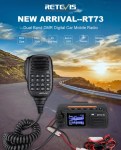 The Retevis RT73 and Kydera CDR300UV are identical radios. They are a DMR/FM duel band radio for Amateur radio use. This is great, as most of the early DMR radios available were commercial radios that…
 I recently got my hands on a new Baofeng UV-17R Plus Series radio. It didn’t take long at all to arrive and was not expensive at all. People these days pay more for a UHF…
 As per the Yaesu FT-710 manual, the Digital Noise Reduction (DNR) system is designed to reduce the level of ambient noise found on the HF and 50 MHz bands. The (DNR) system is especially effective…
 I recently got the Radioddity M916 Heavy duty antenna magnetic mound with the Radioditty HF-008 all band portable antenna. I had always wanted to use HF more while camping or going on adventures around Australia…
 The first thing I noticed after receiving the radio was the size of the radio. It is small yet not to small that it is hard to use. It fits comfortably in your hand. Not…
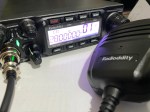 The new QT80 radio by Radioddity is a fantastic radio and I have a lot of contacts on it already. QT60 Vs QT80 This is a QT80 model but there is also the QT60 model…
 CBL-561 Review The new CBL-561 antenna is strong and light that is fit for mobile work, camping or remote radio use. I plan to use this on our next outback trip! This antenna supports a…
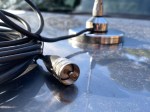 There are lots of duel band antennas available, but most required extra mounting brackets. These brackets often restrict you as to where you can mount the antenna on your car. One of my first mobile…
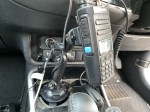 Why does a radio need a cup holder? I agree it’s a bit odd. But this isn’t a product that involves a cup. Rather it uses a cup holder. Almost every car now has a…
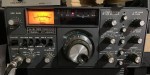 The 2m band has always been an interesting one for me. It used to be swamped with pager interference, but it actually is a great band. Inversion allows your signal to travel long distances at…















 VK3TBS