Do you cut or lengthen the antenna?

When measuring SWR, I always forget if I should lengthen or shorten the antenna. So rather than jump around the bush, I will get to the answer straight away.

The graph below will help you always remember.

  • If when the frequency goes up, and the SWR goes up, as per the above green line, then you need to shorten your antenna.
  • If when the frequency goes up, and the SWR goes down, as per the above brown line, then you need to lengthen your antenna.

You can reverse the above two statements also.

  • If when the frequency goes down and the SWR goes down, as per the above green line, then you need to shorten your antenna.
  • If when the frequency goes down, and the SWR goes up, as per hte above brown line, then you need to lengthen your antenna.

Basically, if the frequency and the SWR change in the same way, then you need to shorten it.

Hopefully that helps from now on. I know I will be looking at this myself.


Here are some other interesting reads you may enjoy!

  • Basic Antenna Fundamentals
    A good friend of mine, Mike VK5ZC, put the information below together and asked me to put it on my web site. He has spent a lot of time putting it together with pictures and videos, so I encourage you to have a good read.…
  • Diamond Antenna W-8010 and expanding it to all bands
    I purchased the Diamond W series W8010 antenna and quickly put it together. The instructions were a bit hard to read as it was exceedingly small. However, I found someone who did a video on how to put it together. (this is not my video) To me,…
  • NanoVNA-H 4 Antenna Analyser
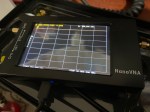
    The Nano VNA-H 4 is my new toy that has just arrived after purchasing via Banggood. This Antenna Analyser is a complicated device, but doesn’t have to be, and can be a powerful tool for the Amateur Radio hobbyist. Charging the device Your NanoVNA should come with…
  • Portable HF all band Antenna and Mount
    I recently got the Radioddity M916 Heavy duty antenna magnetic mound with the Radioditty HF-008 all band portable antenna. I had always wanted to use HF more while camping or going on adventures around Australia (see our adventures page if you are interested), and now I am…
  • Fishing Line Antenna DIY
    With so many different HF antennas available, I often wondered what people in high rise buildings did.  If they can not put an antenna on the roof, what options are left for them?  I talk to so many people from Asian cities who would have this problem,…
  • NanoVNA H4 USB Control to PC
    If you haven’t seen my previous blog on the NanoVNA Analyser, then I suggest you look at that first before reading this blog. This one will talk about how to connect your NanoVNA to your PC via the USB cable, so I am assuming you know the…
  • Do you cut or lengthen the antenna?
    When measuring SWR, I always forget if I should lengthen or shorten the antenna. So rather than jump around the bush, I will get to the answer straight away. The graph below will help you always remember. You can reverse the above two statements also. Basically, if…
  • HF Mobile Antenna CBL-561
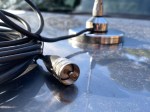
    CBL-561 Review The new CBL-561 antenna is strong and light that is fit for mobile work, camping or remote radio use. I plan to use this on our next outback trip! This antenna supports a frequency range of 25-30MHz, covering both 10-meter and 11-meter bands. With a…
  • Remote testing Antennas
    I’ve always wanted to take the radio with me while on holidays and I always do. However I’ve always been limited to 2m and 70cm including local repeaters and digital work. Our family enjoy holidays all over Australia into some of the most remote places without water,…
  • Daiwa CN-460M Meter
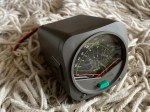
    The Daiwa CN-460M is a small cross-needle meter displays both forward and reflected power for 2m and 70cm. It measures in ranges of 15/150 watts forward and 5/50 watts reflected. SO-239 jacks. It includes a mobile mounting bracket and meter illumination option if you connect the power cable. I…
  • Flowerpot Antennas
    Have you heard of a flowerpot antenna? I hadn’t until recently, and I enjoy gardening also. But this antenna has nothing to do with gardening apart from why it was named flowerpot and it will probably end up either on your roof or garden. A good friend…

NanoVNA H4 USB Control to PC

If you haven’t seen my previous blog on the NanoVNA Analyser, then I suggest you look at that first before reading this blog. This one will talk about how to connect your NanoVNA to your PC via the USB cable, so I am assuming you know the basics on how to operate it.

There is a google drive (link here) that has a lot of things on it, including manuals and software. There is lot of other things that I haven’t looked at yet also available in several languages.

If you go into the Software and Drivers folder via the link above, you will see the file NanoVNASharp.zip. Download this file onto your PC, then unzip it into a folder.

Once unzipped, you can run the NanoVNA.exe file after connecting your NanoVNA device with the USB cable. You may need to install the driver. I used the nanovna-cdc.acm.zip file you can see on the above google drive.

You may have to go to your windows device manager to check which COM Port the NanoVNA has been allocated. Below is what the program looks like (without the graph showing).

You can see above where to select the com port and connect. You can adjust the start and stop frequencies as mentioned in the last post. You can either press the Get Data button or tick the Auto Refresh box. Then you can save and open the file. I did screen shots before I adjusted my antenna, so you can open the current and old side by side and compare what your adjustments did.

Down the bottom of the chart is where you can change the chart format from Logmag to Smith Chart or SWA etc. You can also change the scale as needed.

Below is an output from my dipole antenna. You can see the SWA is very high at 3.5Mhz still but a lot better on other bands.

The other bands may not be perfect, I can now zoom in to each band one at a time and see how the antenna works across the selected band more accurately.

I would value your thoughts on this and if you found it interesting. Please send me an email or post a comment below.

Other Interesting Reads

  • What is an Antenna Coupler
    An antenna coupler (also called an antenna tuner or matching network) is a device used in radio systems to ensure impedance matching between a transmitter and an antenna. Most transmitters are…
  • Antennas
    Amateur radio operators use many different antenna types, each designed for specific bands, space limits, and operating goals. Here’s a clear overview of the most common ones and why hams choose…
  • What does this Antenna do?
    Have you ever had an antenna and forgotten what it is for? Maybe you have been given one and wasn’t told exactly what it was used for. I got given an…
  • Daiwa CN-460M Meter
    The Daiwa CN-460M is a small cross-needle meter displays both forward and reflected power for 2m and 70cm. It measures in ranges of 15/150 watts forward and 5/50 watts reflected. SO-239 jacks. It…
  • Do you cut or lengthen the antenna?
    When measuring SWR, I always forget if I should lengthen or shorten the antenna. So rather than jump around the bush, I will get to the answer straight away. The graph…
  • NanoVNA H4 USB Control to PC
    If you haven’t seen my previous blog on the NanoVNA Analyser, then I suggest you look at that first before reading this blog. This one will talk about how to connect…
  • NanoVNA-H 4 Antenna Analyser
    The Nano VNA-H 4 is my new toy that has just arrived after purchasing via Banggood. This Antenna Analyser is a complicated device, but doesn’t have to be, and can be…
  • Using an Android TV Box for Ham Radio
    If you want to get onto Digital Radio for less (way less) than $100, then you may be interested in this. I have Apple equipment, and therefore miss out on a…
  • Orion Push to Talk
    Orion is an app that isn’t really known in my world, perhaps because it isn’t available on all platforms, or because it does transmit your exact location to everyone on the…
  • WizNet DMR
    The WizNet DMR app is still in beta testing, and at the time of writing this, you have to not only have a currently have a licence as an Amateur Radio…
  • The Radio Box
    How do you stop a hand held radio from falling and being damaged? Do you sometimes put the radio down on a bench or desk between overs or while you are…
  • Amateur Radio Nets
    A list of Radio nets we have gathered from web pages around the world, as well as friends etc.…
  • USB Device Error PL2303HXA
    I went into the device manager and found the error, my cable no longer worked. This same issue happened to a USB Card reader also.…
  • The History of Ham Radio
    A good friend of mine, Mike VK5ZC, put the information below together and asked me to put it on my web site. He has spent a lot of time putting it together with pictures and videos, so I encourage you to have a good read.…
  • Basic Antenna Fundamentals
    A good friend of mine, Mike VK5ZC, put the information below together and asked me to put it on my web site. He has spent a lot of time putting it together with pictures and videos, so I encourage you to have a good read.…
  • Australian DMR Repeaters
    There are several DMR networks around the world, and more and more start all the time. The Australian DMR network currently covers the entire country and is for Australian residents only.…
  • BlueDV Windows 10 GD-77
    I found it hard to find useful information on how to run the OpenGD-77 hotpot mode with Windows 10. At the time of writing this, there is a lot about this topic using a pistar and even android or ISO, but not much with Windows 10. This is my experence with BlueDV and Open GD-77 using a Windows 10 PC.…
  • Portable Hot Stop with Battery Pack
    The new OpenSpot3 has come out with an internal battery. You might ask why? Well there is two common issues that is mostly raised with almost all hot spots. One is…
  • SMS via Radio or Hotspot
    One of the most underutilised by very cool feature that comes with some digital networks is the ability to send and receive SMS messages. You can send it fairly easily to…
  • DROID-Star
    After talking to a friend just to the north of me, he told me about the app DROID-Star for Android. As I only have apple devices, this wasn’t initially an option…
  • Treehouse
    An unusual name, but a catchy name no less, just like Peanut that was written by the same person, David PA7LIM. If you like Peanut, then you will like this project also. This project, like Peanut, includes some amazing coding and thinking.…
  • OpenSpot from the Start
    I have spoken to a few people who have felt a bit overwhelmed setting up their OpenSpot from the start. In saying that, I have always been surprised how many people…
  • Hotspot Fixing Packet Loss with AutoCal
    The thing with digital communications, it can be extremely complicated. It only takes one tick box to be ticked incorrectly to take your station off the air.  Just as easily one…
  • Easy Radio Rack
    Sometimes we try and build things and a lot of time abs money on our radio racks but have you thought outside the square? A simple shoe shelf makes a fantastic…
  • DudeStar
    Here is a free windows program that will connect your PC to: DMR Yaesu Fusion DStar M17 P25 NXDN You can do all this without needing to purchase a radio. I…
  • M17
    So what is the new digital mode M17? It sounds like a gun at first, however I am sure you if you google M17 Ham Project you will not be a…
  • HamAlert
    It has been a while since I have completed another update, but I have a lot in the making. A broken finger has kept me quiet! HamAlert is an app for…

Flrig

Flrig is a transceiver control program designed to be used either stand alone or as an adjunct to fldigi (see my review on this). The supported transceivers all have some degree of CAT. The flrig user interface changes to accommodate the degree of CAT support available for the transceiver in use.

Download Flrig here, but not via the green button, select the setup.exe file below (if for windows).

Once installed, all I did was press the Config menu and select Setup and Transceiver. From this window, I selected my radio on the receiver page, then the relevant com port, baud rate as per the radio and selected Init. and it just worked.

While in that area, you may want to return to the Config menu and then select UI and then turn tool tips on. This will help you around the program.

The picture to the right shows a few screens of Flrig working with my radio. You can see live SWR, power used and a few others. Down the bottom is how I can quickly switch bands. If you have band stacking on this works in well also. The second bottom screen is the VFO A or B (B is on in this example)

I can tune in a frequency via Flrig, or Flrig will update should I change settings on the radio.

Another benefit of this simple software is you can point other software to it. This may include logging software and digital decoding software.

A great little free program with a lot of benefits.

Links

  • Download Flrig here, but not via the green button, but the setup.exe file below (if for windows)

If you enjoyed that read, here are some more you may enjoy:

  • Using an Android TV Box for Ham Radio
    If you want to get onto Digital Radio for less (way less) than $100, then you may be interested in this. I have Apple equipment, and therefore miss out on a lot…
  • Orion Push to Talk
    Orion is an app that isn’t really known in my world, perhaps because it isn’t available on all platforms, or because it does transmit your exact location to everyone on the channel.…
  • WizNet DMR
    The WizNet DMR app is still in beta testing, and at the time of writing this, you have to not only have a currently have a licence as an Amateur Radio Operator,…
  • The Radio Box
    How do you stop a hand held radio from falling and being damaged? Do you sometimes put the radio down on a bench or desk between overs or while you are waiting…
  • Amateur Radio Nets
    A list of Radio nets we have gathered from web pages around the world, as well as friends etc.…
  • USB Device Error PL2303HXA
    I went into the device manager and found the error, my cable no longer worked. This same issue happened to a USB Card reader also.…
  • ProScan and ProScan Client
    I recently started using ProScan after years of using FreeScan. I have always enjoyed using FreeScan as it is easy to setup, I can download outputs from the software, and the main reason “it works”. However ProScan seems to be more graphical and has different features also.…
  • ProScan and ProScan Client Update
    I recently started using ProScan after years of using FreeScan. I have always enjoyed using FreeScan as it is easy to setup, I can download outputs from the software, and the main reason “it works”. However ProScan seems to be more graphical and has different features also.…
  • The History of Ham Radio
    A good friend of mine, Mike VK5ZC, put the information below together and asked me to put it on my web site. He has spent a lot of time putting it together with pictures and videos, so I encourage you to have a good read.…
  • Basic Antenna Fundamentals
    A good friend of mine, Mike VK5ZC, put the information below together and asked me to put it on my web site. He has spent a lot of time putting it together with pictures and videos, so I encourage you to have a good read.…
  • Australian DMR Repeaters
    There are several DMR networks around the world, and more and more start all the time. The Australian DMR network currently covers the entire country and is for Australian residents only. It…
  • Iphone won’t download photos
    I get the “Device is unreachable” Error message when trying to import media from iPhone to Windows 10 PC. …

Fishing Line Antenna DIY

With so many different HF antennas available, I often wondered what people in high rise buildings did.  If they can not put an antenna on the roof, what options are left for them?  I talk to so many people from Asian cities who would have this problem, and occasionally I see what they do.

The easiest option is to stay on digital like DMR.  These only require internet, and a hand held radio, but this always asks the question, is this real amateur radio?  My opinion is if it connects people that are licenced and only licenced people can uses it, then I guess it is, while understanding it may not be everyone’s cuppa.  I do understand there are many even in Australia in retirement villages who only have the option of digital radio due to restrictions on antennas.

Today, I made contact with Lok Shui Fan VR2VAZ in Hong Kong, and on his QRZ page, he came up with an amazing idea that clearly works for him.  While it is not going to be the best antenna ever seen, it is perhaps the best antenna he is able to use.  Given we are about 7450 km (4627 miles) apart, and still made contact on this antenna, you can’t say it doesn’t work.

On his QRZ page, Lok says “This is my DIY HF Fish Pole Antenna. Can be used under 80M,40M,30M, 20M, 17M, 15M, 12M, 10M band.”

He also says “If I am not playing radio, all the antenna will be hidden in flower bed”.

There are more photo’s on his QRZ page. He even has a youtube video on it.

I guess it would feel like catching contacts everytime you made a contact. If you enjoyed fishing and radio, this might be a bit of fun for you?

I think it is a fantastic idea.  What do you think? Have you built your own antenna that camouflage’s when not in use?

If you enjoyed this read, here are some other reads you may enjoy also:

  • Using an Android TV Box for Ham Radio
    If you want to get onto Digital Radio for less (way less) than $100, then you may be interested in this. I have Apple equipment, and therefore miss out on a lot of the testing apps that are only available…
  • Orion Push to Talk
    Orion is an app that isn’t really known in my world, perhaps because it isn’t available on all platforms, or because it does transmit your exact location to everyone on the channel. However there are some benefits to this mode…
  • WizNet DMR
    The WizNet DMR app is still in beta testing, and at the time of writing this, you have to not only have a currently have a licence as an Amateur Radio Operator, but approved to be part of the beta…
  • The Radio Box
    How do you stop a hand held radio from falling and being damaged? Do you sometimes put the radio down on a bench or desk between overs or while you are waiting for someone to call you? Some radio’s don’t…
  • Amateur Radio Nets
    A list of Radio nets we have gathered from web pages around the world, as well as friends etc.…
  • USB Device Error PL2303HXA
    I went into the device manager and found the error, my cable no longer worked. This same issue happened to a USB Card reader also.…
  • The History of Ham Radio
    A good friend of mine, Mike VK5ZC, put the information below together and asked me to put it on my web site. He has spent a lot of time putting it together with pictures and videos, so I encourage you to have a good read.…
  • Basic Antenna Fundamentals
    A good friend of mine, Mike VK5ZC, put the information below together and asked me to put it on my web site. He has spent a lot of time putting it together with pictures and videos, so I encourage you to have a good read.…
  • Australian DMR Repeaters
    There are several DMR networks around the world, and more and more start all the time. The Australian DMR network currently covers the entire country and is for Australian residents only. It can often be hard to find which DMR…
  • BlueDV Windows 10 GD-77
    I found it hard to find useful information on how to run the OpenGD-77 hotpot mode with Windows 10. At the time of writing this, there is a lot about this topic using a pistar and even android or ISO, but not much with Windows 10. This is my experence with BlueDV and Open GD-77 using a Windows 10 PC.…

Band Stacking

Have you ever tried Band Stacking before? This is where you have three options per band every time you go to that band. For example, you may have one set up on SSB, one on CW and another on Data, all on the same band. You can easily switch between them all.

For example, if you are on 20 metres, press band and 14 again, and if band stacking is on, it will keep you on 20 metres but to the different stack. This different stack could have a different mode. You usually have three per band.

Have a look at the video for more on how to use it and turn it on:

If you enjoyed that, below are some more interesting reads you may enjoy:

  • DNR – Digital Noise Reduction
    As per the Yaesu FT-710 manual, the Digital Noise Reduction (DNR) system is designed to reduce the level of ambient noise found on the HF and 50 MHz bands. The (DNR) system is especially effective during SSB operation. Any of 15 different noise-reduction algorithms can be selected; each of these algorithms was created to deal…
  • Band Stacking
    Have you ever tried Band Stacking before? This is where you have three options per band every time you go to that band. For example, you may have one set up on SSB, one on CW and another on Data, all on the same band. You can easily switch between them all. For example, if…
  • The History Of Yaesu
    As licensed Amateur Radio operators, we have all heard about Yaesu. We have all seen a Yaesu radio and most of us have used and even own one. I’ve had and have several Yaesu radios. From extremely old ones full of valves and extremely heavy. One can only assume they were transported to where we…

10 metres 28.490

On the 10-metre band, 28.490 is the unofficial calling frequency for Australia and New Zealand. This is interesting as the Band plans state it is 28.390 as the recommended intra-VK calling frequency.

That said, 28.490 is more recognised as the unofficial calling frequency down under.

Most amateurs down under will listen to 28.490 on ten metres and put out a call there, but then QSY to another frequency 10 or 20 kHz away either after making contact, or before contacting another station by announcing where you plan to go.


  • Using an Android TV Box for Ham Radio
    If you want to get onto Digital Radio for less (way less) than $100, then you may be interested in this. I have Apple equipment, and therefore miss out on a lot of the testing…
  • Orion Push to Talk
    Orion is an app that isn’t really known in my world, perhaps because it isn’t available on all platforms, or because it does transmit your exact location to everyone on the channel. However there are…
  • WizNet DMR
    The WizNet DMR app is still in beta testing, and at the time of writing this, you have to not only have a currently have a licence as an Amateur Radio Operator, but approved to…
  • The Radio Box
    How do you stop a hand held radio from falling and being damaged? Do you sometimes put the radio down on a bench or desk between overs or while you are waiting for someone to…
  • Amateur Radio Nets
    A list of Radio nets we have gathered from web pages around the world, as well as friends etc.…
  • USB Device Error PL2303HXA
    I went into the device manager and found the error, my cable no longer worked. This same issue happened to a USB Card reader also.…
  • The History of Ham Radio
    A good friend of mine, Mike VK5ZC, put the information below together and asked me to put it on my web site. He has spent a lot of time putting it together with pictures and videos, so I encourage you to have a good read.…
  • Basic Antenna Fundamentals
    A good friend of mine, Mike VK5ZC, put the information below together and asked me to put it on my web site. He has spent a lot of time putting it together with pictures and videos, so I encourage you to have a good read.…
  • Australian DMR Repeaters
    There are several DMR networks around the world, and more and more start all the time. The Australian DMR network currently covers the entire country and is for Australian residents only. It can often be…
  • BlueDV Windows 10 GD-77
    I found it hard to find useful information on how to run the OpenGD-77 hotpot mode with Windows 10. At the time of writing this, there is a lot about this topic using a pistar and even android or ISO, but not much with Windows 10. This is my experence with BlueDV and Open GD-77 using a Windows 10 PC.…

DNR – Digital Noise Reduction

As per the Yaesu FT-710 manual, the Digital Noise Reduction (DNR) system is designed to reduce the level of ambient noise found on the HF and 50 MHz bands. The (DNR) system is especially effective during SSB operation. Any of 15 different noise-reduction algorithms can be selected; each of these algorithms was created to deal with a different noise profile. You will want to experiment with the DNR system to find the best setting corresponding to the noise currently being experienced.

The DNR function can be operated individually for VFO-A band and VFO-B.

But have you ever tried this trick with the RF-Gain. Have a look at this video to see more:

Press the [DNR] key to enable the DNR operation. To disable DNR operation, press the [DNR] key once more. If you turn your RF gain back to 12 o’clock, it will sound super.

I would love to hear your views on this, and how you have used it. Please like or comment below.

If you enjoyed this read, here are some others you may like:

  • The History Of Yaesu
    As licensed Amateur Radio operators, we have all heard about Yaesu. We have all seen a Yaesu radio and most of us have used and even own one. I’ve had and have several Yaesu radios. From extremely…
  • Band Stacking
    Have you ever tried Band Stacking before? This is where you have three options per band every time you go to that band. For example, you may have one set up on SSB, one on CW and…
  • DNR – Digital Noise Reduction
    As per the Yaesu FT-710 manual, the Digital Noise Reduction (DNR) system is designed to reduce the level of ambient noise found on the HF and 50 MHz bands. The (DNR) system is especially effective during SSB…
  • What is an Antenna Coupler
    An antenna coupler (also called an antenna tuner or matching network) is a device used in radio systems to ensure impedance matching between a transmitter and an antenna. Most transmitters are designed for a specific impedance, commonly…
  • Antennas
    Amateur radio operators use many different antenna types, each designed for specific bands, space limits, and operating goals. Here’s a clear overview of the most common ones and why hams choose them. Wire Antennas These are some…
  • Dipole Antenna for Portable Use – Make your own!
    A dipole antenna is a basic radio antenna made of two conductive elements fed at the center. It is typically a half-wavelength long and is widely used as a reference antenna in antenna theory and practice. Dipole…
  • Interference
    Interference in Amateur Radio refers to unwanted signals that disrupt radio communication. This interference can reduce signal clarity, make contacts difficult, or completely block communication between amateur radio operators. Radio Frequency Interference (RFI) is one of the…
  • 6m and TV Channel 0
    Prior to 1989, it was illegal to operate between 50 MHz and 52 MHz in Australia. It was a real pain as that was where all the action was when the band opened up. However, after many…
  • Dipole Antennas Vs Long Wire Antennas
    I’ve heard a lot about dipole antennas, and I’ve heard a lot about long wire antennas also. I would say I’ve seen more dipoles than long wire antennas. So why is that? What is the difference between…
  • The 6-Meter Amateur Radio Band
    What Is the 6m Band? The 6-meter band, spanning roughly 50–54 MHz, is a section of the VHF spectrum assigned to amateur radio operators. Its wavelength is six meters, and its position between HF and VHF makes…
  • 160 Meters Band
    160 meters band is known as the “Gentlemen’s band”. It is right next to the AM commercial band, known as medium wave. The 160-meter band is the radio frequencies between 1.8 and 2 MHz. For many decades…
  • Olivia Digital Mode MFSK
    Yes, this popular girl name is actually an Amateur Radio term. Christian, DK8EW, put me onto Olivia after we chatted on VARA HF. I had heard about Olivia before, but he encouraged me to give it ago.…
  • Yaesu FT-620
    The Yaesu FT-620 (and its updated version, the FT-620B) is a vintage amateur radio transceiver designed specifically for the 6-meter band (50–54 MHz). Produced in the 1970s, it offers support for AM, CW, and SSB (USB/LSB) modes, making it a versatile rig for its…

Baofeng UV-17R Plus Series Review

I recently got my hands on a new Baofeng UV-17R Plus Series radio. It didn’t take long at all to arrive and was not expensive at all. People these days pay more for a UHF CB radio than a radio that does all this can do.

You can purchase it via this link: https://www.radioddity.com/products/baofeng-uv-17r-plus However, if you go via this link, you will get a discount: https://radioddity.refr.cc/bensangster

My last Baofeng radio is a GT-3TP which you can still purchase new.  It also works well and have always received good reports from it.

The UV-17R Plus is an upgraded version of the UV-17R handheld with the following: extras

  • an expanded receiving frequency band (encompassing aviation and police bands in the US),
  • an extended battery boost from 1800mAh to 2500mAh (that works out to about 40% more charge),
  • a quick USB-C charging plug and cord, and
  • it also has a new voice scrambler function.

Some of the things I liked with the new UV-17R Plus Series includes:

  • The look and feel of the radio.  This includes the bright display, feel and position of the buttons, large LED lights, and easy antenna swapping as the area is wide. I also like the speaker behind the keypad, this saves room and is an area you never cover with your hand either. The text on the display is far easier to read than older models inside and in the sunshine.
  • The new USB-C charging is so much better.  You don’t have to bring a charging cradle anymore when you leave the house, and can even charge it in the car easily.
  • Customising DTMF is easy via the # key. It will also search for a used frequency then will display what CTCSS or DTMF is used. This can quickly be saved as a channel also.
  • Secure conversations – I couldn’t test this as I only have one radio, but agree this is a good feature. However, I did talk on it myself and my digital scanner couldn’t decode it.
  • The weather feature would be good if you are in a country that uses it.  Australia does not. I could see this being a great radio in an emergency with the LED lights.
  • The user manual is well put together and entirely in English.  A PDF version is available online also.
  • The radio can be programmed directly, or your PC via several different software options. I have done a video on this below if you want to see this.
  • It comes with an 18-month warranty.

Here is a video where I unbox the radio and show what is included in the package. If it is helpful to you, please press the like button.

The video below is an overview summary of this radio. I’d recommend watching it as it has more details than posted here.

Below is another video showing some of the features that the radio has. While I don’t show you them all in action, it will at least give you an idea of how the radio works.

If you want to get connected into the Baofeng community, have a look at this groups id where others comment and are there to help. https://groups.io/g/BaufangRadios

This is a great radio for the price. It does far more than I thought it would and I am sure will get a lot of use out of it. I was initially concerned it may be hard to use because of the price, however, was pleasantly surprised how easy it was to program.

Below is a video I did showing you how to program the radio via a PC using Chirp-Next.

Programming Tip

Did you know you can program this radio via chirp? Here is a tip you may like.

Hope you have got something from this to help you in the hobby. If you go via this link, you will get a discount: for this radio and anything else on their website https://radioddity.refr.cc/bensangster

There is also a new group io you can join if you want https://groups.io/g/BaofengRadios

If this has been helpful, please let me know. Perhaps you have one of these radios and have thoughts of your own, I would value your commitments below.

Other reads

If you enjoyed this review, please see below some of my other articles.

  • Using an Android TV Box for Ham Radio
    If you want to get onto Digital Radio for less (way less) than $100, then you may be interested in this. I have Apple equipment, and therefore miss…
  • Orion Push to Talk
    Orion is an app that isn’t really known in my world, perhaps because it isn’t available on all platforms, or because it does transmit your exact location to…
  • WizNet DMR
    The WizNet DMR app is still in beta testing, and at the time of writing this, you have to not only have a currently have a licence as…
  • The Radio Box
    How do you stop a hand held radio from falling and being damaged? Do you sometimes put the radio down on a bench or desk between overs or…
  • Amateur Radio Nets
    A list of Radio nets we have gathered from web pages around the world, as well as friends etc.…
  • USB Device Error PL2303HXA
    I went into the device manager and found the error, my cable no longer worked. This same issue happened to a USB Card reader also.…
  • The History of Ham Radio
    A good friend of mine, Mike VK5ZC, put the information below together and asked me to put it on my web site. He has spent a lot of time putting it together with pictures and videos, so I encourage you to have a good read.…
  • Basic Antenna Fundamentals
    A good friend of mine, Mike VK5ZC, put the information below together and asked me to put it on my web site. He has spent a lot of time putting it together with pictures and videos, so I encourage you to have a good read.…
  • Australian DMR Repeaters
    There are several DMR networks around the world, and more and more start all the time. The Australian DMR network currently covers the entire country and is for…
  • BlueDV Windows 10 GD-77
    I found it hard to find useful information on how to run the OpenGD-77 hotpot mode with Windows 10. At the time of writing this, there is a lot about this topic using a pistar and even android or ISO, but not much with Windows 10. This is my experence with BlueDV and Open GD-77 using a Windows 10 PC.…

Radioddity GD77

After using this radio for years, this is my summary on how I find it.

While I want to replace it to a base station that puts out more power, I don’t want to lose the OpenGD77 firmware. Can you suggest a radio that would work for me where you can manually type in any talk group? It would be a base station radio that puts out 10 or more watts.

If you enjoyed this, here are some other things I have posted:

Retevis RT73 – Kydera CDR300UV

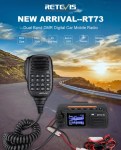
The Retevis RT73 and Kydera CDR300UV are identical radios. They are a DMR/FM duel band radio for Amateur radio use. This is great, as most of the early DMR radios available were commercial radios that were used for Amateur operations.

At time of writing this, the radio is one of the smallest dual band DMR mobile I’ve seen, about the size of a handheld.

Some of the features include:

  • DMR / Analog
  • Dual Timeslot (MotoTRBO compatible)
  • VHF / UHF Dual Band
  • Size: 121 x 76 x 43mm, 4.75 x 3.0 x 1.7″
  • Weight: 329g, 11.6oz
  • 136-174 400-480 MHz
  • 5W-20W transmit
  • FM radio receive
  • 300,000 DMR DB IDs (w/ Latest FW/SW)
  • 20,000 call groups
  • 4000 channels
  • Analog APRS
  • 16 zones (250 Chan / zone)
  • Built in GPS
  • DMR roaming

Included with the radio in the box are:

  • Microphone (DTMF currently doesn’t work but may be fixed with a future update)
  • Mounting bracket and screws
  • 2m 12V power cord
  • 60-page user guide – 6 languages
  • GPS antenna
  • Programming cable (optional – but you may already have one)

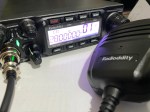
There are three programable keys along the top along with other buttons. These buttons respond differently to long and short presses. The speaker is on the front making it easy to mount, however the speaker microphone can also be a speaker if you want it to be. There are two power levels, 5W and 20W.

The display is small, but it is a small radio. However, the 2″ screen is bright and colourful. It is easy to navigate also with icons on the main menu.

Programming can be a bit tricky if you use the normal software, however there are a few alternatives. The good news is the software is free. Some do not allow you to export or import, and when you want to add a channel, it has to be added to the end, not between.

I would recomend Codeplug Editor by David MM7DBT as it has an easy tabulated menu system that guides you through each step of programming this radio.

Some other things you should know:

  • Listen in single channel or dual channel mode
  • Has promiscuous mode for DMR, however it is only on the one timeslot even in dual mode which is a pain.
  • You will need to make sure you are on the latest firmware for everything to work correctly (eg APRS).
  • You can adjust the TX audio for DMR and analog. This may need adjusting when you first get it.
  • Colour display that is easy to use, but can be hard to see from a distance or in a car.
  • You can program in zones, which is great. So you can turn them on or off.
  • Small design so easy to mount in the car

It is clear from other reviews that this radio had and has some bugs. But as more firmware updates gets pushed out, the better the radio becomes. This is mainly about GPS and APRS making the radio slow or even take over. However, most reviews admit with the latest firmware, the problem has been fixed.

If you enjoyed this read, please subscribe so you do not miss out on any other posts we put here. There are some other articles you may find of interest below:

  • What is an Antenna Coupler
    An antenna coupler (also called an antenna tuner or matching network) is a device used in radio systems to ensure impedance matching between a transmitter and an antenna. Most…
  • Antennas
    Amateur radio operators use many different antenna types, each designed for specific bands, space limits, and operating goals. Here’s a clear overview of the most common ones and why…
  • Dipole Antenna for Portable Use – Make your own!
    A dipole antenna is a basic radio antenna made of two conductive elements fed at the center. It is typically a half-wavelength long and is widely used as a…
  • Interference
    Interference in Amateur Radio refers to unwanted signals that disrupt radio communication. This interference can reduce signal clarity, make contacts difficult, or completely block communication between amateur radio operators.…
  • 6m and TV Channel 0
    Prior to 1989, it was illegal to operate between 50 MHz and 52 MHz in Australia. It was a real pain as that was where all the action was…
  • Dipole Antennas Vs Long Wire Antennas
    I’ve heard a lot about dipole antennas, and I’ve heard a lot about long wire antennas also. I would say I’ve seen more dipoles than long wire antennas. So…
  • Repeater-START
    Repeater-START is a multi-platform app designed for ham radio and radio-operator enthusiasts who need fast access to repeater information. The app provides a detailed repeater map as well as…
  • The 6-Meter Amateur Radio Band
    What Is the 6m Band? The 6-meter band, spanning roughly 50–54 MHz, is a section of the VHF spectrum assigned to amateur radio operators. Its wavelength is six meters,…
  • Anytone AT-778UV
    Overview The Anytone AT-778UV is a dual-band VHF/UHF mobile transceiver designed for amateur radio operators. It operates on the 136–174 MHz (VHF) and 400–490 MHz (UHF) bands, offering reliable…
  • 160 Meters Band
    160 meters band is known as the “Gentlemen’s band”. It is right next to the AM commercial band, known as medium wave. The 160-meter band is the radio frequencies…