What is an Antenna Coupler

An antenna coupler (also called an antenna tuner or matching network) is a device used in radio systems to ensure impedance matching between a transmitter and an antenna. Most transmitters are designed for a specific impedance, commonly 50 ohms, while antennas often vary depending on frequency and design.

When the impedance is not matched, reflected power occurs, creating a high Standing Wave Ratio (SWR). This means part of the transmitted signal travels back toward the transmitter instead of being radiated. High SWR can reduce performance and potentially damage the transmitter.

The antenna coupler solves this problem by using capacitors and inductors to adjust the electrical characteristics of the antenna system. These components transform the antenna’s impedance so it appears correct to the transmitter, which reduces SWR and allows power to flow efficiently.

While an antenna coupler improves power transfer efficiency and protects equipment, it does not improve the physical performance of the antenna itself. A poorly designed antenna will still radiate poorly, even if it is properly matched.

An Manual Antenna Coupler

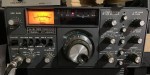
A manual antenna coupler requires the user to adjust controls by hand to achieve proper impedance matching. The operator typically turns knobs that vary capacitors and inductors while watching an SWR meter or power meter. Manual couplers are simple, reliable, and often less expensive, but they require time and operator skill, especially when changing frequencies.

An Automatic Antenna Coupler

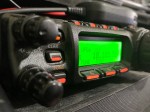
An automatic antenna coupler performs the matching process by itself. It uses electronic switching and a microcontroller to quickly select the correct combination of components when the frequency changes. Automatic couplers are fast and convenient, making them ideal for systems that change frequency often or need remote operation.

In summary, manual couplers offer control and simplicity, while automatic couplers provide speed and convenience. The best choice depends on whether the operator values hands-on adjustment or automatic tuning.

A Properly Tuned Antenna

Yes—it is generally best to have an antenna that is already tuned so you don’t need an antenna coupler.

A properly tuned antenna is designed to have the correct impedance and resonance at the operating frequency. This means low SWR, efficient power radiation, and minimal reflected power. When the antenna is tuned, the transmitter can deliver power directly to it without extra matching equipment.

An antenna coupler becomes useful when the antenna cannot be perfectly tuned, such as when one antenna is used over multiple frequencies, when space limits antenna length, or when operating on wide-band systems. In these cases, the coupler helps protect the transmitter and improve power transfer, but it does not make the antenna itself more efficient.

In summary, a tuned antenna is the best solution for performance and efficiency. A coupler is a practical workaround, not a replacement for a well-designed antenna.

Making your own Coupler

You can make your own antenna coupler, and many people do—especially for learning and basic radio use.

A homemade antenna coupler is usually built as a passive matching network using inductors (coils) and capacitors. These parts are arranged in common configurations such as L-networks, T-networks, or π-networks, which allow the antenna’s impedance to be transformed to match the transmitter.

Building your own coupler has several advantages. It helps you understand impedance matching, SWR, and how RF circuits work. Homemade couplers can also be inexpensive and customized for a specific frequency range or antenna.
However, there are also limitations. A DIY coupler usually requires manual adjustment, careful construction, and testing with an SWR meter. Poor layout or low-quality components can cause losses or limit the power it can safely handle.

Making your own antenna coupler is possible and educational, especially for simple or low-power systems. For convenience, wide-frequency coverage, or higher power, commercial automatic couplers are often the better choice.

What about you?

Have you got one? What bands do you use it for and why? Have you built your own or bought one? Do you prefer a manual over an automatic coupler?


I hope you enjoy this read. Below are some suggestions you also might enjoy.

  • Zastone D9000 Number Lock
    I purchased this radio from a friend, and it worked well. He hadn’t really used it, so I did a factory reset. This was a bit of a mistake, as it did a few things like…
  • Yaesu FT-620
    The Yaesu FT-620 (and its updated version, the FT-620B) is a vintage amateur radio transceiver designed specifically for the 6-meter band (50–54 MHz). Produced in the 1970s, it offers support for AM, CW, and SSB (USB/LSB) modes, making it a versatile rig for…
  • Yaesu FT-225R
    The 2m band has always been an interesting one for me. It used to be swamped with pager interference, but it actually is a great band. Inversion allows your signal to travel long distances at times,…
  • Yaesu 857D
    A great radio that does all bands up to 70cm. Using all modes also you can talk on SSB on VHF and UHF. If you haven’t done SSB on 2m and 70cm, then I’d encourage you…
  • WizNet DMR
    The WizNet DMR app is still in beta testing, and at the time of writing this, you have to not only have a currently have a licence as an Amateur Radio Operator, but approved to be…
  • What is an Antenna Coupler
    An antenna coupler (also called an antenna tuner or matching network) is a device used in radio systems to ensure impedance matching between a transmitter and an antenna. Most transmitters are designed for a specific impedance,…
  • What does this Antenna do?
    Have you ever had an antenna and forgotten what it is for? Maybe you have been given one and wasn’t told exactly what it was used for. I got given an antenna at at ham fest…
  • Welle.io
    Welle.io is a DAB and DAB+ software defined radio (SDR). It runs on Windows, Linux and embedded devices like the Raspberry Pi 2 and 3. You can find the program and where to download it from…
  • Welcome to the site
    Hi there from Down Under, Melbourne Australia. Thank you for visiting my radio web site. Below is what items by category is available on this web site. Thanks again for visiting. This web site is still…
  • VK3AHR Ron
    Today (20/06/25) I head Ron, VK3AHR, on the 7.100 40-meter net. I understand he ran this net for over 7 years, but hasn’t been able to for the last few weeks due to bad health. At…
  • VARA – VARAC
    Ever heard this sound on HF / VHF / UHF? I know I have more and more recently. After a bit of research, someone told me it was VARAC. https://www.varac-hamradio.com/ As I understand it, the project…
  • Using an Android TV Box for Ham Radio
    If you want to get onto Digital Radio for less (way less) than $100, then you may be interested in this. I have Apple equipment, and therefore miss out on a lot of the testing apps…
  • USB Device Error PL2303HXA
    I went into the device manager and found the error, my cable no longer worked. This same issue happened to a USB Card reader also.…

Interference

Interference in Amateur Radio refers to unwanted signals that disrupt radio communication. This interference can reduce signal clarity, make contacts difficult, or completely block communication between amateur radio operators.

Radio Frequency Interference (RFI) is one of the most common problems in amateur radio. It often comes from man-made electronic devices such as phone chargers, computers, LED lights, televisions, and power supplies. These devices can produce continuous noise or buzzing sounds across radio bands.

Natural Interference also affects amateur radio operations. Lightning causes static noise, while solar activity can disrupt or enhance signals, especially on HF bands. Atmospheric conditions play a major role in how radio waves travel and how much noise is present.

Adjacent Channel Interference and Harmonics occur when signals spill over into nearby frequencies or when transmitters emit unwanted signals outside their assigned band. This is usually caused by poor filtering, excessive power, or improperly adjusted equipment.

Managing and Reducing Interference is an important responsibility for amateur radio operators. Techniques include proper grounding, using quality cables, installing filters, adding ferrite chokes, and ensuring transmitters produce clean signals.

Rules and Responsibilities in Amateur Radio require operators to avoid causing harmful interference, accept interference from other legal users, and correct any problems their station may cause. Cooperation among amateur radio operators helps identify and resolve interference issues effectively.

Options

Amateur radio interference can be reduced by controlling unwanted radio-frequency (RF) energy and improving how equipment handles it. One of the most effective methods is using ferrite chokes on coaxial cables, power leads, and the cables of affected devices. These chokes block RF from traveling along cables and significantly reduce interference.

Good grounding and bonding are also essential. The radio, power supply, and antenna system should be properly grounded, with metal parts bonded together using short, thick wires. A single, well-designed ground point helps prevent RF from spreading into household wiring and electronics.

The antenna system plays a major role in interference. A properly tuned antenna with low SWR reduces stray RF, and placing the antenna farther from buildings and electronics helps limit interference. Using baluns or common-mode chokes at the antenna feed point can further prevent RF from flowing back along the coax.

Interference can also be reduced by lowering transmit power to only what is necessary and by using filters such as low-pass or band-pass filters. Replacing or relocating noisy household electronics—like cheap power adapters or LED lights—can improve reception. Finally, using shielded cables, keeping wiring short, and changing frequency or band when needed can help minimize interference even further.

What about you?

I would love to hear what you have experienced and done about radio interference. Did you cause it? Did you experience it? What helped?


If you enjoyed this read, here are some others you may enjoy

  • 10 metres 28.490
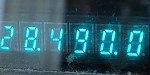
    On the 10-metre band, 28.490 is the unofficial calling frequency for Australia and New Zealand. This is interesting as the Band plans state it is 28.390 as the recommended intra-VK calling frequency. That said, 28.490 is more recognised as the unofficial calling…
  • 160 Meters Band
    160 meters band is known as the “Gentlemen’s band”. It is right next to the AM commercial band, known as medium wave. The 160-meter band is the radio frequencies between 1.8 and 2 MHz. For many decades it was the lowest radio…
  • 6m and TV Channel 0
    Prior to 1989, it was illegal to operate between 50 MHz and 52 MHz in Australia. It was a real pain as that was where all the action was when the band opened up. However, after many requests from the WIA to…
  • Amateur Radio Nets
    A list of Radio nets we have gathered from web pages around the world, as well as friends etc.…
  • Antennas
    Amateur radio operators use many different antenna types, each designed for specific bands, space limits, and operating goals. Here’s a clear overview of the most common ones and why hams choose them. Wire Antennas These are some of the simplest and most…
  • Anytone 778UV Key Assignment
    Key Assignment For some reason, not all the key assignment options are in the manual and after a bit of searching, I found no complete list.  Hopefully this below helps you in selecting your Key Assignments on the main unit P1-P6 keys,…
  • Anytone AT-778UV
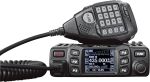
    Overview The Anytone AT-778UV is a dual-band VHF/UHF mobile transceiver designed for amateur radio operators. It operates on the 136–174 MHz (VHF) and 400–490 MHz (UHF) bands, offering reliable two-way communication for both ham radio and commercial use (depending on firmware version).…
  • Australian DMR Repeaters
    There are several DMR networks around the world, and more and more start all the time. The Australian DMR network currently covers the entire country and is for Australian residents only. It can often be hard to find which DMR repeaters are…
  • Band Stacking
    Have you ever tried Band Stacking before? This is where you have three options per band every time you go to that band. For example, you may have one set up on SSB, one on CW and another on Data, all on…
  • Baofeng GT-5R Pro
    The first thing I noticed after receiving the radio was the size of the radio. It is small yet not to small that it is hard to use. It fits comfortably in your hand. Not only is it physically small, the price…

160 Meters Band

160 meters band is known as the “Gentlemen’s band”. It is right next to the AM commercial band, known as medium wave.

The 160-meter band is the radio frequencies between 1.8 and 2 MHz. For many decades it was the lowest radio frequency band allocated for use by amateur radio, before the 630 and 2200 meter bands were introduced.

Amateur operators often refer to the 160 meters as the Top Band because it was for some time.

The 160-meter band is the oldest amateur band. Antennas are usually huge in size due to the wavelength at this frequency, making the higher bands a lot easier to get into given they have shorter wavelengths, requiring smaller antennas. Small antennas lead to less space required and less cost.

During the day propagation is limited to local contacts, but long distance contacts are possible at night, especially around sunrise and sunset.

How it started for me

The hobby started for me on Medium Wave, where I was shocked to receive long distance AM radio signals from interstate radio stations. The distances were huge, across countries if I was in Europe. As a kid I loved listening to interstate radio and sometimes phoned them to let them know. They were shocked I could hear them and often mentioned me by name soon after my phone call.

My Antenna’s

I’ve tried several antennas on this band. They include:

  • A horizontal dipole antenna. This worked really well though it was huge. The problem I had with this antenna was most people in my area use vertical antennas so they couldn’t hear me well.
  • A horizontal long wire antenna. This antenna was also huge, and also not vertical. So it worked well for close contacts, but not as good if I tried to contact a few suburbs away.
  • An inverted L antenna. This worked the best as my local contacts used vertical antennas. I tried to get the vertical part as high and as long as I could before doing that horizontal part. Given the length of the wire needed, most of the wire was still horizontal, but at least the first but was vertical. Though the secret to this antenna was the ground wires. I started with two of them and ran one around the house about 2 feet from the ground. The other was around the fence. I will put at least two more out which should also help improve things.

Summary

Getting on 160m was a bit of a challenge due to the wavelength. I could be heard on SSB, but AM was the biggest challenge. With AM, my radios would put out less watts so I had to rely more on my antenna.

Below is a small video of my 160m antenna and how I made the inverted L. With amateur radio, there will always be improvements and I am sure this setup isn’t the best, but it is a start and I learned what I could from the other amateurs who had already mastered this band.

Below is an extended video which goes into a bit more detail of how and why I did what I did. I adjusted all my HF antennas to make this 160m antenna work while not upsetting any of the other bands.

As I mentioned in both videos, I am not a professional, but an amateur radio operator and as keen to learn as anyone else. If you have any thoughts on this, I would value them in the comments below. It will not only help me, but others reading this. So don’t forget to have a look at what others have to say.

160m Coffee Break Net

Each weekday in Melbourne, there is a 160m Coffee Break Net. This net is a bit of a challenge to get onto because you must:

  • Have a full licence
  • Have a vertical antenna (which is the biggest challenge for 160m)
  • Have a radio that does AM, and puts a few watts out

As you can see above, I was able to make a 160m vertical antenna, so once I got this working, I was on the air! Many people try their dipole antenna, as did I at first, but on AM, it just doesn’t go far, and since everyone on the net is vertically polarised, they couldn’t hear me. I saw this as a challenge, and one worth trying.

Don’t forget to subscribe to this page, as I am sure I will have a version 2 of these antennas out one day!


If you enjoyed this, here are some other reads you may enjoy: