
I’ve been using the Parks and Peaks app on iphone and ipad for a little while now and quite enjoyed it. There don’t seem to be many iphone apps compared to android, so when there is one, I usually have a look. This one caught my eye as it was not only free, but useful.
After using it for a while, I contacted the author of the app, Sue Southcott, VK5AYL where she was thrilled that I would do a review on this free app, and provided me with a bit more information about her and the app.

The current version is for iphone only at this stage, but I think there are plans to expand this. It allows users to Spot, Alert and export in ADIF and or spreadsheet format.
The app also allows users to search for sites including parks, peaks and silos by site ID. Or you can search by partial site name or by using the inbuilt map.
Setting up the map and connecting site data by longitude/latitude co-ordinates has been Sue’s favourite part. Sue said “I already had the experience of connecting data to mapping systems during my career.
The following awards are handled – WWFF, SOTA, HEMA, IOTA, KRMNPA, SANPCPA, SIOTA, SHIRES, ZLOTA & POTA.
Parks & Peaks is an Australian website that collects data from Amateur Radio operators who get out of their shacks and operate their radios portable in parks or on peaks. It also collects data from those who Spot them.
AU/NZ sites can be downloaded to the device for use when there is no network available.
It will also produce multiple logs for one activation, so if you are on a Summit in a WWFF Park with a Pota reference, you will get 3 logs, one for SOTA, one for WWFF and one for POTA.
There is also a quick way to log activators as I show in the video below.
About Sue VK5AYL….
Sue has had her Advanced Amateur licence for a very long time and it led to her decision to study IT back in the 80s.
For over 30 years, she had a successful career as an IT Manager, Analyst/Programmer, TAFE Lecturer and even my own software business, contracting to many organisations.
Most of her work involved working on client/server applications for large businesses.
In 2014, Sue decided to learn how to write an iOS app and along came Parks & Peaks, which gave me something to work on. After purchasing a Mac Pro Sue had to learn how to use it very quickly, along with the new Apple language.
In 2015, Sue presented version 1 to the WIA AGM in SA. Since then, Sue has released versions 2 and 3 and compared to version 1, they had many more features. Sue told me she loved every minute of developing the app as it has been a massive challenge and allowed her to continue with my love of programming.
Why not have a look at my video on this app where you can see it in full operation:
If you enjoyed that read, please remember to like and subscribe so you get updates as they happen. Below are some more reads you may enjoy from this site:
- Orion Push to Talk
 Orion is an app that isn’t really known in my world, perhaps because it isn’t available on all platforms, or because it does transmit your exact location to everyone on the channel.…
 - Iphone won’t download photos
 I get the “Device is unreachable” Error message when trying to import media from iPhone to Windows 10 PC. …
 - Solar Data & Propagation
 There are several website that tell you what bands are open in your area. Most people paste them on their QRZ page, but there are some examples below that update every hour.…
 - EchoLink CQ
 I’ve been using EchoLink well before smartphones where the only way I knew how to connect to a different station was via the radio. The internet wasn’t as extensive as it is…
 - Retevis RT73 – Kydera CDR300UV
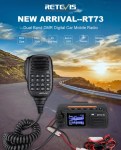 The Retevis RT73 and Kydera CDR300UV are identical radios. They are a DMR/FM duel band radio for Amateur radio use. This is great, as most of the early DMR radios available were…
 - Baofeng UV-17R Plus Series Review
 I recently got my hands on a new Baofeng UV-17R Plus Series radio. It didn’t take long at all to arrive and was not expensive at all. People these days pay more…
 - DNR – Digital Noise Reduction
 As per the Yaesu FT-710 manual, the Digital Noise Reduction (DNR) system is designed to reduce the level of ambient noise found on the HF and 50 MHz bands. The (DNR) system…
 - Portable HF all band Antenna and Mount
 I recently got the Radioddity M916 Heavy duty antenna magnetic mound with the Radioditty HF-008 all band portable antenna. I had always wanted to use HF more while camping or going on…
 - Baofeng GT-5R Pro
 The first thing I noticed after receiving the radio was the size of the radio. It is small yet not to small that it is hard to use. It fits comfortably in…
 - Radioddity QT80
 The new QT80 radio by Radioddity is a fantastic radio and I have a lot of contacts on it already. QT60 Vs QT80 This is a QT80 model but there is also…
 - HF Mobile Antenna CBL-561
 CBL-561 Review The new CBL-561 antenna is strong and light that is fit for mobile work, camping or remote radio use. I plan to use this on our next outback trip! This…




 VK3TBS