
I’ve always wanted to take the radio with me while on holidays and I always do. However I’ve always been limited to 2m and 70cm including local repeaters and digital work.
Our family enjoy holidays all over Australia into some of the most remote places without water, power or any mobile signal. Sometimes this can last week’s at a time.
If your keen to learn more about our travels around Australia and learn more, please let me know.
Most of these remote locations means limited activity on 2m or 70cm as there are no repeaters for days!
Because of this remoteness, there are several outback radio networks we can join or listen to. They make quite interesting listening.
However, when on holidays, we amateurs don’t want to just listen, we want to be part of the action! And HF is the next best thing.
I’m currently on holiday in the Victorian high country, also known as “The Man from Snowy River” country. It is rugged, beautiful and high. So up here I can actually can receive several 2m and 70cm repeaters, but this is a good test for HF work.

With me, I brought a battery pack, that has a 12 volt lithium battery which we run our camping fridge off. I now run my HF gear off it!
I also brought my new QT-80 radio, which is small in size yet puts out 80 watts. I have placed a video below on this radio if you are not familiar with it.
I used a magnet mount antenna base as the car I was using is not mine. This mount sticks to the car like glue, but also comes off on demand so you can adjust the antenna as required.
I brought two antennas to test. The first one was the HF-008 antenna that covers more bands than the QT80. I have a video on both these below for you if you are not familiar with it.
I also brought the new CBL-561 HF antenna so I could compare the two antennas. This antenna can be used while mobile unlike the HF-008 antenna. I have another video for you to show you that antenna below:
Before leaving home, I went to the hardware store and bought two lengths of pipe with caps that could safely store each antenna. I could then almost throw them in the boot of the car and not be worried about them being damaged or caught on something as I pulled them out of the boot.
Hot Tip
The funny thing was, while on holidays, I forgot to bring a measuring tape to adjust the antenna. Fortunately one of my children had a ruler with them so I was able to mark measurements down the side of the tube with a sharpie.
I also wrote down next to the measurements the lengths Radioddity recommended and then as I tuned in the antenna myself with the lowest SWR, I marked the pipe to my best measurements which were very close to the same as Radioddity.
This Tip I am sure will be very useful going forward when I’m out in the Australian outback or somewhere that I have no ruler!
Results
Both antennas fitted the same magnetic base which made this setup work well.
On testing both antennas using the same frequency to the same long distance contact, I and they couldn’t tell the difference between us. I found both antennas easy to tune in and get the SWA right down before making any contacts.
I then tried again from the top of Mount Buffalo, one of our highest mountains and got the same results where both myself and the contacts I spoke to didn’t know I had even changed the antenna.
There are differences between the antennas though which may help you decide which antenna is right for you.
Compare Antennas
HF-008
This antenna covers a lot of HF bands, as covered in the video above. However it cannot be used while mobile, mainly due to the jumper cable. It is a great antenna and can be used with a radio that puts out a lot more watts than the small QT-80 radio I used.
CBL-561
The CBL-561R antenna does not cover as many HF bands as the HF-008 does, but if you are using the bands it does cover, then this antenna might be good for you. One big advantage to this antenna is that it can be used while mobile, not just stationary.
Both antennas will need adjusting if you switch bands or switch from one end of the band to another. So setting the antenna to a permanent mount on the car on the top of the roof where it ends up out of reach, then you may want to rethink this. I found the magnet mount ideal, as you can still have it on the highest point of the car and access it easily.
Another option I also use is a bull bar mount that I use on my 4×4.
I’d encourage you to watch my video below as it explains what I discovered.
Remember the old saying Hight is Might and going portable gives you an opportunity to test this theory.
Hope you enjoyed this read. Below are some other interesting articles I have also written that you may enjoy.
- 20m vs 17m
 One day I was checking the bands and noticed the 17m band is open for a short period. I have noticed this…
 - HF on a Hand Held?
 Radioditty sent the new GS-10B Pro to me before it was released as they wanted you to see it first. When sending…
 - CW Skimmer
 CW Skimmer is a popular amateur radio software program used for decoding Morse code signals on the HF bands. The program is…
 - ADIF Master
 ADIF Master is a popular amateur radio logging software tool used for editing and managing ADIF log files. ADIF stands for Amateur…
 - 15 Metre band
 The 15 metre band is one of the most popular HF amateur radio bands for long-distance communication, offering an excellent balance between…
 - AOR AR1000XLT Fix
 The AOR AR1000XLT is a popular wideband scanner receiver that became well known among radio enthusiasts, amateur radio operators, aviation listeners, and…
 - Maximum Usable Frequency (MUF) in HF Radio Propagation
 Maximum Usable Frequency (MUF) is an important concept in HF radio propagation and amateur radio communications. It refers to the highest frequency…
 - World Amateur Radio Day
 World Amateur Radio Day is celebrated every year on April 18, marking the founding of the International Amateur Radio Union (IARU) in…
 - Amateur TV
 Amateur Radio Television (ATV), often called “ham TV,” is a niche part of amateur television where licensed radio operators transmit live video…
 - Baofeng UV-5R Mini
 The Baofeng UV-5R Mini handheld radio is a popular and affordable dual-band amateur radio transceiver widely used by beginners and experienced ham…
 - Lightning Storm & HF Radio
 HF radio and lightning storms are closely connected because lightning creates strong radio frequency interference that affects HF radio communication (3–30 MHz).…
 - OpenHamClock
 OpenHamClock is an open-source amateur radio dashboard designed as a modern successor to the original HamClock used by radio amateurs worldwide. It…
 - Radtel P8 PoC radio
 The Radtel P8 PoC radio is a Push-to-Talk over Cellular (PoC) device that looks like a traditional walkie-talkie but communicates using 4G/LTE…
 - What is an Antenna Coupler
 An antenna coupler (also called an antenna tuner or matching network) is a device used in radio systems to ensure impedance matching…
 - Antennas
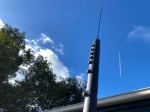 Amateur radio operators use many different antenna types, each designed for specific bands, space limits, and operating goals. Here’s a clear overview…
 - Dipole Antenna for Portable Use – Make your own!
 A dipole antenna is a basic radio antenna made of two conductive elements fed at the center. It is typically a half-wavelength…
 - Interference
 Interference in Amateur Radio refers to unwanted signals that disrupt radio communication. This interference can reduce signal clarity, make contacts difficult, or…
 - 6m and TV Channel 0
 Prior to 1989, it was illegal to operate between 50 MHz and 52 MHz in Australia. It was a real pain as…
 - Dipole Antennas Vs Long Wire Antennas
 I’ve heard a lot about dipole antennas, and I’ve heard a lot about long wire antennas also. I would say I’ve seen…
 - Repeater-START
 Repeater-START is a multi-platform app designed for ham radio and radio-operator enthusiasts who need fast access to repeater information. The app provides…
 - The 6-Meter Amateur Radio Band
 What Is the 6m Band? The 6-meter band, spanning roughly 50–54 MHz, is a section of the VHF spectrum assigned to amateur…
 - Anytone AT-778UV
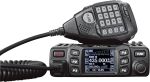 Overview The Anytone AT-778UV is a dual-band VHF/UHF mobile transceiver designed for amateur radio operators. It operates on the 136–174 MHz (VHF)…
 - 160 Meters Band160 meters band is known as the “Gentlemen’s band”. It is right next to the AM commercial band, known as medium wave.…
- What does this Antenna do?
 Have you ever had an antenna and forgotten what it is for? Maybe you have been given one and wasn’t told exactly…










 VK3TBS